



Proprietary models, agents operating via email, and end-to-end traceability. This month's updates advance two reinforcing axes: agents with more knowledge sources and more actions available, and administrators with greater visibility and control over everything that happens in the organization.
⭐ Check out all the new releases
Text Editor: a modernized editing experience across Pipefy
Pipefy is rolling out a new Text Editor across key areas of the platform. This update brings a unified, modern content creation and editing experience: more consistent, smoother, and visually coherent no matter where you're working inside Pipefy.
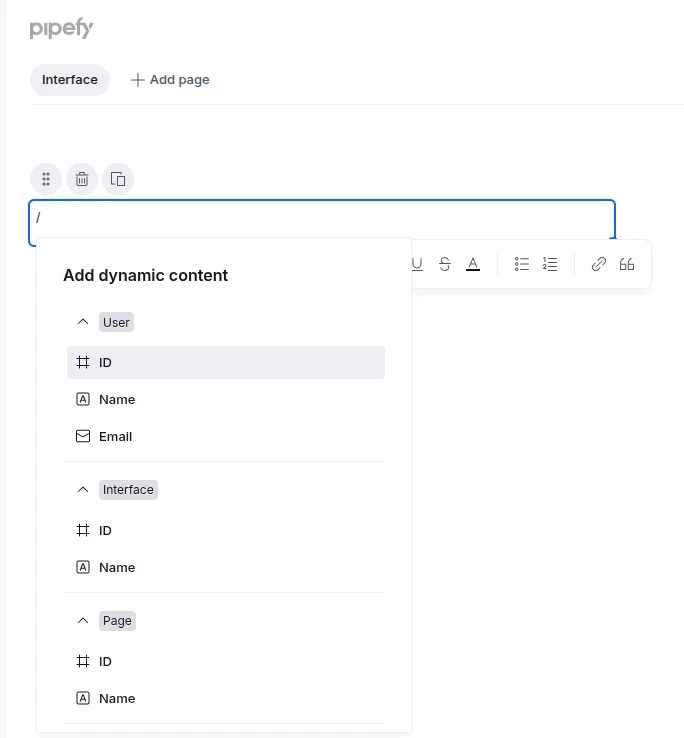
- New Text Editor in Portal and Interface text elements: edit instructions, descriptions, and text content through a refreshed, cleaner, and more responsive interface
- New Text Editor in Dynamic Fields inside Pipe phases: create and format content in dynamic fields with the same modern experience now available across the rest of the platform
Audit Logs for Pipes and Cards: end-to-end visibility and traceability
IT admins now have a single place to track everything that happens inside a pipe. Structural configuration changes and card activities are consolidated in one interface, with search, export, and full details on who performed each action and when — no more manually logging changes or opening items one by one.
What's new?
Inside the Pipe under Manage → Audit Logs:
- New “Configuration Changes” tab: records structural pipe changes, including AI Agents, automations, phases, fields, field conditionals, connections, members, and permissions
- Card Activities: key card events consolidated in the pipe log, with no need to open each card individually
- Resource Type column: identifies the type of resource affected by each event
- Sortable Time column: sort history chronologically or from most recent to oldest
- Full actor details: name and email of who performed each action. If the actor is an AI Agent or automation, its name is also shown
- 180-day history in the interface
- CSV export: last 30 days of events
AI Agents — New Knowledge Source: Plain Text
AI Agents in Pipefy now support a third knowledge source type: Plain Text. Lightweight business rules, operational instructions, and static context can be added directly in the agent interface, with no file uploads and no database connections required.
What's new?
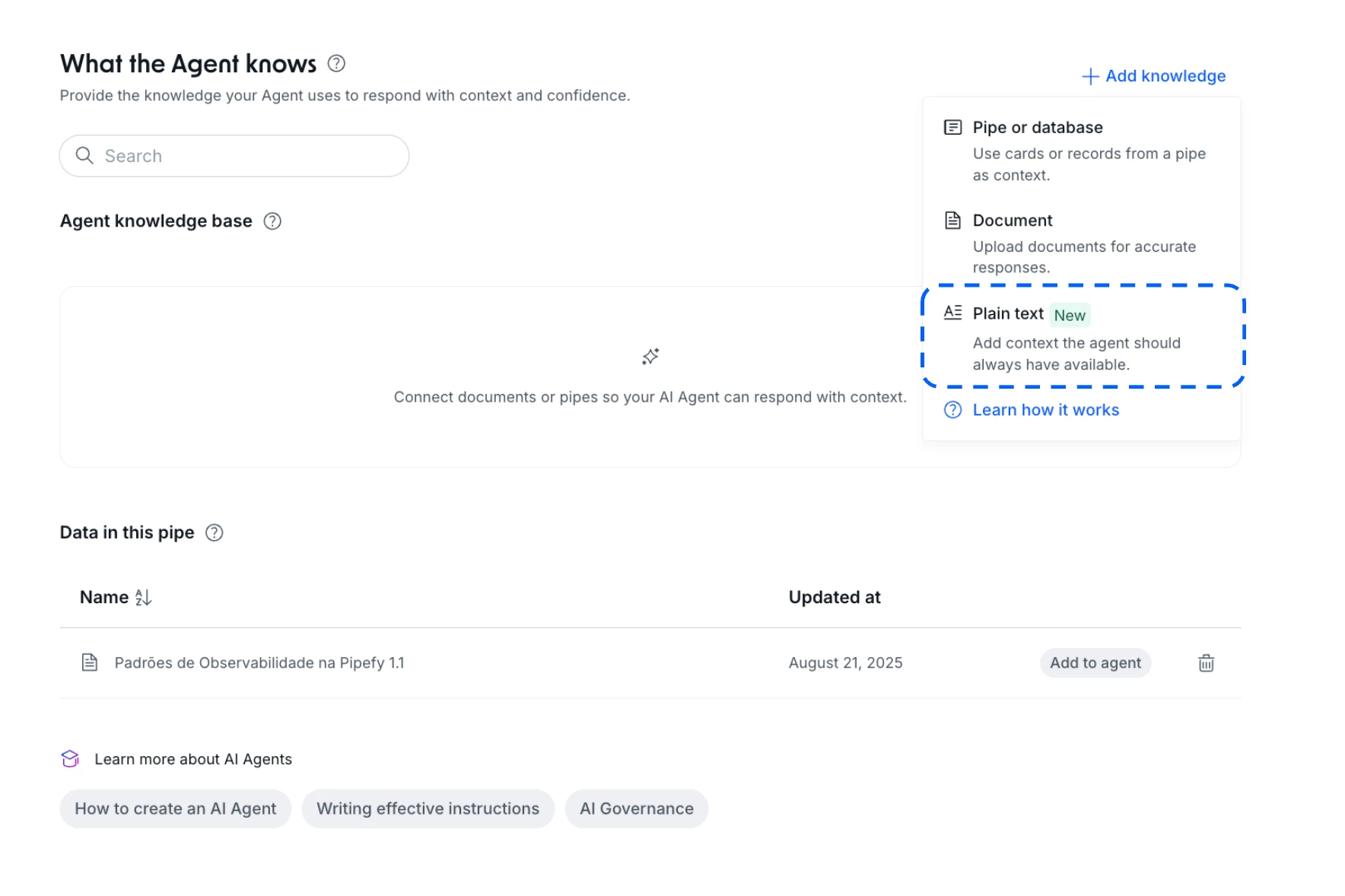
- New Plain Text knowledge source option available in agent configuration
- Text field supports up to 3,500 characters
- Works alongside existing knowledge source types: Documents / PDFs, Pipes / Databases, and Plain Text (new)
Default Privacy for Pipes: Governance Control for Admins
Admins and Super Admins can now set every new pipe created in the organization to be private by default. The toggle lives under Organization Settings > General Settings and takes effect immediately for new pipes — no manual adjustment needed at creation time.
What's new?
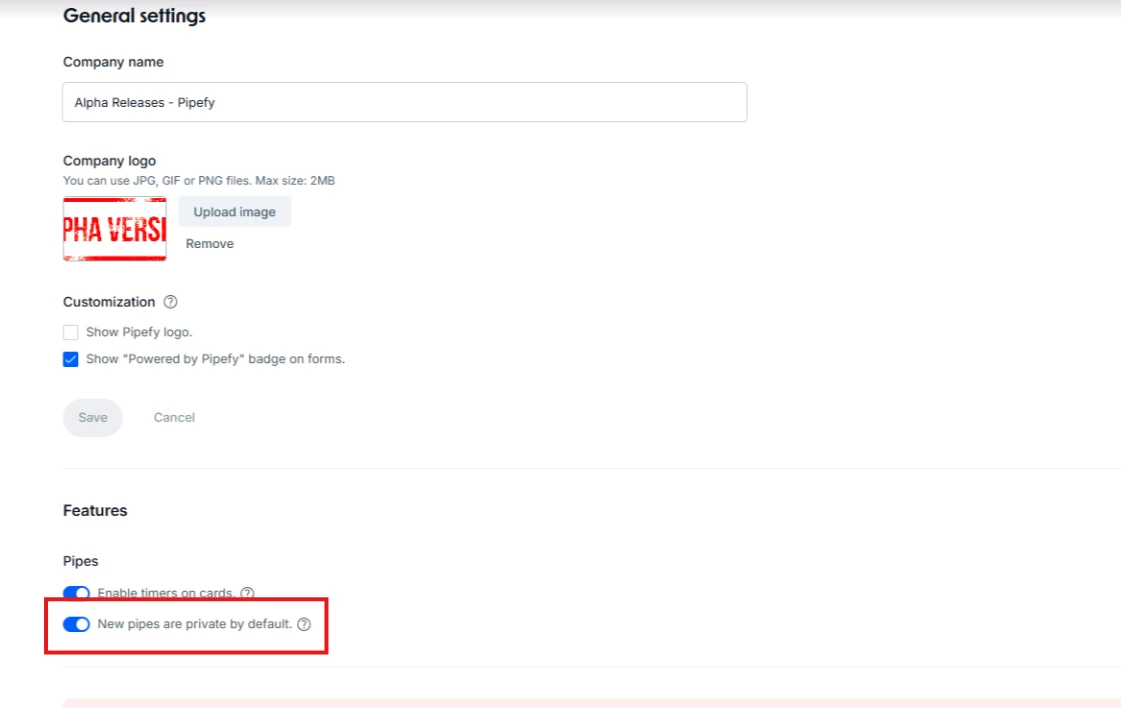
- New toggle in General Settings (visible to Admins and Super Admins only)
- Every pipe created from scratch or cloned from the Template Store defaults to "Private to invited members"
- Organization members can see the pipe exists in the list but cannot access it without an invite
- Internal cloning respects the original pipe's existing permission settings
- Previously created pipes are not affected when the toggle is activated
AI Agents — New action: send an email template
AI Agents can now send emails directly from automated workflows using pre-configured templates. The action includes an intelligent content adjustment toggle, allowing the agent to adapt the email body based on card fields and execution context, without compromising brand consistency or template structure.
What's new?
AI Agents now support six actions:
- Update card fields
- Create a card
- Create a connected card
- Create a record
- Send an email template (new)
- Move card
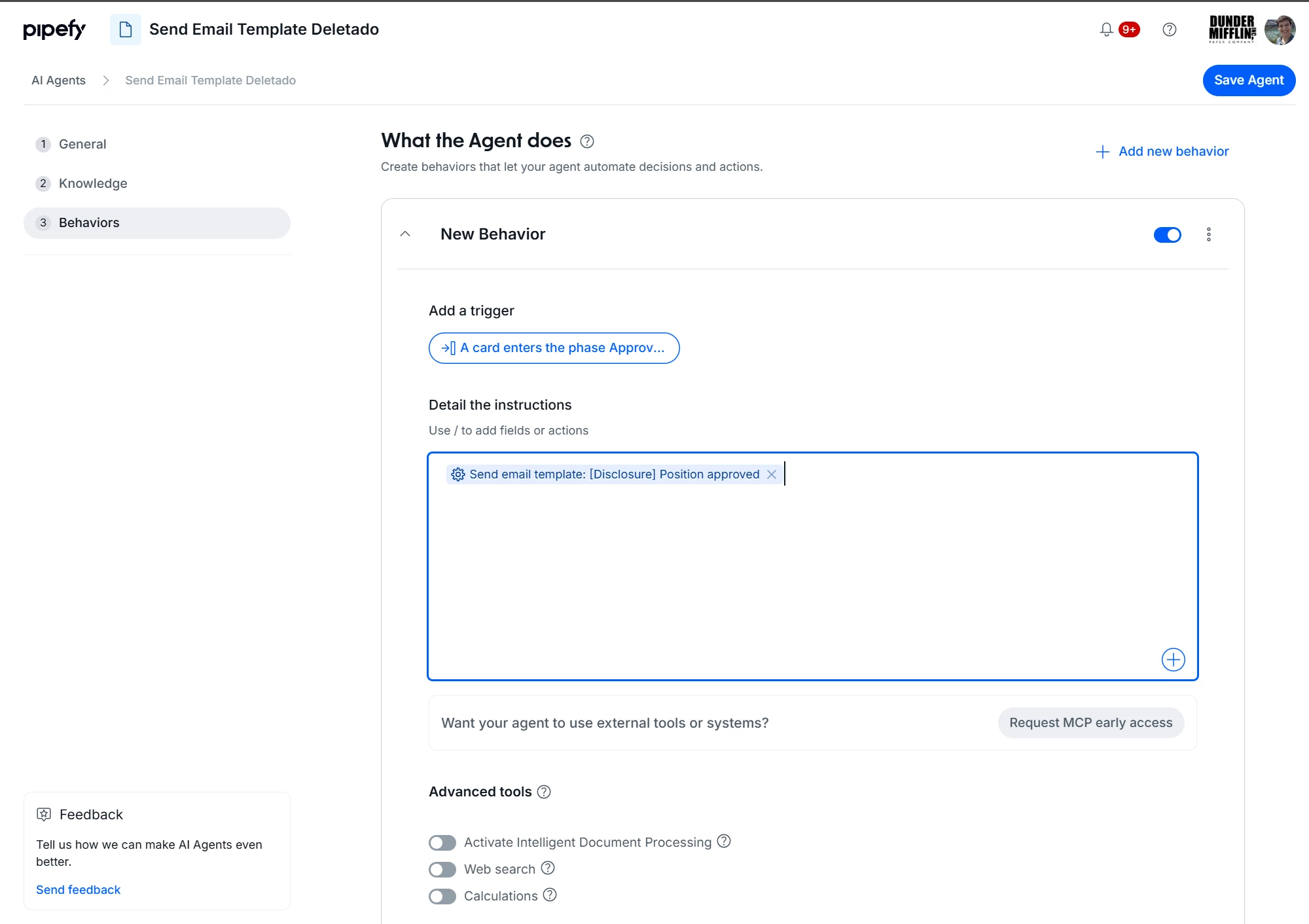
The new action includes the "AI content adjustment" toggle: when enabled, the agent automatically adapts the template content based on the card fields and execution context.
