Question

A connected field has been deleted. How do I "clear" references to a deleted connected field?

  • June 17, 2026
  • 1 reply
  • 11 views

carlos-btc

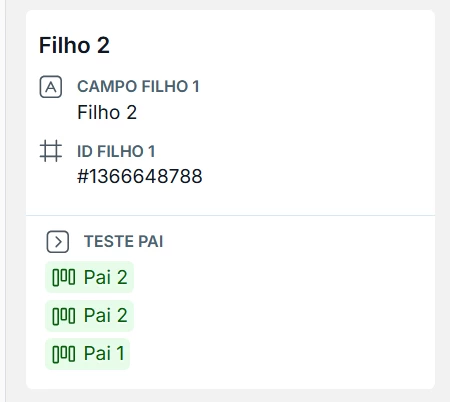
I had a connected field that was accidentally deleted, and because of this, all references to this deleted field in the connected cards are still appearing.

I can't delete these references to the deleted connected field.

Does anyone know how to "clean up" these ghost references from the card using GraphiQL?

Thank you.
 

1 reply

Alan dOliveira
Pipefy Staff
Forum|alt.badge.img+1

Hi ​@carlos-btc ! I already answered your other post with the same question, but I'll follow up here too.

To better understand what's happening and help you effectively, could you share the following?

  1. Screenshot of the card showing the ghost references (like the image you shared)

  2. Name of the connector field that was accidentally deleted

  3. Name of the pipe where the field existed

  4. How many cards are affected is it a specific card or multiple ones?

  5. Result of the query below in GraphiQL (replace with the ID of one of the affected cards):


{
card(id: "AFFECTED_CARD_ID") {
id
title
parent_relations {
id
name
source_type
cards {
id
title
}
}
}
}

With this information we can confirm what's causing the ghost references and point you in the right direction to get it resolved. Thanks!