



🔐 Available for customers with the Custom Integrations add-on
👤 For process administrators and workflow architects
🎯 For those who need to connect Pipefy to other systems without relying on custom code
Most companies do not run on a single system. There are HR tools, ERPs, CRMs, spreadsheets, and communication platforms. Each one plays its part, but when they need to work together, what teams are left with is manual work: copying data from one place to another, triggering processes by email, correcting typos that should never have existed.
The Pipefy Integrations Hub exists to close that blind spot. It is Pipefy's native integration layer: it connects Pipefy to other systems, automates data transit between them, and keeps everything under process governance, without relying on custom development for each connection.
📖 What you will understand here:
Internal automations vs. external integrations
Pipefy already handles a great deal without the Integrations Hub. You can automatically move cards between phases, send emails, assign owners, trigger AI Agents. All of that is internal automation: the process orchestrates itself inside Pipefy.
But when the trigger or the action involves an external system, the logic changes. A new employee onboarded in Pipefy needs to be created in the HR system. A purchase approval in Pipefy needs to generate an order in the ERP. A resolved ticket needs to update the CRM. These flows cross system boundaries, and that is exactly what the Integrations Hub is built for.
Internal automation orchestrates the process inside Pipefy. External integration connects Pipefy to the company's ecosystem. The two complement each other, but they answer different questions.
How the Pipefy Integrations Hub works
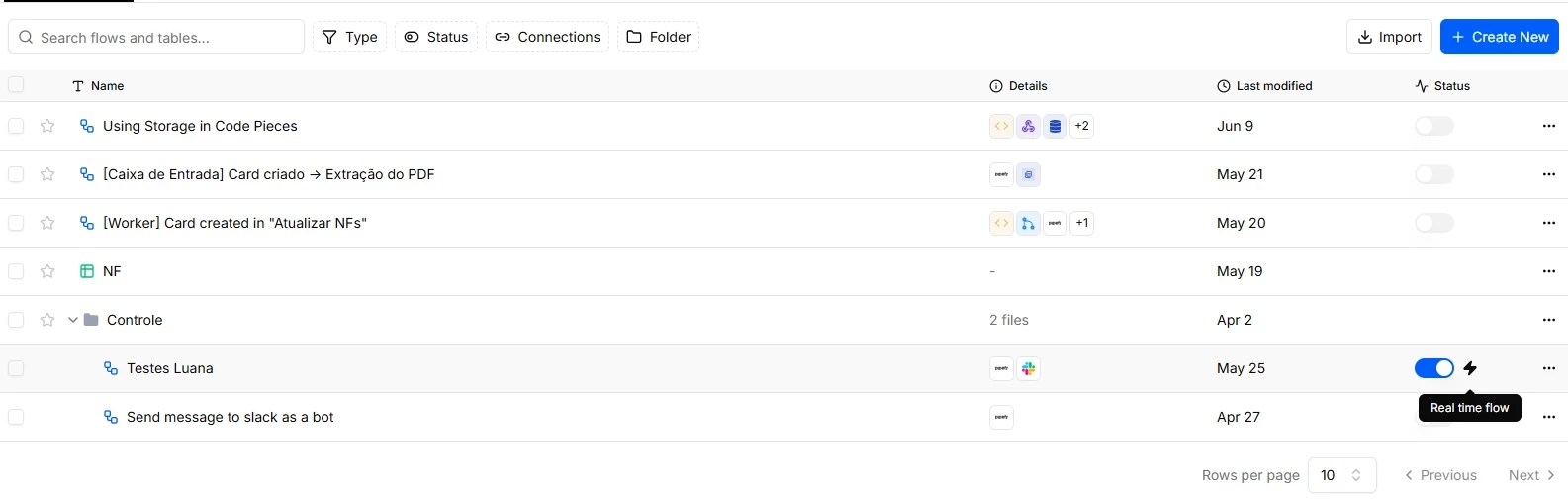
The basic unit of the Integrations Hub is the flow. A flow is an integration recipe: it defines when something should happen (trigger), under what conditions, and what should follow as a consequence (actions).
Trigger
The trigger is the event that starts the flow. It can come from inside Pipefy (a card advances to a phase, a field is filled in) or from outside (a request arrives via webhook, a schedule fires at a fixed time). Some triggers are real-time because the connector has a webhook; others are scheduled, polling the API at set intervals.
Actions
Actions are the operations the flow executes when the trigger fires. Create a record in an external system, update a field, send a notification, call an API. The Integrations Hub offers native actions for the most widely used apps, plus flow-control pieces like Router (for conditional branches), Loop (for iterating over lists), and Delay (for timed pauses).
Tasks
A billable task is any action or step completed successfully inside an integration flow that consumes platform resources to execute external logic or process data. These tasks count toward your plan's monthly quota.
Key principle: you are only billed for tasks that complete successfully. Actions that end in error or timeout are not charged.
What does NOT count as a billable task:
• Triggers: the event that starts a flow never counts as a step.
• Branch (Router / If-Else): evaluating logical conditions does not consume tasks.
• The Loop node (For Each) itself: the control node is free.
• Failed executions: any step that ends in error or timeout is excluded from the count.
A concrete example: employee onboarding
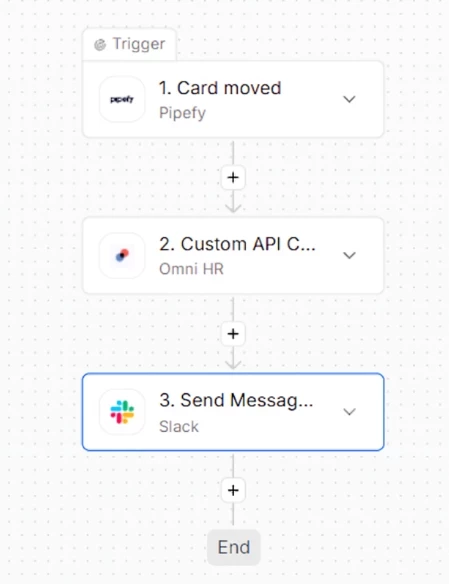
An employee onboarding process typically involves at least three systems: Pipefy (where the process lives), the HR system (where the employee needs to be registered), and the internal communication tool (where the team needs to be notified).
Without integration, an HR analyst manually opens the HR system once the card advances to the "Documentation Approved" phase, types in the employee's data, and then sends a message on Slack. With the Integrations Hub, that flow runs automatically: the phase advance fires the trigger, an action creates the record in the HR system with the card data, another action sends the Slack message. The analyst shifts from operator to validator.
The criterion for building an integration is not "is this possible?" It is "does this happen frequently enough to justify the setup and task consumption?”
When it makes sense to use the Integrations Hub
- Processes that regularly feed or consume data from external systems (ERP, CRM, HRIS, communication tools).
- Operations where the data already exists in another system and needs to reach Pipefy without being re-typed.
- Flows that depend on real-time synchronization across platforms, with no tolerance for manual delays.
- Teams that have already automated the internal process and want to eliminate the residual manual work at the edges.
The Integrations Hub delivers the most value when the process is already stable and the bottleneck is communication between systems.
Before moving on, confirm you understand:
☐ The difference between internal automation and external integration
☐ What a flow, a trigger, and an action are
☐ What tasks are and how they are consumed
☐ At least one process in your operation that could benefit from an integration
