




👤 For teams that need to connect systems without a native connector available
🔐 Available for customers with the Custom Integrations add-on
🎯 Level: intermediate
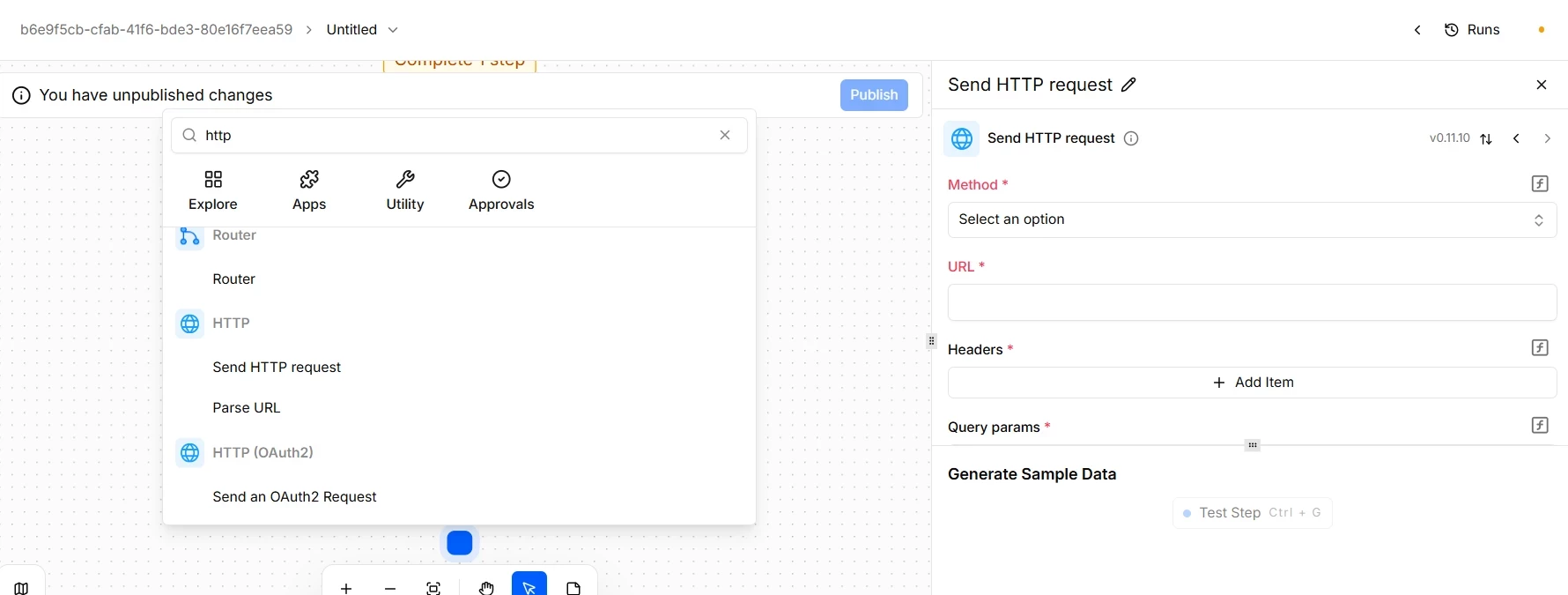
Pipefy Integrations Hub comes with ready-to-use connectors for the most common platforms. But real operations also include internal systems, regional tools, proprietary APIs, and niche services that no connector catalog will ever cover completely. For those cases, there is the HTTP and HTTP (OAuth2) action.
The HTTP action lets any flow communicate with any external endpoint that accepts HTTP requests. No dedicated connector needed. No dependency on the integrations roadmap. If the API exists and is reachable, the flow can talk to it.
📖 What you will understand here:
Dedicated connector or HTTP action: how to decide
The general rule is simple: use a dedicated connector whenever one exists for the system you want to integrate. Dedicated connectors already handle authentication, data mapping, and platform-specific edge cases. They are faster to set up and easier to maintain.
The HTTP action comes in when no connector is available, or when you need fine-grained control over the request that a standard connector does not offer. In the tool, HTTP calls split into two fundamental approaches based on the security model of the target system:
- HTTP (Standard): The right choice for APIs that use static, simplified authentication, such as API Keys, fixed Bearer tokens, or Basic Auth. It is the fastest option to configure: you reference a variable directly in the parameters or headers.
- HTTP OAuth2: Built specifically for modern platforms that require the dynamic, secure OAuth 2.0 flow with consent screens. The key technical advantage here is that Pipefy manages the full credential lifecycle for you: it stores the Access and Refresh Token and automatically renews them in the background, preventing your flow from breaking on an expired token.
The HTTP action requires you to know the documentation of the API you are calling: which methods it accepts, how it expects to receive data, which headers are mandatory, and which authentication model it requires. That knowledge does not come from Pipefy. It comes from the external system's documentation.
The decisions that define how the integration behaves
Configuring the HTTP action involves technical choices that directly affect flow reliability. A few of them deserve attention before going to production.
Method and request structure
The HTTP method defines what you want to do in the API: GET to retrieve data, POST to create records, PUT or PATCH to update, DELETE to remove. Each API defines which methods it accepts on each endpoint. Use the API documentation as your reference, not assumptions.
Headers are the correct place to pass authentication credentials such as Bearer tokens or API keys. Query params go for filter and pagination parameters the API expects in the URL. The body carries the payload when the method requires sending data, usually structured as JSON or form data.
To keep the integration secure and flexible, avoid hardcoding secret keys or sensitive data directly in those fields. Instead, use the Variables tab in the Data Selector to inject that information dynamically. By referencing a variable using the platform's native structure, you keep the flow reusable, simplify maintenance across environments, and protect critical data from direct exposure in the request body.
Never place credentials directly in the URL or in the request body. Beyond the risk of exposure in logs, many APIs reject authentication outside of headers. Always use the headers field for Authorization and access keys.
Behavior on failure
APIs fail. Servers go down, timeouts happen, and responses arrive in unexpected formats. To handle those instabilities, the HTTP action provides an On failure field, letting you define precisely how your flow should react to each type of technical response.
When you expand the selection menu, you will find options divided between retry policies and flow continuity policies:
🔄 Retry strategies
- Retry all errors (4xx, 5xx): Forces the system to retry the call regardless of whether the failure was caused by a client-side error or a server-side one.
- Retry on internal errors (5xx): The right choice to handle temporary network instability or brief outages on the partner server.
- Do not retry: The flow discards any reprocessing attempt as soon as the first failure is detected.
🛤 Continuity strategies
- Continue flow on all errors: Lets the flow advance to the next steps even if the HTTP call fails completely. Makes sense when the action is purely secondary and the main process cannot stop.
- Continue flow on 4xx errors: Allows continuity if the error is client-side, but halts execution when the destination server goes down (5xx errors).
- Do not continue (stop the flow): The default and most conservative option. If the API fails, the flow stops immediately to protect data integrity.
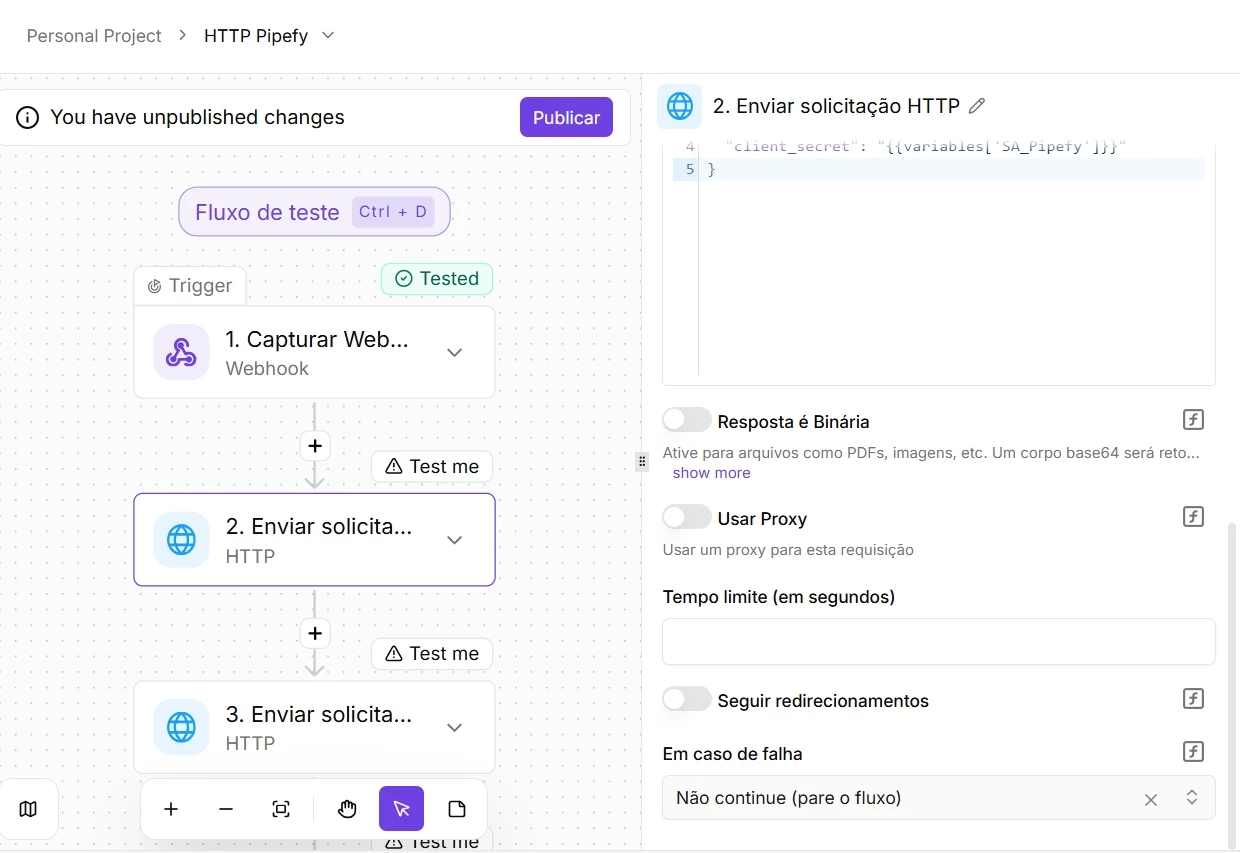
Risk of silent failure: The continue-flow options are powerful tools, but they carry serious consistency risks. Use them strictly when the API response is not critical for decisions or records in subsequent steps. Forcing continuity on essential calls masks real failures and produces corrupted data that is extremely hard to trace in logs afterward.
Using the API response in the flow
After the HTTP action runs, the response becomes available for subsequent steps through the Data Selector. You can access the response body to extract specific values, use the status code to branch the flow with a Router (200 for success, 404 for not found, 500 for server error), and retrieve response headers when needed.
For that data to appear in the Data Selector, you need to test the action while building the flow. The test generates the sample data that Pipefy uses to map available fields. Without the test, the Data Selector does not know what the API returns and the fields will not appear for selection.
A concrete use case: querying a legacy inventory system
A purchase approval process in Pipefy needs to validate stock availability before moving forward. The inventory system is a legacy ERP with no native connector in Pipefy Integrations Hub, but it has a documented REST API.
The HTTP action sends a GET request to the stock query endpoint, passing the item code as a query param and the internal authentication token in the Authorization header. The response returns the available quantity in JSON. A Router in the next step reads that value: if it is above the minimum, the flow advances to approval; if it is below, it moves the card to a review phase and notifies the requester.
Without the HTTP action, someone on the procurement team would need to query that data and enter it manually. With it, the flow decides on its own and the team only gets involved in cases that genuinely require human judgment.
Before going to production
Confirm that the API uses HTTPS. Requests over plain HTTP expose data in transit.
Review the API's terms of use, especially rate limits per minute or per day. A high-volume flow can hit those limits quickly.
Document in the flow itself which API is being called and why. Flows without context become technical debt.
Before moving on, confirm that you understand:
☐ When to use the HTTP action instead of a dedicated connector
☐ The difference in behavior between Retry, Continue on failure, and Stop the flow
☐ Why testing the action is required before using the response data in the Data Selector
☐ Where to place authentication credentials in an HTTP request
