




👤 For teams building flows that interact with Pipefy pipes and databases
🔐 Available for customers with the Custom Integrations add-on
🎯 Level: beginner-intermediate
The Pipefy connector is the piece that connects Pipefy Integrations to Pipefy itself. It is the channel through which external flows read and write data in pipes and databases, and through which internal Pipefy events trigger flows to external systems. Understanding when to use each trigger and how to choose the right action for each situation reduces the number of steps in a flow, improves traceability, and avoids unnecessary lookups that consume tasks without real return.
📖 What you will understand here:
Pipe or Database: the first decision
The Pipefy connector has two groups of triggers and two groups of actions: one for cards in pipes and another for records in databases. The distinction seems obvious, but it has design implications that surface when a process uses both structures.
Pipes are processes: they have phases, owners, movement history, and a defined lifecycle. Databases are reference tables: product catalogs, vendor lists, user bases. When the event that triggers the flow happens inside a process, the correct trigger is a card trigger. When it happens in a data table, the correct trigger is a record trigger. Mixing the two groups out of imprecision creates flows that monitor the wrong structure and fail to fire at the relevant moments.
A signal that the design may be wrong: if you need a card trigger to then look up data in the database, or vice versa, the structure in Pipefy is probably correct and the flow is following the natural path. If the trigger and the relevant data live in different structures without that clear need, it is worth reviewing where the process and reference data are stored.
Card Triggers: which one to use for each process moment
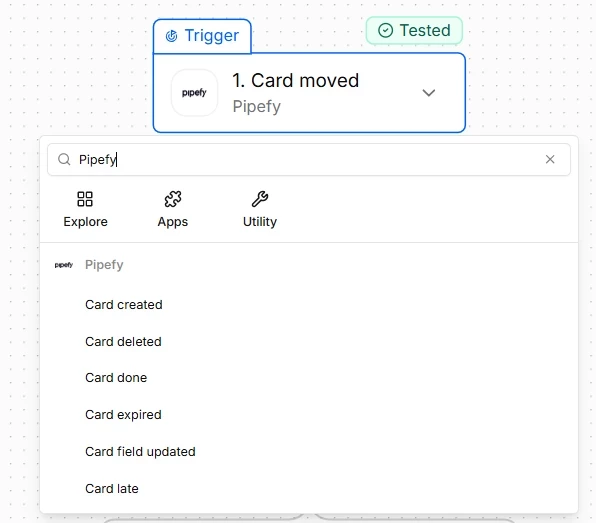
The Pipefy connector offers nine card triggers, each mapped to a specific moment in the lifecycle of a card. Most integration flows use three with high frequency.
Card created is the trigger for automations that need to happen at the exact moment a process begins: customer onboarding, ticket creation, order entry. Any process start event. Card moved is the most used trigger in tracking flows. It fires when a card changes phase, which represents a state transition in the process. It is the correct trigger for status notifications, synchronizations with external systems, and the creation of derived tasks.
Card field updated is the trigger for data synchronization. When a specific field changes its value, the flow can propagate that change to external systems without depending on a phase change. It is useful when the process does not advance in phase but a relevant piece of data was updated, such as the assignment of an owner or the update of a contract value.
Time-based triggers such as Card overdue, Card late, and Card expired are less frequently used but have strategic value in processes with SLA. A card that exceeds its deadline without resolution can automatically trigger an escalation or a notification to the responsible manager, without depending on manual monitoring.
How to search for a card: four methods, distinct criteria
A common pattern in integration flows is needing the complete data of a card to execute an action in another system. The trigger provides some fields, but not necessarily all. To retrieve complete data, the flow needs a search action. The Pipefy connector offers four methods, and the choice between them has reliability and performance implications.
Get card by ID
This is the most direct method, retrieving all fields. Every card in Pipefy has a unique and immutable ID. If the flow has access to the ID, whether from the trigger or from a previous step, this is always the preferred search method. One call, one deterministic response, no ambiguity.
Get cards by field value
Searches for cards that have a specific field with a specific value. It is useful when the business identifier available in the external system, such as a tax ID or an order number, is stored in a card field. The risk is that multiple cards may have the same value in a field: the flow needs to handle the scenario where the search returns more than one result.
Get cards by phase
Returns all cards currently in a specific phase. Useful for batch processing flows that need to operate on all cards in a phase at the same time, such as a daily report or a status synchronization. It is not suitable for searching for a specific card because the result is an entire list, not a single item.
Get cards by title
Searches for cards by title text. This is the least reliable method for programmatic use because titles change, can be duplicated, and are rarely used as unique identifiers in integrations. Suitable for ad hoc searches or low-criticality flows where no more precise identifier is available.
The reliability hierarchy for card search is: ID (preferred) > unique identifier field (tax ID, order number) > phase (for batch processing) > title (avoid in production). The lower you go in the hierarchy, the more the flow needs logic for handling ambiguity.
Use case: CRM synchronization with onboarding
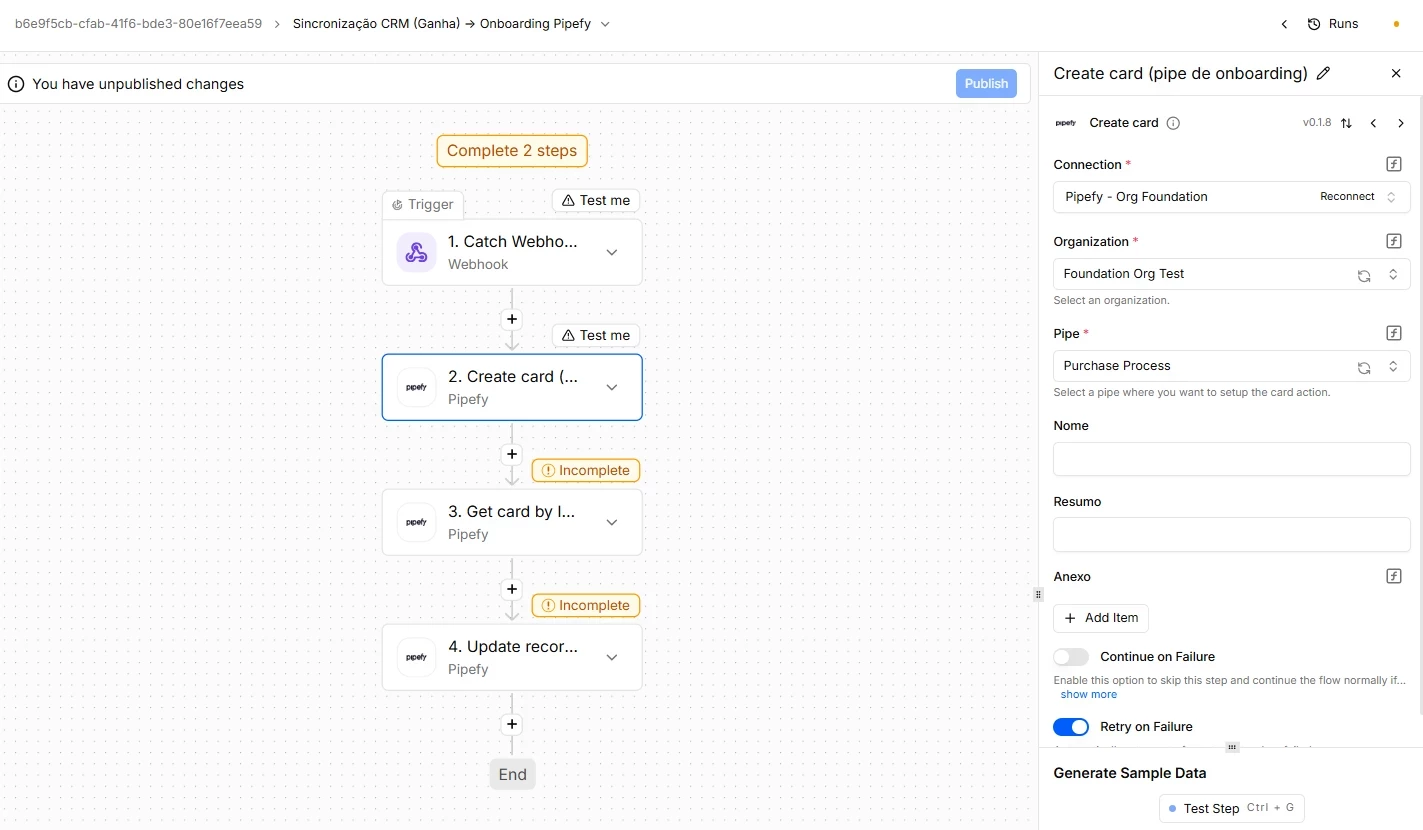
An onboarding flow is triggered by a CRM trigger: when an opportunity is marked as "Won", an event arrives at Pipefy Integrations Hub via webhook. The flow needs to create a card in the onboarding pipe with the customer data and then retrieve the complete data of the newly created card to record the ID generated by Pipefy in the CRM.
The sequence of actions uses three Pipefy connector operations: Create card to create the card in the onboarding pipe with the data mapped from the CRM payload, Get card by ID to retrieve the full details of the newly created card including the generated ID, and Update record to store that ID in a database table that serves as a mapping between CRM IDs and Pipefy IDs. This mapping is what allows future executions to find the correct card from the CRM identifier.
Custom API Call: when standard actions are not enough
The Pipefy connector covers the most common operations with pre-built actions. For operations not in the catalog, such as specific GraphQL queries or custom mutations, Custom API Call allows making any call to the Pipefy GraphQL API directly.
Like the Code connector, Custom API Call delivers full flexibility at the cost of greater technical responsibility: whoever uses it needs to know the Pipefy API, build the query or mutation correctly, and handle the errors that may occur. For critical and high-volume operations, a standard action is always safer than a custom call, because it abstracts the API details and is maintained by the Pipefy team.
Before moving on, confirm that you understand:
☐ When to use card triggers versus record triggers
☐ Which card search method to use for each context
☐ When Custom API Call is preferable to standard actions and when it is not
