




Greater process visibility, access control, and new integration possibilities
When a process spans multiple pipes, integrations, and AI Agents, understanding its connections and reviewing who can access each piece of information requires a clear view of operations.
October's updates help you see those relationships, involve your team in agent troubleshooting, and build integrations with less manual work. Here is what changed and how each update can support your daily work.
Explore all releases:
Map: faster to open and visibility into connection volume
Exploring a process with multiple connections now involves less waiting. Map opens with the first layer of connections, lets you expand the rest as needed, and helps you identify which paths account for the most newly created cards.
What’s new?
- Explore on demand: pipes and databases with further connections display a plus sign. Click to expand without reloading the entire Map.
- Card volume: turn on this option in the toolbar to see counts by connection. Thicker, darker lines indicate higher volume; dashed lines indicate no cards created during the period.
- Focus your review: use the eye icon in the legend to hide connections with zero cards, and hover over a pipe to see the counts for its connections.
- Counts cover the last 30 days: only new cards created with a connection are included. Connecting an existing card or updating a connected card does not count. A card remains in the count even if it is disconnected later.
- Click to expand: this replaces the previous Layers filter.
Map: now shows the connections your AI Agents create
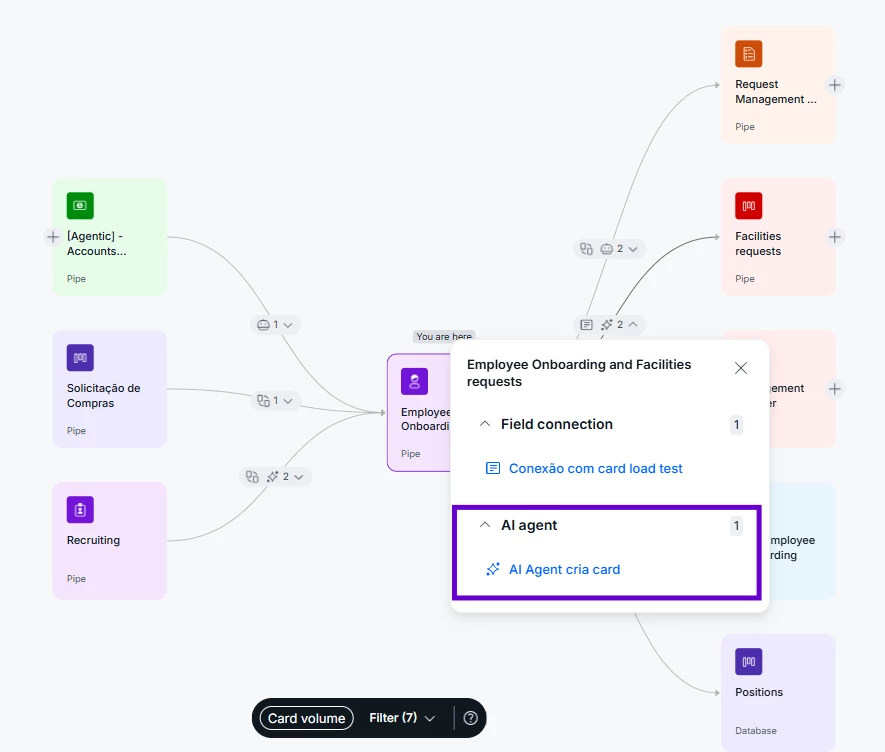
Connections created by AI Agents are now part of your process view. For example, you can see which pipes receive cards created by an agent during request triage.
What’s new?
- A new connection type: when an AI Agent creates cards in another pipe or database, that relationship appears with its own visual identification.
- Filter by AI Agents: isolate these connections to review dependencies and understand the agents' role in your flow.
- Automatic display: connections appear for pipes that already have them, with no additional configuration.
AI Agent Permissions: view only access for Pipe Members
Investigating an AI Agent execution can now be shared across the team without expanding admin access. Pipe admins can allow members to inspect configurations and execution history while keeping control over changes.
What’s new?
- Permission by pipe: access can be enabled independently under Pipe Settings › AI Features.
- View without editing: authorized members can inspect agent configurations without permission to create, edit, or delete agents.
- Access to logs: execution history includes prompts, field values, knowledge base excerpts, and agent outputs to support investigation.
- Explicit access: this permission is off by default and applies only to the pipe where an admin enables it. Consider the information in the logs when deciding who needs access.
Pipefy Integrations: AI powered routing, more connectors, and a faster builder
Building and maintaining flows now comes with new routing options, more connector actions, and improvements to step configuration and testing. The update supports both new integrations and the review of flows already in operation.
What’s new?
- AI Router: write a question and let AI determine which branch of the flow to follow, reducing the need to build conditions manually for each scenario.
- Slack messages to multiple users: send the same message to several people in a single action.
- New authentication options: OAuth2 for Zendesk, Dev Dashboard for Shopify, Entra ID for Azure SQL, and temporary SSO/STS credentials for Amazon Bedrock.
- More actions: expanded options in connectors including HubSpot, Jira Cloud, Salesforce, Typeform, Calendly, and Trello.
- A faster builder: improvements to opening step panels and running tests, plus clearer messages when a flow cannot be published.
- Review Airtable, Pinterest, and Trello flows: configuration forms for these connectors have changed. Reopen flows that use them after the update and check their settings.
- Zagomail discontinued: the connector was removed because the provider shut down its service.
Members and Permissions: filters to review access in a few clicks
The new filter panel in Members and Permissions makes access reviews more focused. Instead of scrolling through the entire list, combine criteria to find the group of people you need to review.
What’s new?
- Role: filter by one or more roles, including your company's custom roles.
- Billable: distinguish between members with billable and nonbillable licenses.
- 2FA: identify who has enabled two factor authentication and who has not.
- Last login: check activity in the last 7, 30, or 90 days, people who last logged in more than 90 days ago, people who have never logged in, or a custom date range.
- Combine filters: cross reference criteria to review groups such as people with admin access or billable licenses with no recent activity.
Claude: Pipefy arrives in the Anthropic ecosystem
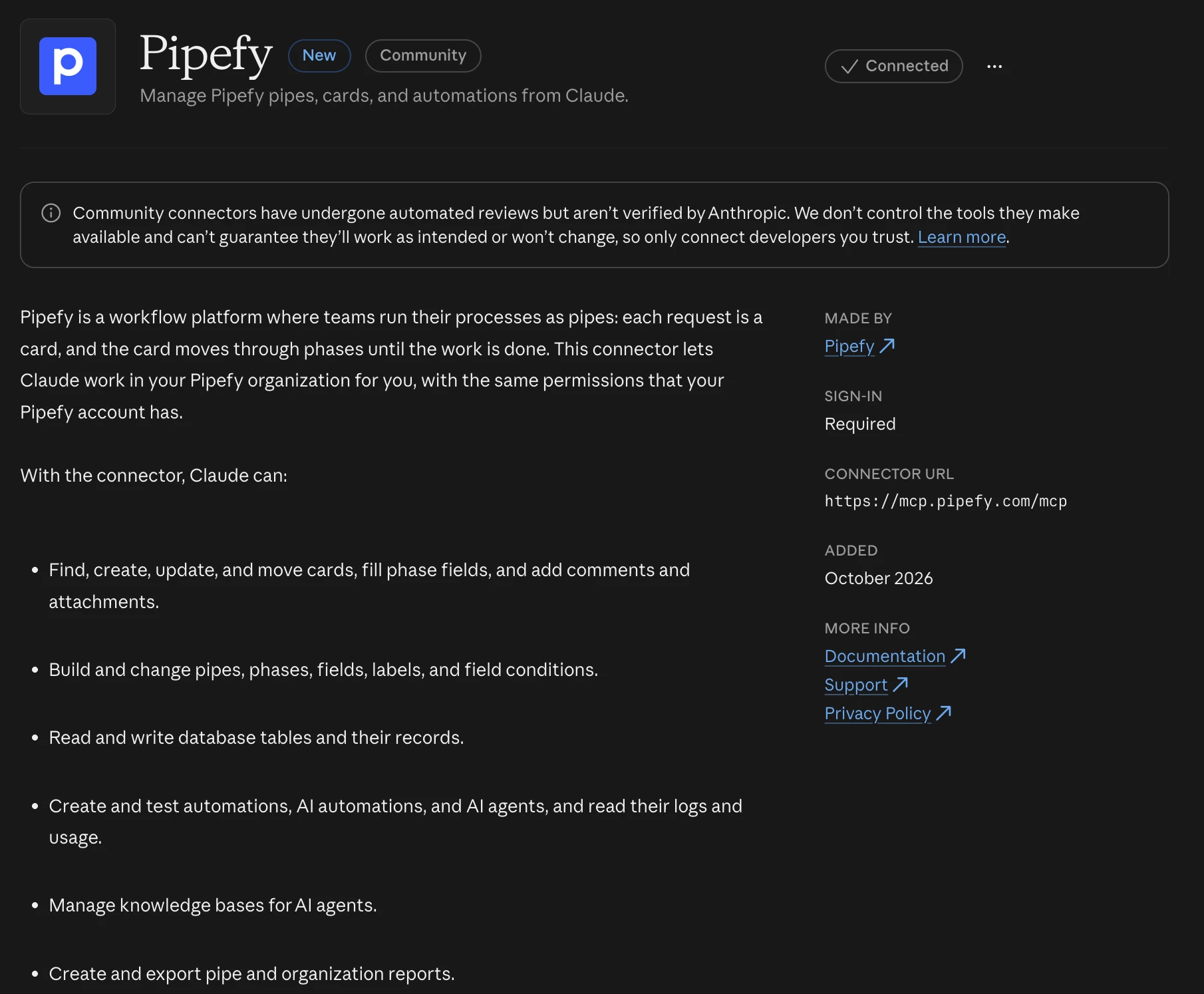
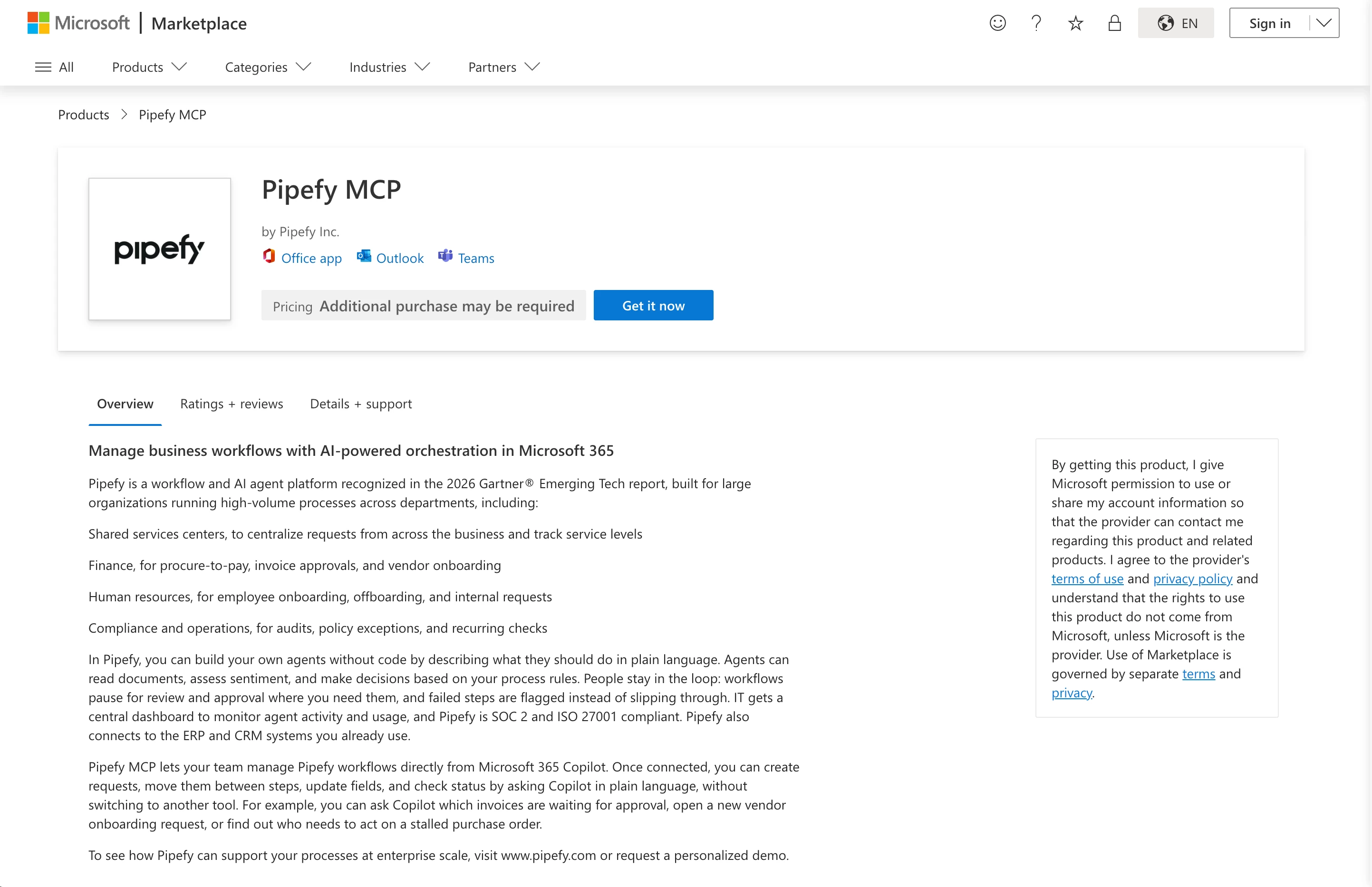
The Pipefy connector is available in the Claude Directory, bringing your process data and operations into conversations with AI. With the connection active, you can query information, trigger workflows, and manage pipes from Claude.
What’s new?
- Connector available in the Claude Directory: connect Pipefy to Claude to interact with platform data and operations through MCP.
- Queries and actions in the conversation: access process information and interact with Pipefy in the environment where you already use Claude.
- Native plugin under review: the plugin is separate from the connector and was still under review by Anthropic at the end of October, with no confirmed launch date.
Follow Pipefy on social media
Keep up with content, news, and tips on processes, automation, and AI:
LinkedIn | Instagram Brasil | Instagram Global | YouTube | X
