





Overview
You can now connect external platforms to your AI Agents by logging in directly, in just a few clicks. Setting up an MCP connection happens through the platform's own authentication, and the connected app becomes immediately available as a runnable action inside your AI Agent Behaviors. This launch arrives with 12 connectors for the most requested operational tools, including Google Calendar and OneDrive.
What's new?
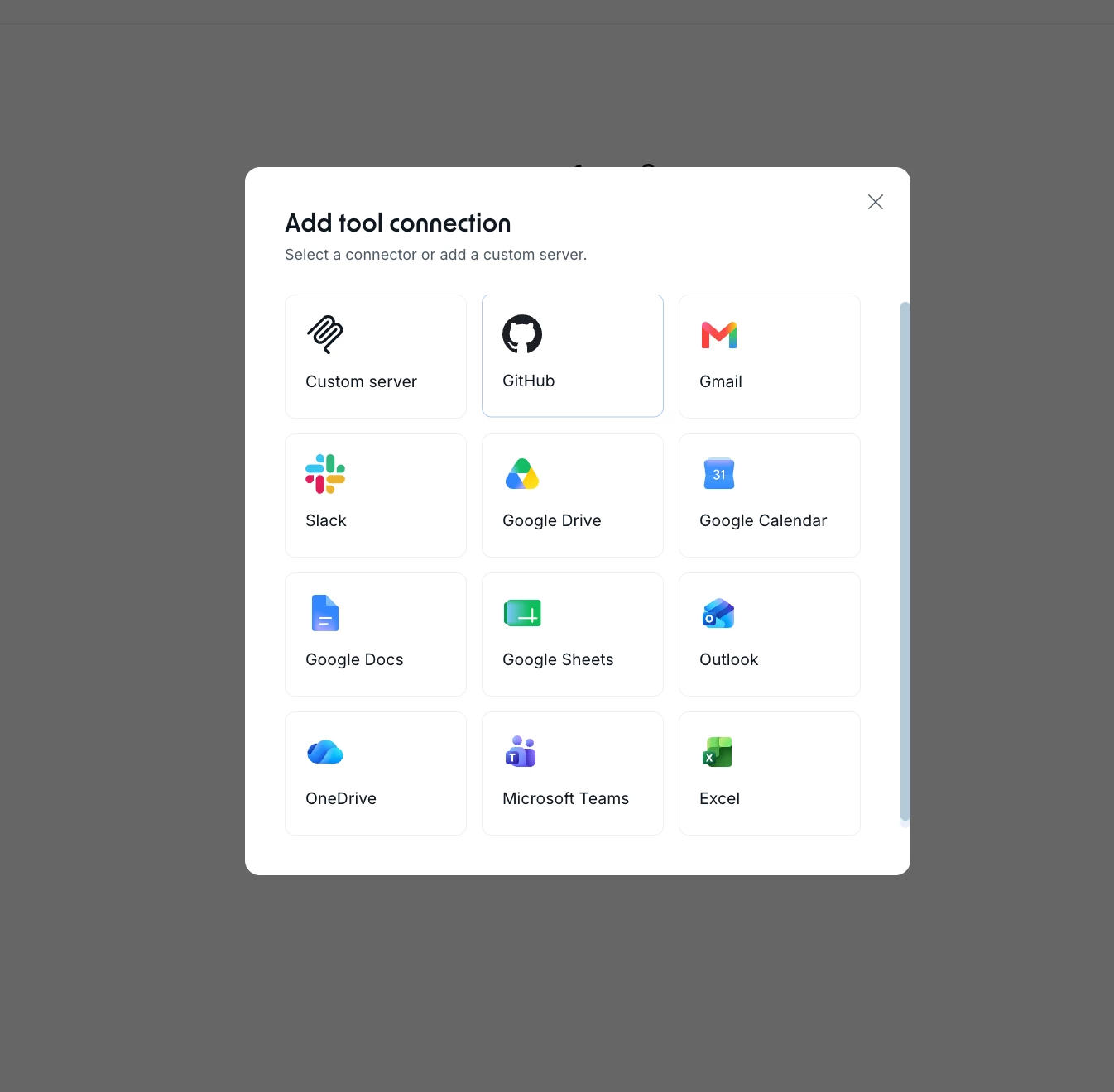
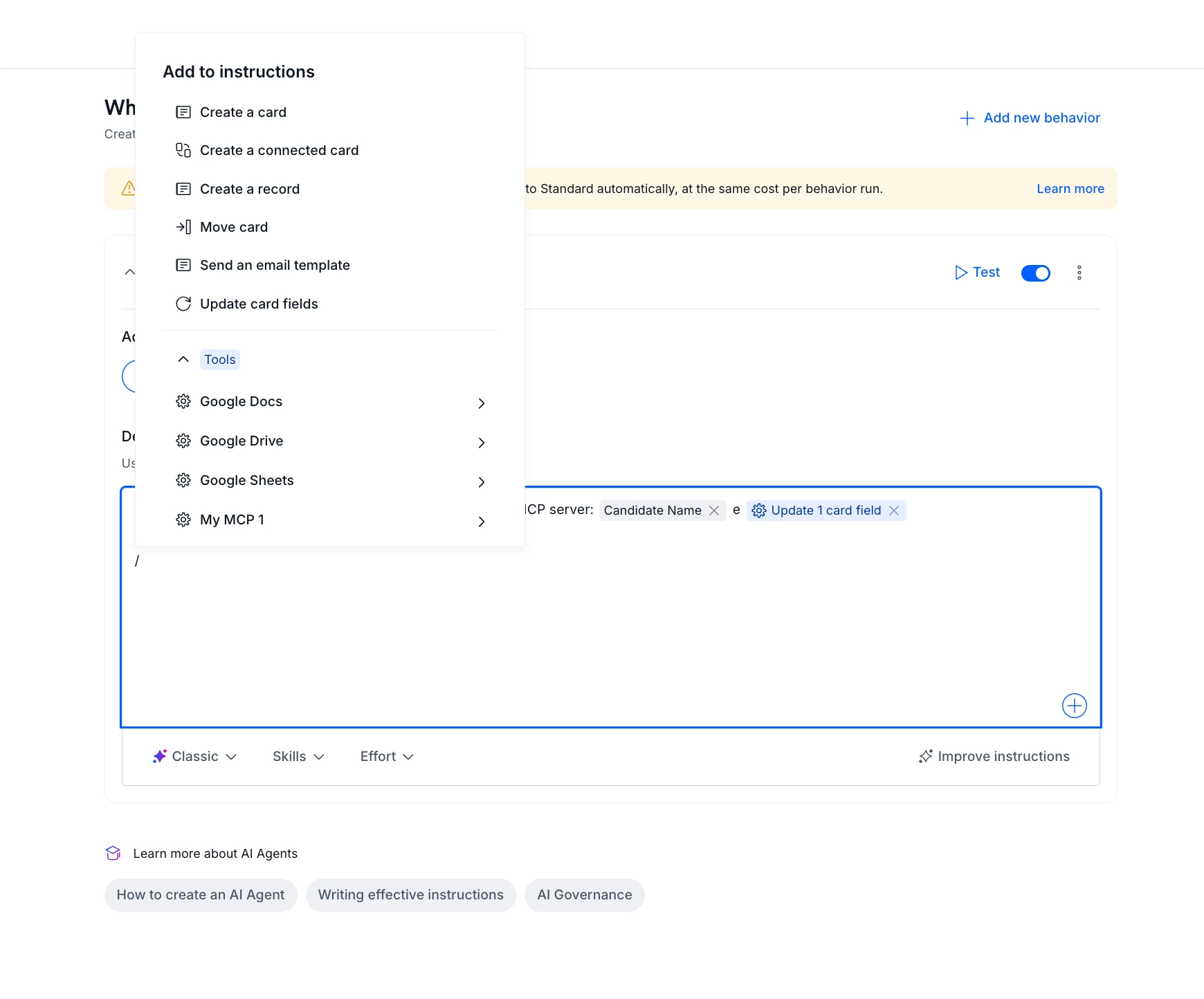
1-click login: authenticate directly with the external app through its own login screen, without handling raw credentials, API keys, or configuration parameters.
Instant Behavior actions: once authentication is complete, the connected app automatically becomes a runnable action inside your AI Agent Behaviors, ready to be triggered in the flow.
12 core connectors: the MCP Client arrives with 12 high-impact operational platforms already available, including Google Calendar, OneDrive, and other core business tools.
How does this help?
- Setup in seconds, not manual steps. You connect a critical platform through its own login screen, without copying credentials between software.
- Less room for configuration errors. With no API keys or loose parameters to handle, the connection no longer depends on manually pasted data.
- The action is ready at the right moment. The authenticated app shows up directly as a runnable action in the Agent's Behavior, with no intermediate enablement step.
- A focused, high-value set. The 12 connectors were chosen from the most requested platforms, so the setup screen shows what solves a real process pain point, without hundreds of idle options.
Use cases
Meeting scheduling agent for supplier approvals
An AI Agent responsible for the scheduling phase in a contract approval process connects Google Calendar in 1 click. From then on, when a card reaches the alignment meeting phase, the agent checks availability on the calendar and returns open time slots directly in the flow, so the assignee doesn't have to open the external calendar, cross-check times manually, and return to the card to log the date.
Document organization agent in onboarding
In a new hire onboarding process, an AI Agent connects OneDrive through direct login. As cards move through the document submission phases, the agent accesses and organizes the files in the right OneDrive location (contract, proof documents, ID documents), so the HR team doesn't have to save each attachment manually or keep a separate spreadsheet to track folders.
Support agent that queries business systems
In a support process, an AI Agent authenticates a core operational tool and starts running it as an action inside its Behavior. When a ticket comes in, the agent queries the connected system to check the customer's status and replies on the card with up-to-date information, without relying on an analyst to open another platform to fetch the data and transcribe it back.
Financial operations agent across multiple platforms
An AI Agent in an accounts payable process connects two of the available platforms through direct login. When a card reaches the reconciliation phase, the agent triggers each connected app as a runnable action to cross-check payment information, delivering the result in the flow without the finance team having to reconfigure credentials for every new integration or switch between software.
Most relevant for
- Admins
- AI Agent builders
- Operations teams
- Teams already using the MCP Client
Plans and availability
This feature is being rolled out gradually and is already available for accounts in Multi-Tenant (MT) environments. Single-Tenant (ST) environments are not supported at this time.
We want to hear from you
This is just the start of the connector list, and the next ones depend on you. Comment below which platforms you'd like to see connected to your AI Agents and what would make the biggest difference in your process. Your feedback is what defines what we build next.
