





Overview
Process management loses efficiency and exposes operations to errors when critical information like internal policies, price sheets, and contract templates must be manually downloaded and re uploaded into artificial intelligence tools. Pipefy AI Agents now read documents stored directly in Google Drive and Microsoft OneDrive. Your team connects files where they already live, keeping the knowledge base in sync automatically, with no manual copies going stale.
What's new?
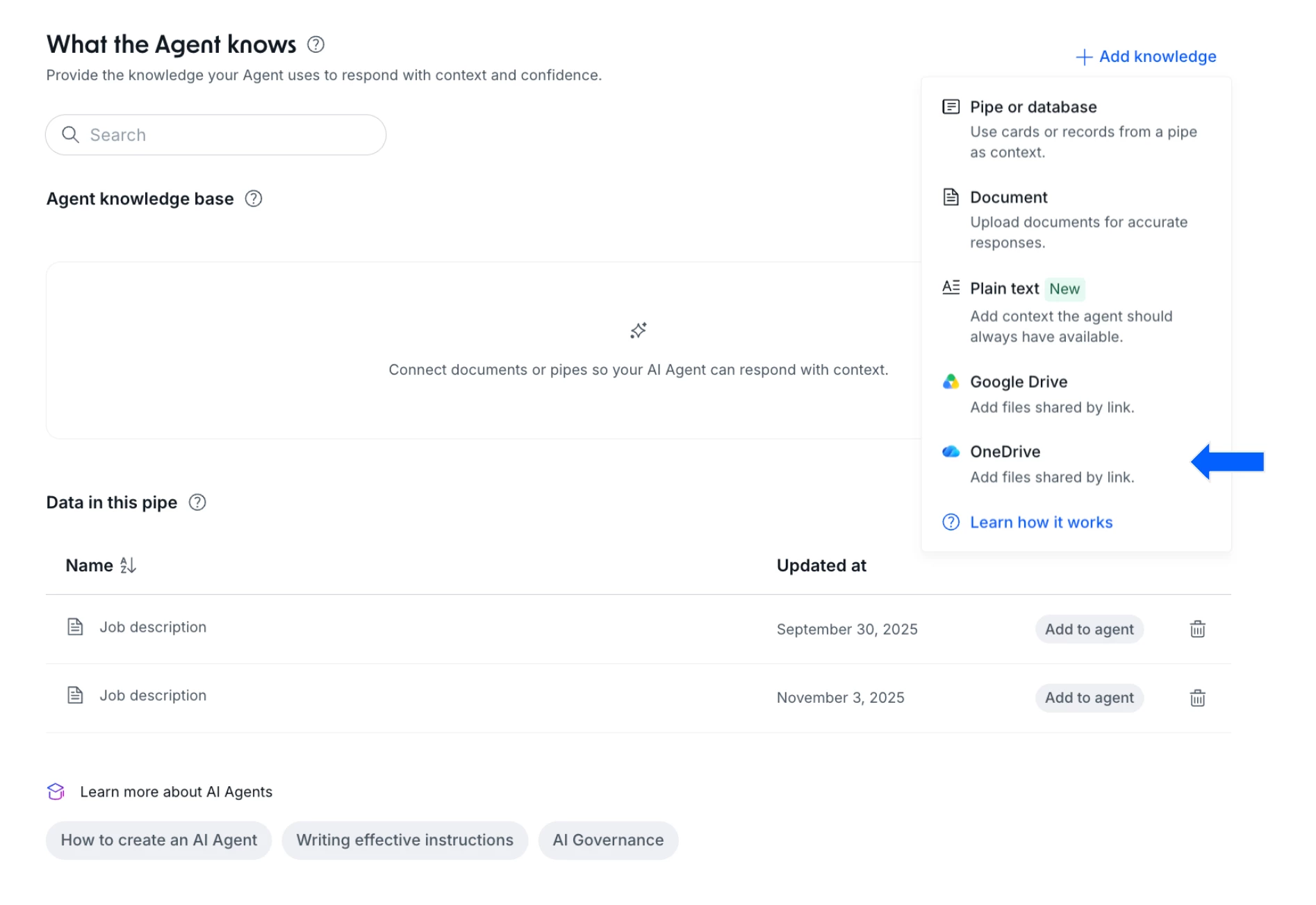
- Google Drive as a knowledge source: direct connection to files in Google Docs, Google Sheets, Google Slides, PDF, DOCX, TXT, CSV, and xlsx, available under the Add document menu inside the agent's Knowledge Base. Auto sync is enabled by default and can be turned off per file.
- Microsoft OneDrive as a knowledge source: connect a Microsoft account and paste the link to a OneDrive file right from the Add document menu. Supports PDF, DOCX, XLSX, TXT, CSV, PPTX, DOC, XLS, and PPT.
- Content preview: for both connectors, you get a preview of the file before committing it to the Knowledge Base.
- A more complete Knowledge Base: the agent's knowledge base now combines Documents/PDFs, Pipes & Databases, Plain Text, Google Drive, and Microsoft OneDrive in one place.
How does this help?
- Eliminates manual maintenance effort: remove the need to download and re upload files every time a document changes at the source, whether it lives in Google Drive or OneDrive.
- Prevents answers based on outdated data: make sure the agent consults the latest version of policies, price tables, and templates, right where the owning team already keeps them updated.
- Preserves centralized governance: keep files governed within the folders and permissions your company already manages.
- Accelerates initial agent setup: connect existing files and repositories just by pasting the link, with no extra prep steps.
Use cases
Procurement agent validating supplier pricing
A Procurement Analyst managing vendor quotes in a Pipe needs to verify freight rates and lead times. The AI Agent reads a Google Sheets file maintained by the Logistics team directly in Google Drive. When Logistics updates rates at the source, the agent applies the new pricing logic to Card checks with no manual setup changes required.
Employee self service agent reading HR policies
An HR Operator receives benefit inquiries and leave requests through an intake form. The AI Agent connected to the process Knowledge Base reads the reimbursement policy from a Google Docs file stored in the company Drive folder. The agent resolves employee questions during the triage phase using current policy rules, removing the need for HR to upload a new file after every policy edit.
Legal agent validating standard contract templates in OneDrive
A Legal Analyst reviews requests for new commercial agreements. The AI Agent references standard contract templates stored as DOCX and PDF files in the Compliance team's OneDrive. When reviewing a new request, the agent cross checks submitted terms against the latest official template, flags discrepancies, and fills in process fields accurately, with no need for Legal to resend the file after every clause revision.
IT support agent consulting runbooks in OneDrive
An IT Support Analyst handles recurring incident tickets through a service desk Pipe. The AI Agent reads the resolution runbook, a PPTX file maintained by the Infrastructure team in OneDrive, to guide triage by incident type. When the runbook is updated with a new procedure, the agent applies the current version on the next phase automatically, with no process reconfiguration needed.
Most relevant for
- Pipe Admins
- AI Agent Builders
- Operations Teams
- Compliance and Legal Teams
- IT and Governance Leaders
Documentation
For the full step by step, check the Help Center article.
Plans and availability
The Google Drive and Microsoft OneDrive connections for AI Agents are live for 100% of companies on Multi Tenant (MT) environments. For Single Tenant (ST) environments, both features can be enabled upon request through your Customer Success Manager (CSM).
