





Overview
Admins and Super Admins now receive automated alerts whenever API calls and Automations consumption hits 80%, 90%, 100%, and 150% of plan limits. Alerts arrive via email for direct visibility and can also be configured through Webhooks, delivering the same notice directly to your internal systems and automation workflows.
What's new?
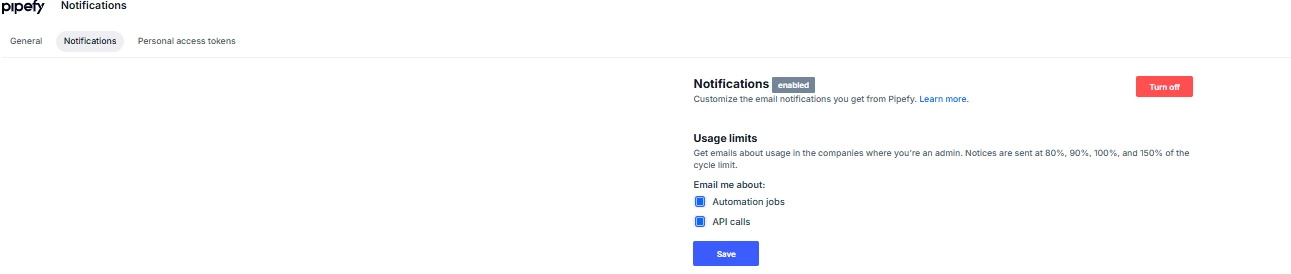
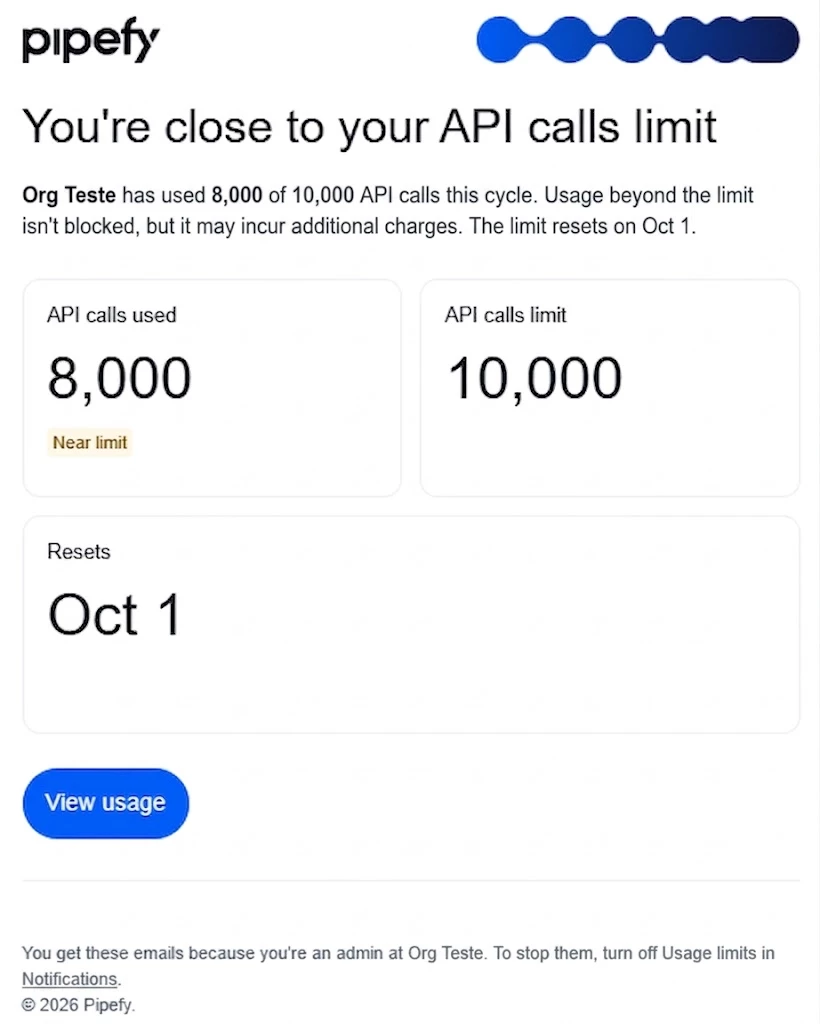
- Automated email notifications at four critical thresholds: 80%, 90%, 100%, and 150% of consumption limit.
- Configurable Webhooks that send these same alerts in real time to internal systems, communication platforms, or custom software.
- Email preference management in User Settings; Webhook configuration in Account Settings.
- Initial coverage for API calls and Automations, with continuous expansion to remaining add-ons.
How does this help?
- Each team gets the alert on the right channel: email for direct admin visibility, Webhook for automated response by technical teams.
- Capacity planning becomes predictable, eliminating surprise overages or service disruptions.
- Operational and technical teams create tickets automatically or log consumption data in internal dashboards the moment a threshold is met.
- Multi-environment management stays centralized, with alerts reaching wherever each team already works.
Use cases
Admin avoids service cutoff with a direct email alert
An account Admin receives the alert email when Automations consumption hits 90%. Before service is impacted, he reviews which automations consume the most resources and adjusts priorities with the responsible team. The operation stays within plan limits without needing an emergency upgrade.
SRE Engineer automates ticket creation via Webhook
An SRE Engineer monitors API call consumption across multiple critical integrations. He configures a Webhook that fires to the internal ticketing system whenever consumption hits 90%. When the limit is reached, a ticket opens automatically for the platform team, with no need to manually track the email.
Operations Manager combines email and Webhook for full coverage
An Operations Manager keeps the email alert for strategic visibility and adds a Webhook pointing to the technical team's channel. When Automations consumption hits 100%, the notification reaches both the admin's inbox and the technical team's communication channel at the same time. Response to the bottleneck gets faster because the information reaches whoever can act immediately.
FinOps Analyst connects consumption to the finance dashboard via Webhook
A FinOps Analyst needs real-time visibility into automation costs for the finance team. She connects the consumption Webhook to the internal BI dashboard, logging every 80%, 100%, and 150% event as it happens. The finance team now tracks consumption trends without relying on monthly manual reports.
Most relevant for
- Admins and Super Admins
- SRE and platform teams
- Operations teams
- FinOps and technical integrations teams
Documentation
Full setup guide available at How to track account usage limits via email and webhooks and in the Organization Webhooks technical reference.
Plans and availability
Email alerts and Webhooks are rolling out gradually to Multi-Tenant environments. They currently cover API calls and Automations. Other add-ons will be included in upcoming releases.
