




Overview
Test Behavior lets you simulate the execution of an individual AI Agent behavior directly in the AI Agent Builder, before publishing it to production. You can adjust and validate prompts in a test environment, without affecting real cards or processes.
What's new?
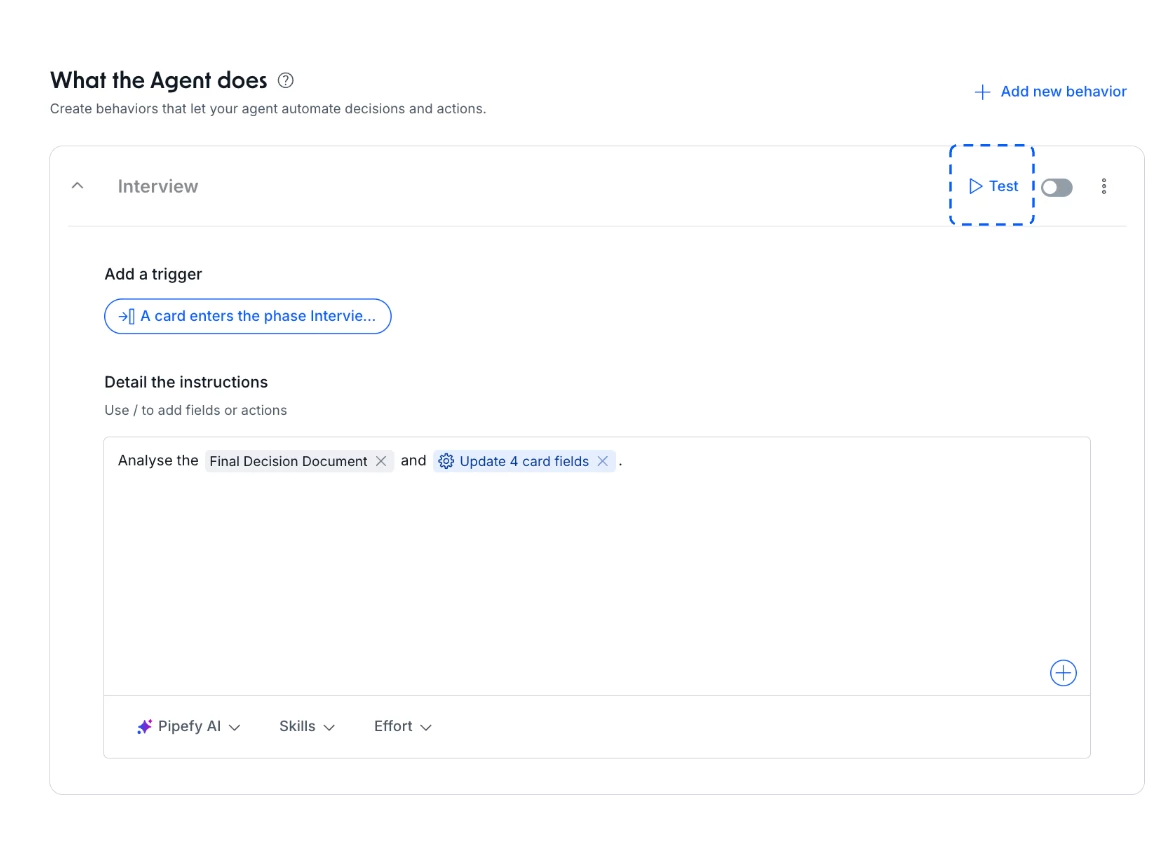
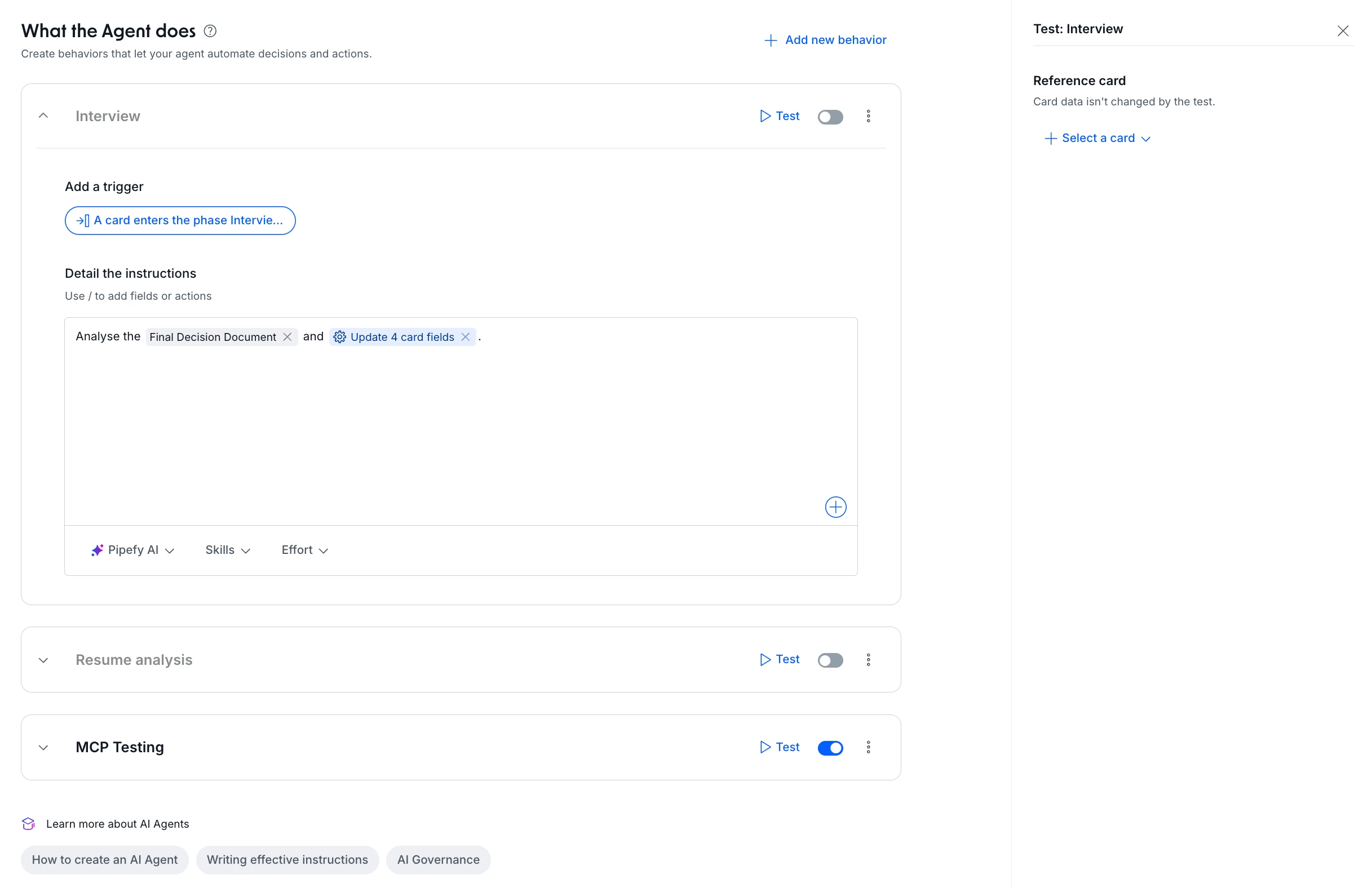
- Simulate the execution of an individual behavior right from the AI Agent Builder
- Test prompts before publishing a behavior
- Validate how a behavior responds to different scenarios
- Verify the execution flow without impacting production
How does this help?
- Shortens the prompt iteration cycle: validate and refine prompts quickly, without relying on multiple publish cycles
- Removes production risk: test behaviors without affecting real cards or processes during validation
- Increases agent reliability: confirm behavior across different scenarios before putting it into real use
Use cases
1. Support ticket triage agent: before publishing a behavior that classifies tickets by urgency, the Support team uses Test Behavior to simulate execution with real ticket examples, like "system is down" or "billing question," confirming the classification is correct before exposing the behavior to customers.
2. Expense approval agent: when adjusting the prompt that decides whether an expense needs additional approval, the Finance team tests different values and categories, such as travel, software, and equipment, directly in the Builder, validating approval thresholds without creating test cards in the production pipe.
3. HR resume screening agent: before publishing a behavior that filters candidates by seniority and technical stack, the HR team simulates execution with different resume profiles to confirm valid candidates aren't being discarded, avoiding manual rework after publishing.
4. Legal contract data extraction agent: the Legal team tests the behavior responsible for identifying automatic renewal clauses across different contract formats before publishing, reducing the risk of extraction errors affecting the real contract management process.
Most relevant for
- AI Agent Builders
- Pipe Admins
- Operations Teams
- IT Leaders
Documentation
For the full step-by-step, check the Help Center article.
