



Overview
Managing high-density pipes with dozens of rules can often feel like a black box. Previously, finding a specific automation meant a manual, time-consuming search.
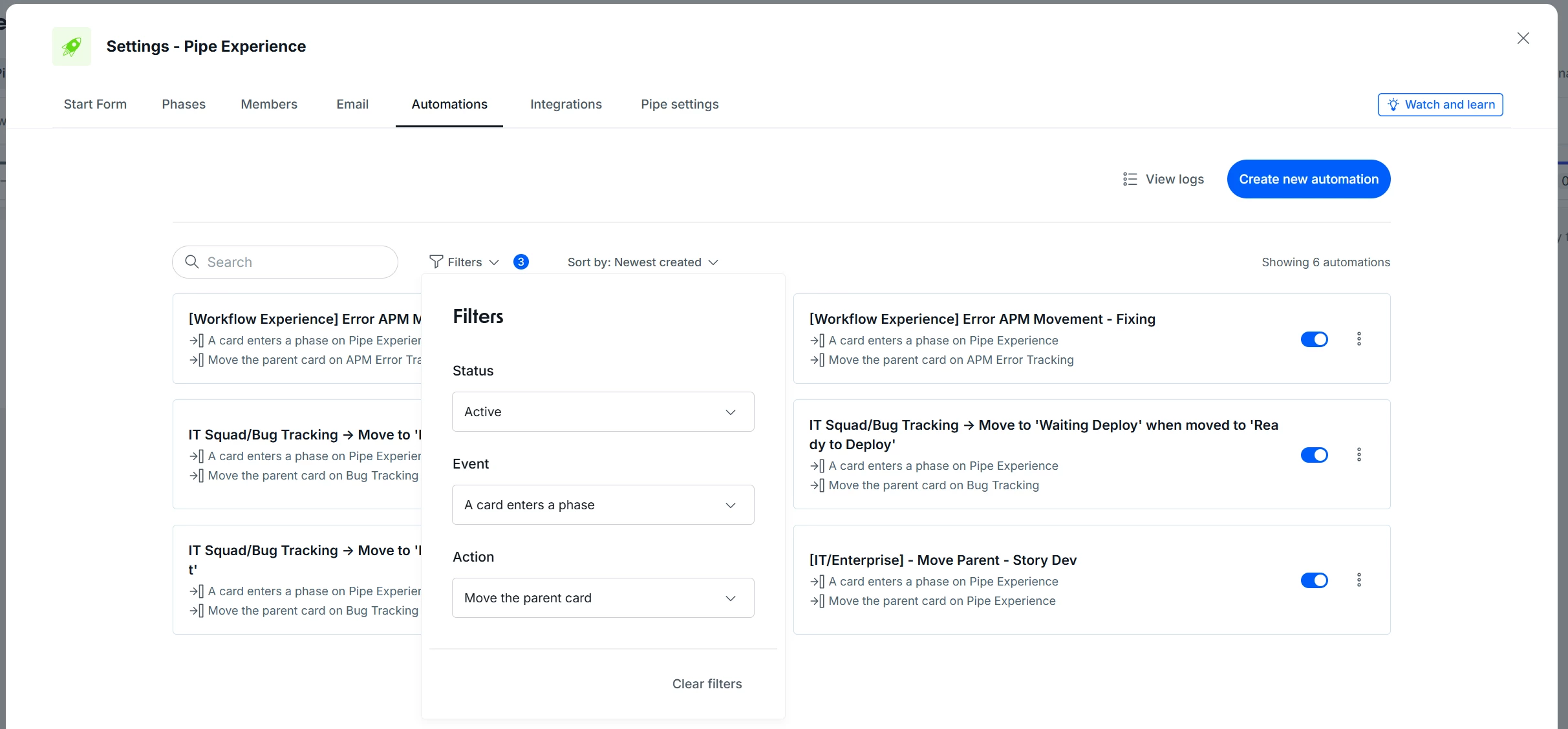
To solve this, we have rolled out improved filters in the Automations list, making it much easier to find exactly what you need, fast.
What’s new?
You can now instantly filter automations by three key criteria:
- Status: Separate active from inactive automations.
- Event: Filter by the trigger (e.g., when a card enters a phase).
- Action: Filter by the outcome (e.g., update a field).
How it helps
- Maintenance Agility: Find and adjust specific rules in seconds, eliminating manual scrolling.
- Process Visibility: Quickly understand which automations are affecting each stage of your workflow.
- Error Reduction: Simplifies the auditing of duplicate or conflicting automations in complex pipes.
Most relevant for
- Pipe Admins
- Operations Analysts
- Process Managers handling high-complexity workflows
