




Overview
Automations now has a dedicated page in the Pipe header, right next to AI Agents. The update brings more visibility and control to anyone managing automation rules: you can navigate, search, and share automations directly, without going through intermediate menus.
What's new?
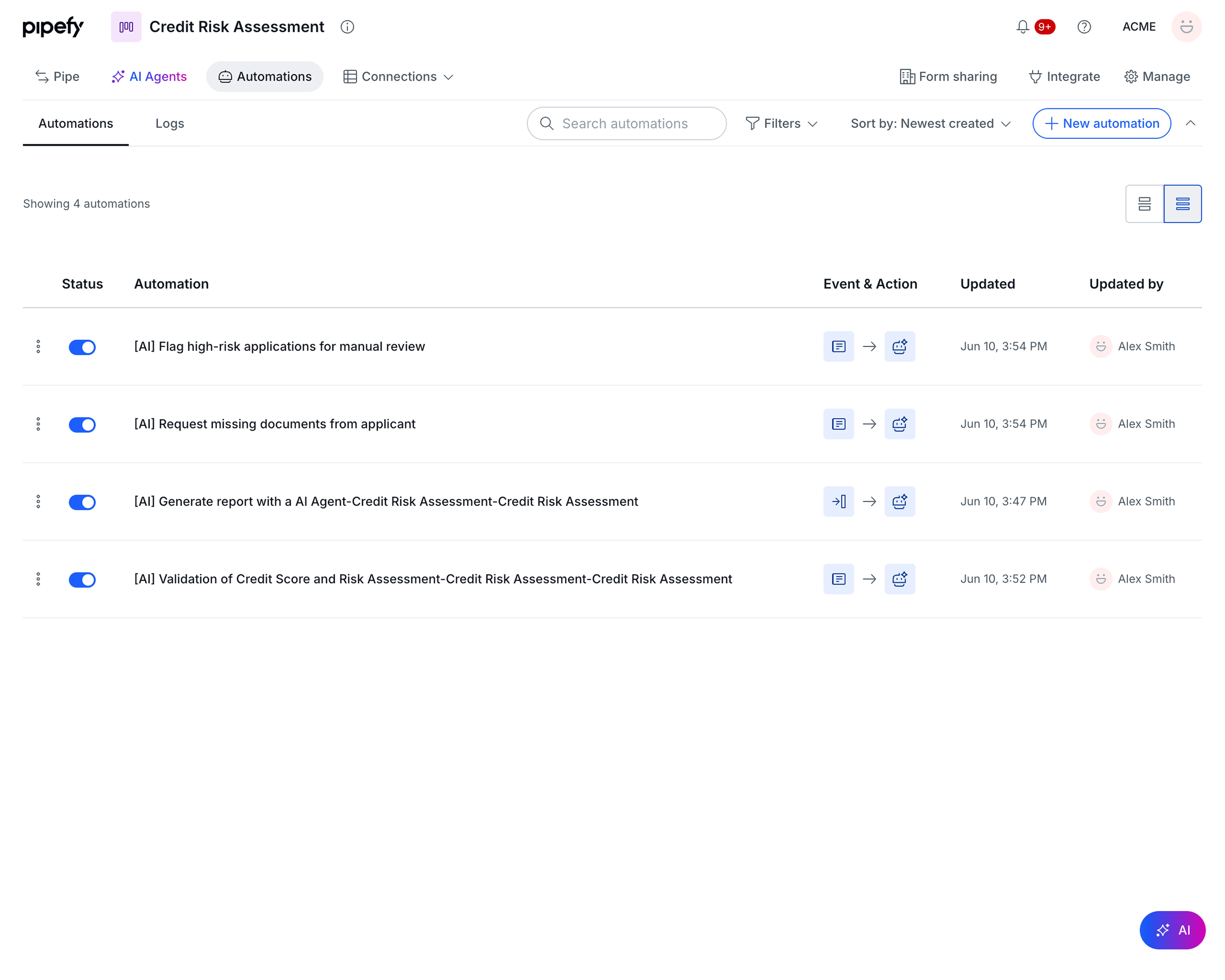
- Automations as a top-level page. Accessible directly from the Pipe header, next to AI Agents. This dedicated page is now the default way to manage automations.
- Card view. Cards that display the Event, Action, last updated date, and who last edited, so you understand what each automation does without opening it.
- Table view. A compact, scannable format built for pipes with many automations. Columns: Status, Automation name, Event and Action (with icon chips), Updated, and Updated by.
- Search, filters, and sorting at the header level. Find any automation quickly with the search bar and filters available right at the top of the page.
- New automation button front and center. The creation action is always visible on the page, no extra navigation required.
- Logs tab preserved. Existing behavior for automation logs is unchanged. What worked before still works.
How does this help?
- You see what each automation does without opening any of them. Cards surface Event and Action at a glance, making rule reviews much faster.
- Pipes with many automations become manageable. The table view compresses the essential information into one row per automation, making bulk triage practical.
- Automations now have their own URL. You can link directly to a pipe's automations page and share it with teammates.
Use cases
1. Monthly rule review in a client onboarding pipe The person responsible for an onboarding pipe reviews automation rules every month to confirm they still reflect current process logic. With the card view, they read the Event and Action for each rule without opening a single one. In a pipe with 20 automations, what used to require multiple clicks becomes a quick visual scan.
2. Onboarding a new Builder into an HR pipe A Builder recently added to a hiring pipe needs to understand the existing automation logic before proposing any changes. They open the Automations page and read each rule in card view, with Event, Action, and last edit visible immediately, without relying on external documentation or asking the person who originally configured it.
Most relevant for
- Pipe Admins
- Builders (people responsible for creating and maintaining processes)
- Operations Analysts
- Teams managing high-complexity pipes with many automation rules configured
