




Overview
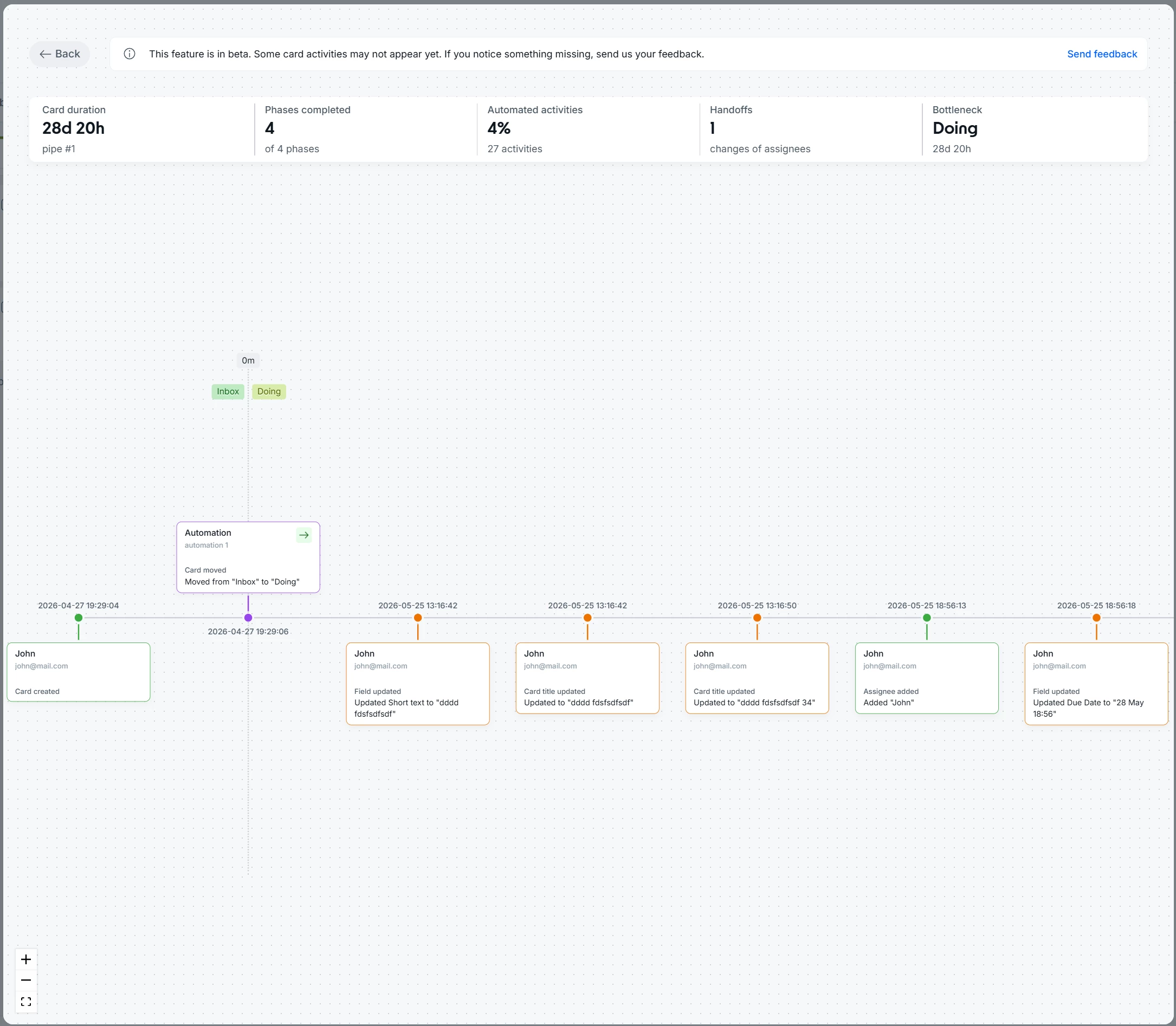
Card Timeline is a complete chronological view of a card's history, accessible directly from the Activities tab. It shows every phase transition, human action, executed automation, and field change in sequence, all in one place with clear visual structure and no need to switch between screens.
What's new?
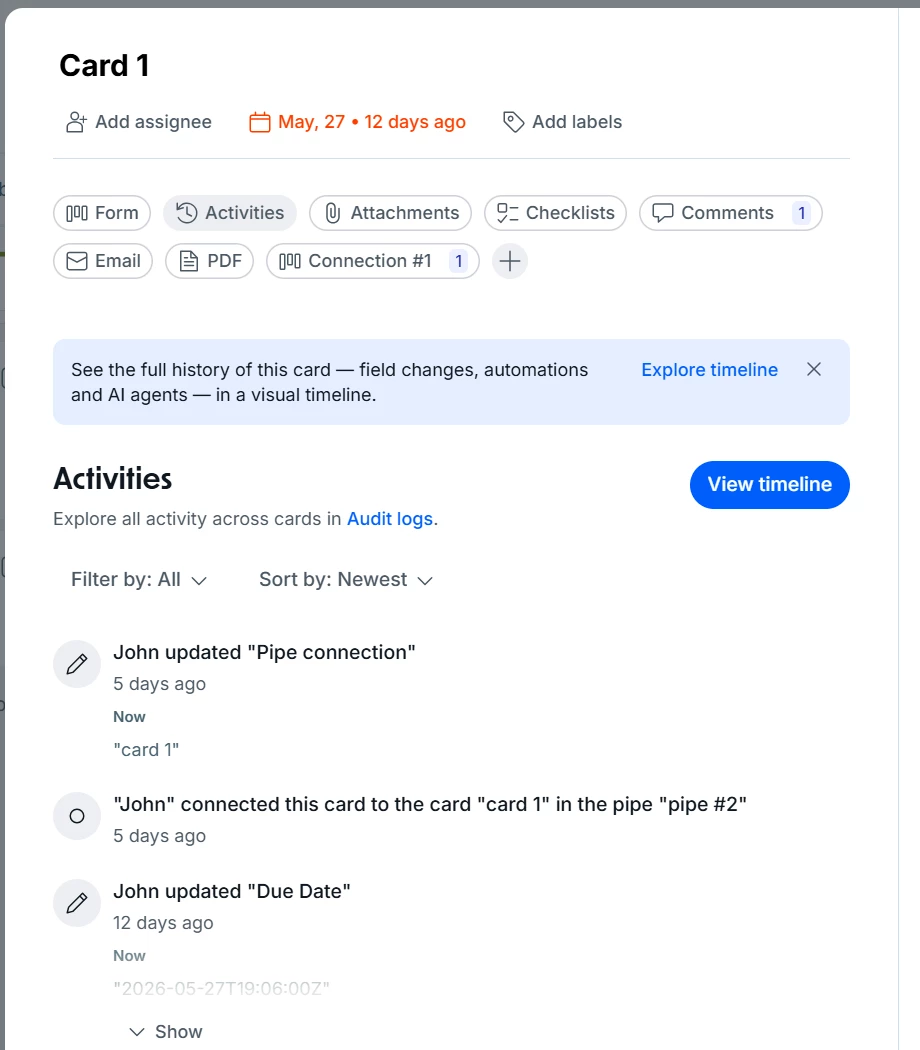
- Timeline button in the Activities tab: access the card's complete history from the Activities tab in the open card view.
- Phase transition markers: visual anchors that organize the timeline and make it easy to follow the flow.
- Visual event differentiation: clear distinction between phase transitions, automations, human actions, and field changes.
How does this help?
- Faster diagnosis of failures and bottlenecks: with the exact sequence of events in view, you can pinpoint where an automation failed, who changed a critical field, or why a card stalled without involving anyone else.
- Clearer picture of how processes work in practice: the Timeline shows how work actually flows, not just how it was designed, helping teams spot deviations and fix configurations.
- Faster onboarding for new team members: anyone joining the team can review a card's full history to understand the process without relying on manual handoffs.
Use cases
1. Investigating a failed automation in a purchase approval flow
A Procurement analyst notices a purchase order has been stuck in the approval phase for three days. Opening Card Timeline, they see that the automation responsible for moving the card after manager approval did fire, but a field condition (amount above the approval threshold) blocked the transition. Without the Timeline, this diagnosis would require involving IT or manually reviewing automation rules. With the visual history, the analyst identifies the cause and escalates to the right manager directly.
2. Auditing a vendor onboarding process
The Procurement team needs to audit why a vendor was approved much faster than the historical average. In Card Timeline, the manager sees that three required fields (tax certificate, signed contract, and legal validation) were filled and approved within 24 hours, with every human action and timestamp recorded. This visibility eliminates the work of assembling a manual timeline and provides a traceable record for compliance purposes.
3. Diagnosing an SLA breach in an ITSM flow
An IT analyst is investigating why a Priority 1 incident exceeded its 4-hour SLA. Card Timeline shows the card sat in the triage phase for 2 hours and 40 minutes with no human interaction, while the escalation automation only fired at the 3-hour mark due to a misconfigured trigger delay. With that data, the manager adjusts the trigger to 1 hour and documents the fix, no system logs required.
4. Reviewing history to resume an interrupted process
An HR analyst returns from leave and needs to pick up an offboarding process that stalled. Instead of asking colleagues for a briefing, she opens Card Timeline and sees exactly which phase the process stopped at, which documents were collected, which approvals were granted, and which steps are still pending, with owners and timestamps for every action. The process resumes without rework or information gaps.
5. Proving compliance in a regulatory review process
The Compliance team needs to demonstrate that a contract review process followed all steps required by internal policy before closing a deal. Card Timeline provides the full chronological record: who approved each phase, on which date, whether any step was skipped or repeated, and whether automations were applied correctly. This history serves as auditable evidence without the need to export system logs manually.
Most relevant for
- Operations managers and analysts
- Procurement and Purchasing teams
- IT and ITSM teams
- Admins and builders of complex pipes
- Compliance and Audit teams
