



Overview
You can now duplicate any chart directly from the dashboard surface in a single action. The duplicated item retains all original configurations — filters, metrics, layout — and is ready for immediate adjustments. No rebuilding required.
What's new?
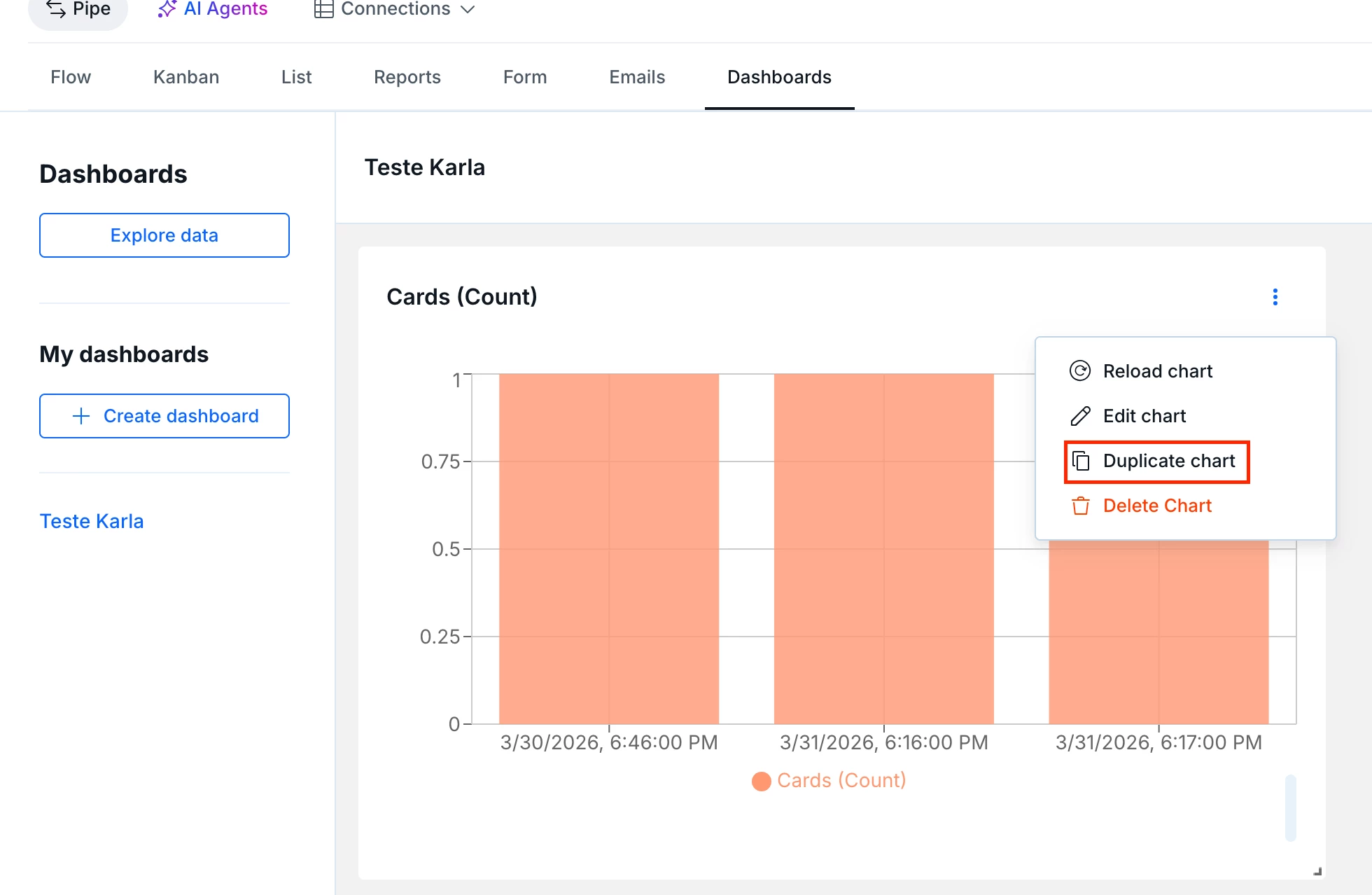
- Duplicate option available directly from the chart menu on the dashboard
- Duplicated item inherits all original settings (filters, metrics, groupings)
- Available now, no additional setup required
How does this help?
- Eliminates the rebuild-from-scratch effort for recurring reports that require only minor variations
- Reduces manual work involved in building and maintaining operational dashboards
- Makes it easy to create multiple versions of the same chart by adjusting only the parameters that matter
Use cases
- Weekly report with team-level variation — duplicate a ticket volume chart, swap the department filter, and publish separate versions for each team without starting over.
- Period-over-period comparison — duplicate a lead time chart, adjust the date range, and place both versions side by side on the same dashboard for direct comparison.
- New manager onboarding — use a consolidated dashboard as a baseline, duplicate the charts, and apply filters for the new owner's area without touching the original.
- Metric iteration during process changes — duplicate SLA charts while testing workflow changes to monitor before and after on the same screen, preserving the original configuration.
- Cross-BU report standardization — starting from a validated chart, quickly generate variations for different business units while keeping visual structure and metrics consistent.
Most relevant for
- Operations teams managing dashboards with recurring reports
- Managers tracking multiple teams or departments from a single dashboard
- Users monitoring SLA and lead time through dashboards
Plans and availability
Available now for all users with access to the Dashboards module. No additional setup needed — the option is already visible in each chart's menu.
