




Visibility, control and smart orchestration for processes
Invisible processes and fragmented operations spread across spreadsheets and emails generate chaos and rework for your team. With this month's releases, we deliver centralized orchestration that gives control back to process architects, blending visibility and precise data management.
All launches:
Flow View and end to end mapping
Complex processes lose their traceability when scattered across multiple tabs and hidden settings. With the new Flow View, you see the entire connected process diagram from start to finish on a single screen. The complete pipe structure becomes immediately clear, making knowledge transfer and operation orchestration much easier.
-
Complete visibility: all phases, forms, AI agents, and integrations appear on a connected diagram showing how the flow happens in practice.
-
Selective focus: highlight a specific phase or setting and blur the rest of the map to eliminate visual noise during detailed analysis.
-
Secure tracking: lock the connection lines using the padlock icon to study a complete path without losing the logic while scrolling.
-
Complementary information: access the pipe SLA, tags, and the list of people with admin permissions directly from the visual map.
One click duplication for process reports
Rebuilding structured reports from scratch creates mechanical work and drains time from the operational team. The report duplication feature now allows you to clone existing documents with all rules, filters, and formatting already applied. The setup effort vanishes and you just focus on the specific tweaks needed for the new analysis.
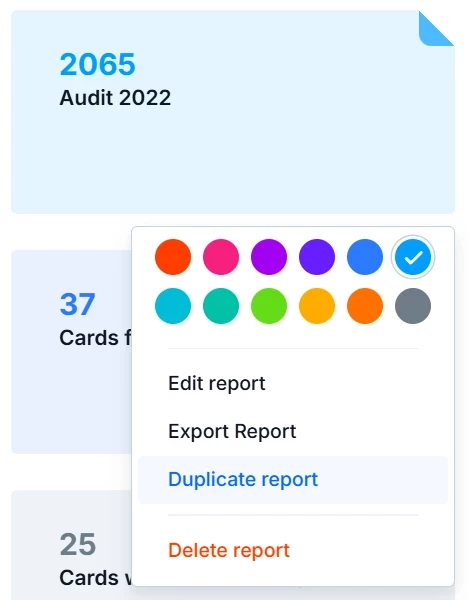
Complex structures get replicated instantly. When you need to track periods, divide teams, or vary priorities, simply duplicate the original reference and change a single filter. Information consistency remains solid across the entire operation.
Dynamic translation in AI Agent Tracing
Interpreting artificial intelligence execution steps in foreign languages adds friction and delays technical auditing. With automatic translation in Tracing, the platform inherits your profile language and displays all step details in your native tongue. The language barrier disappears and you make adjustment decisions much faster.
The execution history immediately knows whether you prefer Portuguese, Spanish, or English without requiring extra buttons or manual setup. Prioritization and routing logic become perfectly clear, speeding up the orchestration and governance of agents.
Granular data export permissions in Interfaces
Relying on administrators to extract routine data creates unnecessary bottlenecks in the operation. The new Interface export configuration brings three permission levels per data element, ensuring requesters can download their own records with total security.
-
Admins only: the strict default that ensures absolute confidentiality for sensitive information or exclusive management use.
-
Admins and members: an access level designed for operations teams that need to perform reconciliations or consolidations during status meetings.
-
Anyone with access: total autonomy for requesters to download their submitted orders while respecting the visibility limits already defined.
Map: now with your integrations too
Understanding dependencies between workflows was difficult when external connections were not graphically displayed. The Process Map now shows integration connections next to native connections, revealing exactly which pipes exchange data with other systems.
The true design of your orchestration becomes visible without relying on parallel documentation. An integration flow appears visually when it connects at least two processes or databases, offering clear impact visibility before you make any structural changes.
BYOM: now with gpt-5.6-luna, terra, sol and the current generation from OpenAI, Vertex AI, and OCI
Outdated models limit extraction and triage capabilities when handling large volumes of data. The Bring Your Own Model catalog update delivers the latest generation from global providers like OpenAI, Google Vertex AI, and OCI Generative AI straight to your selector. You calibrate cost, speed, and intelligence for each process step without wasting time on external setups.
-
Updated OpenAI: the latest releases from the GPT 5.4, GPT 5.5, and GPT 5.6 Luna, Terra, and Sol series become available for highly complex reasoning demands.
-
Google Vertex AI: the Gemini 3.5 Flash model arrives as an excellent option to guarantee fast responses in high volume flows.
-
OCI Generative AI and tools: the Grok 4.20 and Grok 4.3 options reach the panel at the same time the Llama 4 models accept tool calling requests again.
Simplified authentication for AI Agent Connectors
Managing API keys and loose credentials creates configuration gaps and delays the adoption of new business tools. The native MCP Client authentication allows you to connect external platforms by logging in directly with just a few clicks. This functionality is being released gradually.
The authenticated application immediately turns into a runnable action inside the AI agent settings, reducing the chance of manual errors. With high impact operational tools connected in seconds, the orchestration flows continuously.
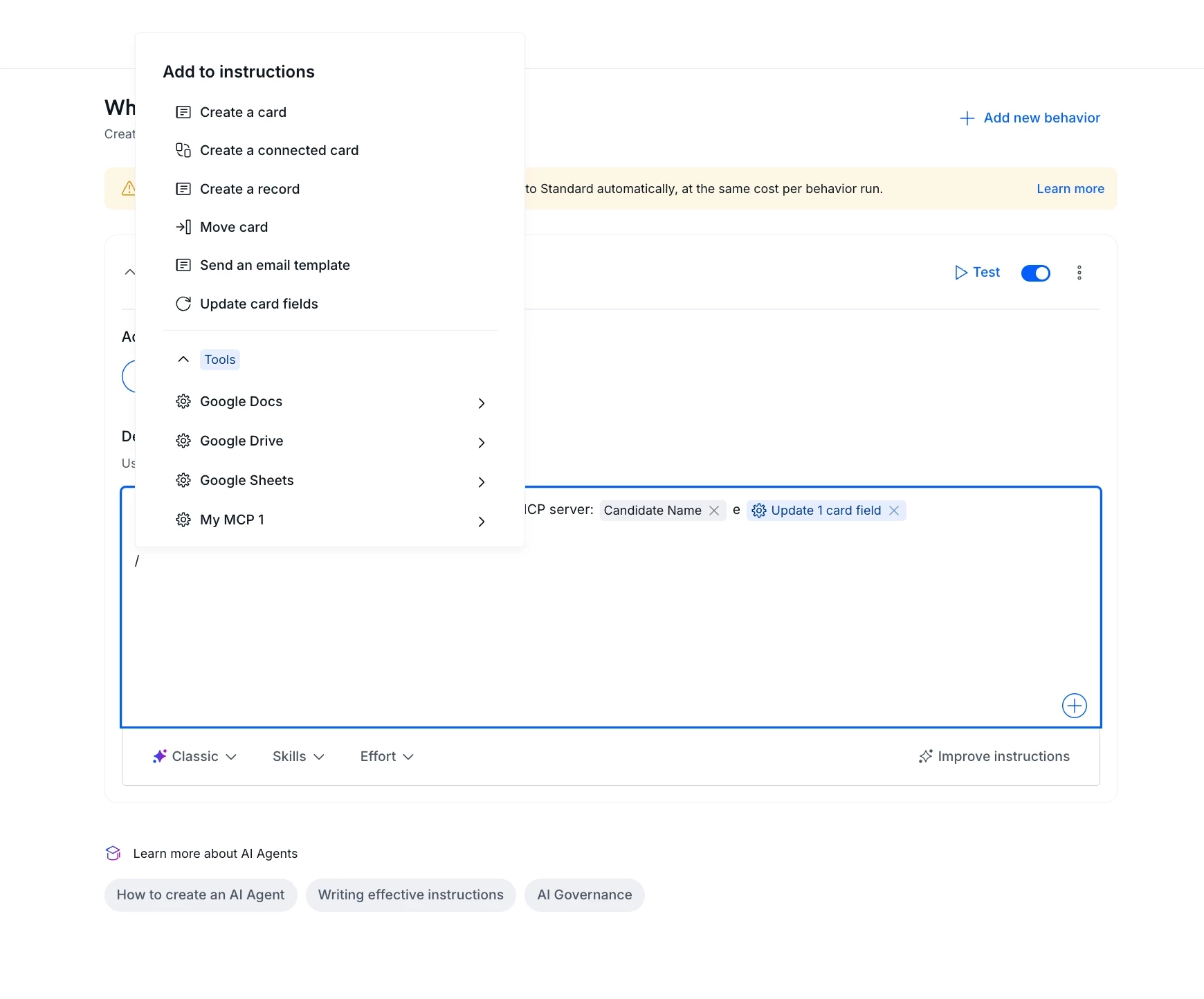
The catalog arrives with connectors for twelve highly requested platforms, including calendar services and file repositories. When your process requires scheduling an appointment, the agent reads the availability and returns open slots instantly, so the assignee never has to switch between multiple screens.
