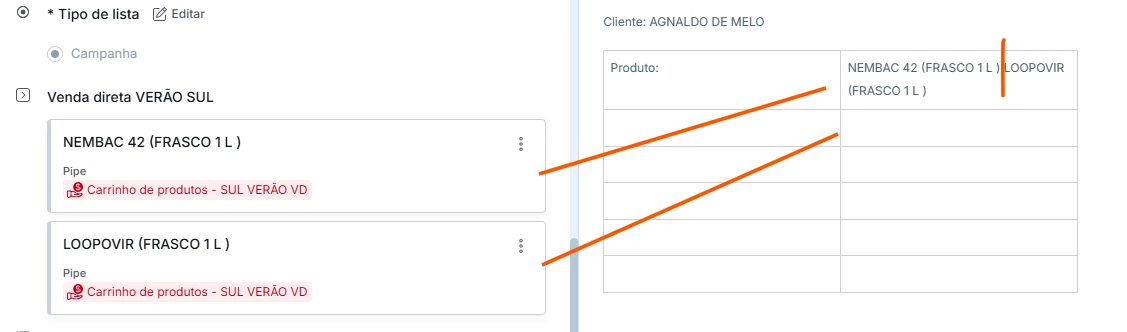
I created a shopping cart function by inserting a pipe within another, allowing me to create a CARD with multiple items from a database. However, when I retrieve the item information from a dynamic field, they all appear on the same line. Is it possible to insert a command to generate a line break? There are other data information to show, like a product A + price A [line1] ; product B… [line2]
Best answer by aleika-alves
Hii, Carlos! There isn't a direct formula using only the dynamic field, but I can suggest an option that utilizes automation:
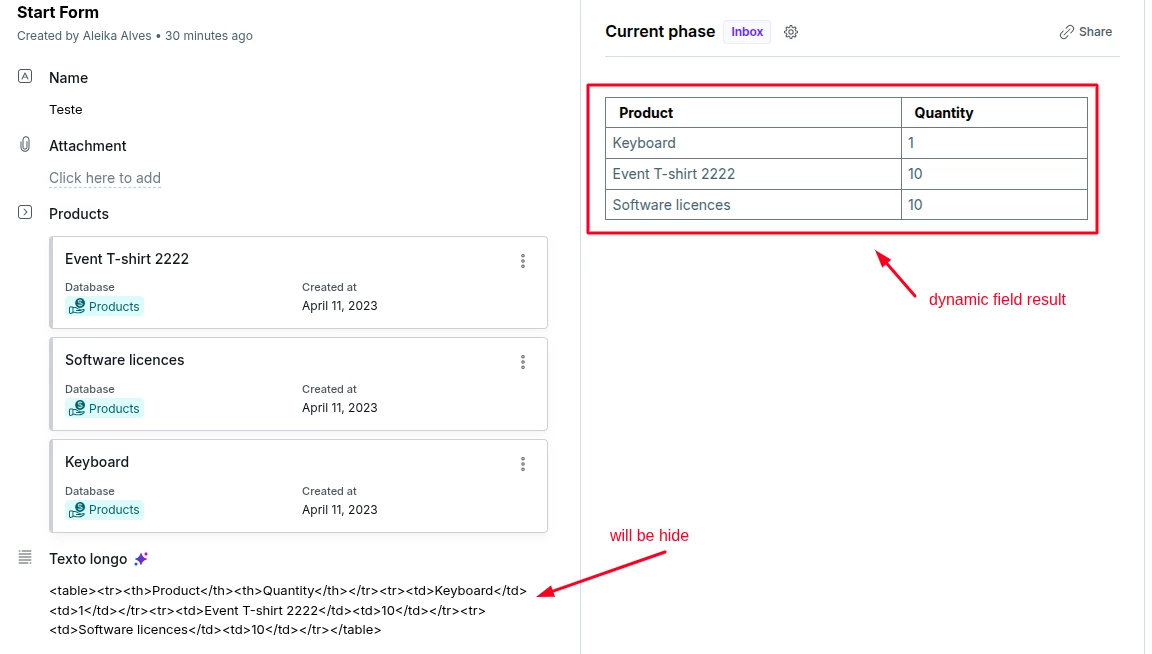
1. To do this, you will need to add a long text field to your form to save the automation result; the value of this field will then be used in your dynamic field. The long text field will remain hidden (it serves only as a helper field).
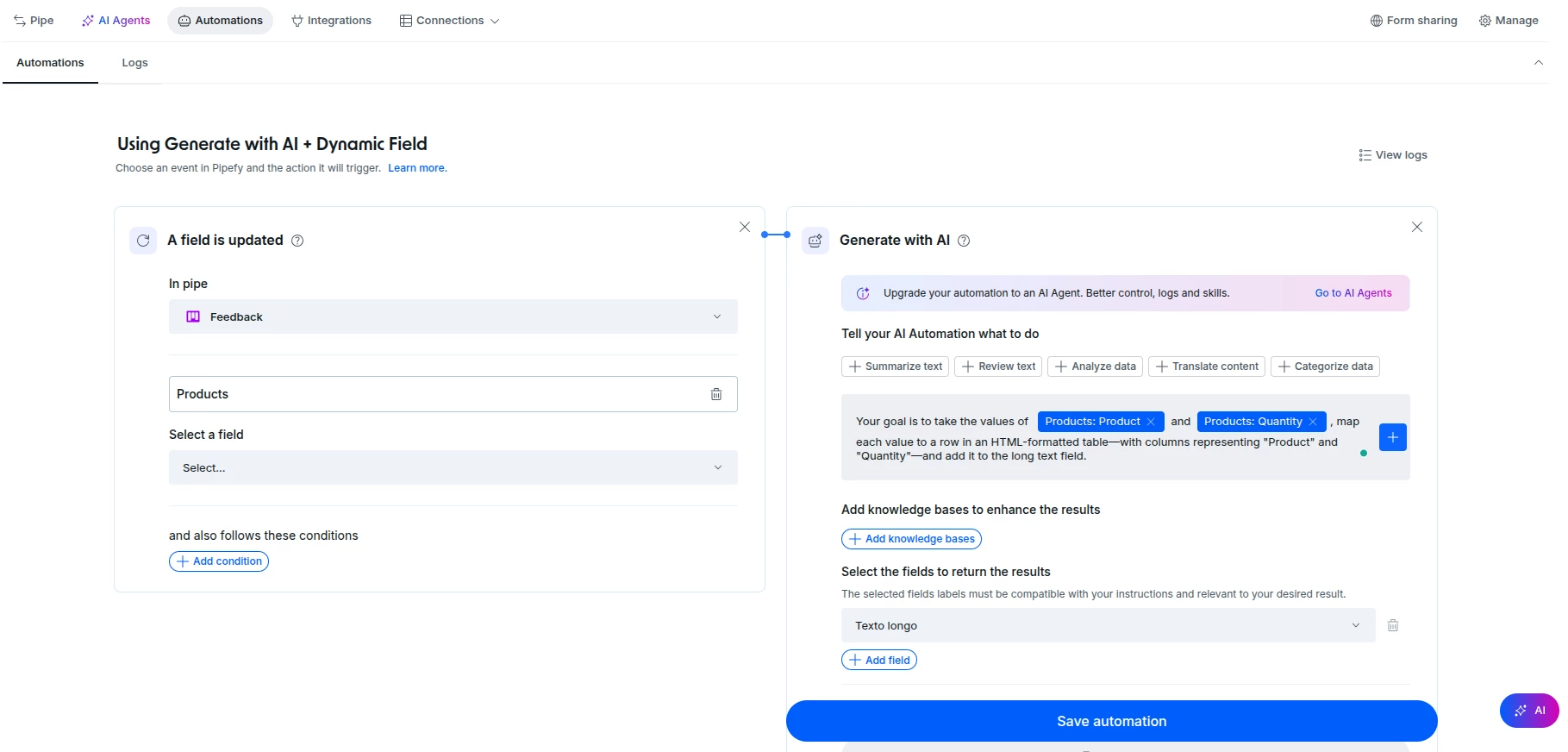
2. Create an automation triggered whenever your "Venda direta VERÃO SUL" field is updated, using the "Generate with AI" action type. You can see an example of configuration and the instructions I used in the images below:
3. Edit your dynamic text field to display the content saved in the long text field. In the end, you should have something like this:
Note: Automations can take some time to execute, so changes to the dynamic field might not appear immediately. Therefore, monitor the status via the automation logs.
Hii, Carlos! There isn't a direct formula using only the dynamic field, but I can suggest an option that utilizes automation:
1. To do this, you will need to add a long text field to your form to save the automation result; the value of this field will then be used in your dynamic field. The long text field will remain hidden (it serves only as a helper field).
2. Create an automation triggered whenever your "Venda direta VERÃO SUL" field is updated, using the "Generate with AI" action type. You can see an example of configuration and the instructions I used in the images below:
3. Edit your dynamic text field to display the content saved in the long text field. In the end, you should have something like this:
Note: Automations can take some time to execute, so changes to the dynamic field might not appear immediately. Therefore, monitor the status via the automation logs.