




👤 For teams that need logic beyond the pre-built actions
🔐 Available for customers with the Custom Integrations add-on
🎯 Level: advanced
The pre-built options in Pipefy Integrations cover the majority of integration scenarios. But every operation has edge cases: a data transformation with business-specific rules, a calculation no standard action can run, a file format no helper handles. In those moments, the alternative without the Code action is to abandon the flow or build a technical solution outside Pipefy.
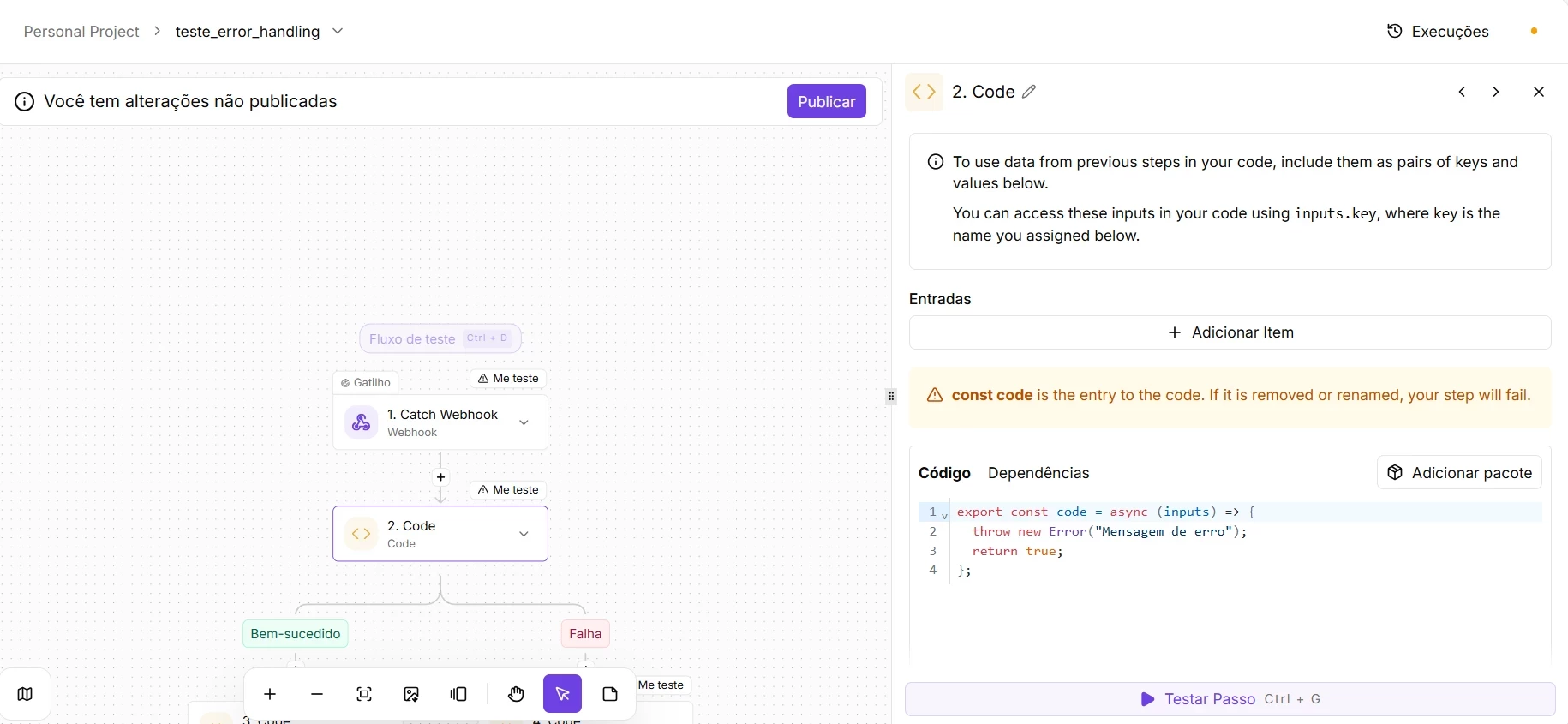
Code allows you to run Node.js or TypeScript directly inside the flow, with access to the npm ecosystem, though some Single Tenant environments restrict package connections, and to data from any previous step. The most specific business logic now lives alongside the process, in the same environment as the rest of the integration, without depending on external services to run code.
📖 What you will understand here:
When to use the Code action: the question before the solution
The Code action is powerful and creates a real dependency: the code needs to be maintained, understood, and updated whenever business rules change. Used in the right place, it eliminates friction that no other action can resolve. Used in the wrong place, it turns an integration flow into a disguised application that nobody wants to inherit.
The cases where Code is the right answer share three characteristics: the logic is too specific to exist in a standard connector, the transformation is repeatable and well-defined, and the result is a piece of data or an action that the flow can use in subsequent steps. When the code starts growing beyond a well-bounded function, it is a sign that the problem may be in the flow design, not in the lack of code.
Before writing code in the Code action, ask: is there a combination of standard utility actions that solves this? A Router with chained conditions, a text transformation Helper, an HTTP call with the right payload? Code should only enter the picture when the honest answer is no.
Highest-return use cases
Use case: real-time financial calculation and card structuring
In operations that receive data from external systems, such as an ERP, an e-commerce platform, a quoting engine, or a pricing calculator, the numbers rarely arrive ready to use. The source system sends raw data, items, quantities, unit prices, tax rates, discounts, and it falls to the automation to transform that into reliable totals before recording the information. Doing that math with the native operators of a low-code tool is risky: floating-point monetary calculations accumulate rounding errors, the classic `0.1 + 0.2 = 0.30000000000000004`, and rules like cascading taxes or proration require more expressiveness than a simple formula field offers.
That is exactly where the Pipefy Integrations Code action comes in. Instead of spreading fragile calculations across multiple visual nodes, you consolidate all the calculation logic into a single block of code, backed by a specialized library that guarantees precision and readability. The structured result feeds directly into a new Pipefy card, with each total mapped to its correct field, ready for the human workflow of approval, audit, and governance.
How the flow works in practice
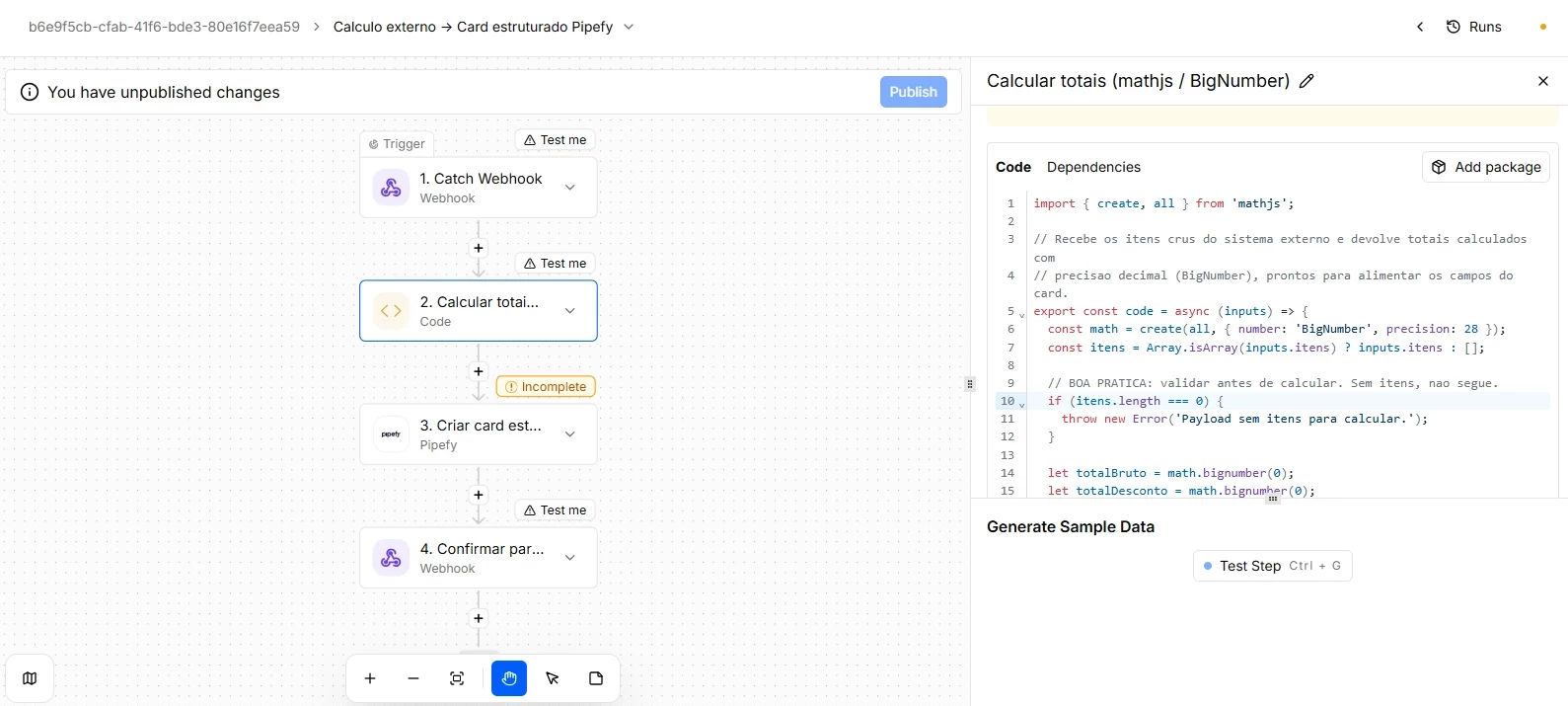
- Data reception (Webhook): The external system sends, via webhook, a payload with the raw order or quote data, including the identifier, the vendor, and the item list.
- Processing and calculation (Code with mathjs): A single code step receives the items and runs all the math using the mathjs library in `BigNumber` mode, decimal precision with no floating-point error. For each line it calculates gross value, discount, net base, and tax; and it consolidates the order totals: gross total, total discount, net base, total tax, grand total, and average ticket. Before calculating, the code validates that there are items in the payload. If the payload arrives empty, it fails explicitly rather than recording junk data.
- Structuring in Pipefy (Create Card): With the totals already calculated and rounded, the native Pipefy connector creates a card in the destination pipe, mapping each value to its structured field.
- Synchronous confirmation (Return Response): The integration returns to the external system a JSON with the status, the created card ID, and the consolidated totals, closing the cycle in a single call without the source system needing to query anything afterward.
Without the Code action, the IT team would have two bad options: either build and maintain a proprietary microservice just to run this calculation before calling Pipefy, or try to reproduce the math in dozens of fragile, hard-to-audit visual formula fields. With Code backed by a calculation library, the business rule lives in one single versionable, testable, and precise location, and the platform transforms raw data from any company system, without infrastructure code, into a governable and auditable Pipefy card.
Best practices for high-performance Code
- Precision first: For monetary values, configure `mathjs` with `number: 'BigNumber'`, or use `decimal.js`, which is lighter if you only need decimal arithmetic. Never trust native float for money.
- Minimize packages: Include only the essential calculation library. Extra packages add weight to the flow and increase timeout risk. One well-chosen library, mathjs or decimal.js, covers most cases.
- Calculation logic, not orchestration, inside the code: The Code action should calculate and return structured data, not make heavy HTTP calls or run giant loops. Card creation goes in the native Pipefy connector, outside the code.
- Validate the input: Check the presence and format of the data, for example, a non-empty item list, at the start of the code, and fail clearly rather than recording a card with zero totals.
- Idempotency (when applicable): If the external system can resend the same order, include the source identifier in a control field and perform a quick lookup before creating, to avoid duplicating cards on redelivery.
Code has access to the full npm ecosystem, which includes packages with no active maintenance, known vulnerabilities, or licenses incompatible with commercial use. Before adding a package, check the last update date, weekly download count, and license. Abandoned packages become silent technical debt.
Governance: what scaling code usage requires
Code does not require a developer to be used, but it does require responsibility over the code running in production. In enterprise operations, two points deserve attention before scaling usage.
Documentation inside the flow is non-negotiable. The code editor supports comments, and every code block should have at least one comment explaining what it does, which inputs it expects, and what structure it returns. A flow without code documentation is a flow that nobody can maintain when the original author is unavailable.
Versioning and traceability matter. Pipefy Integrations versions published flows, which means changes to code are traceable in the version history. Before changing code in production, publish it as a new version and keep the previous version accessible for at least one monitoring cycle.
Credentials, tokens, and API keys should never be written directly in the code. Use variables inside the code to reference authentication. The code is visible to any user with access to the flow.
Before moving on, confirm that you understand:
☐ When the Code action is the right answer and when it signals a flow design problem
☐ Why documentation inside the code is mandatory in enterprise usage
☐ How to pass credentials securely to the code via inputs
☐ What to check in an npm package before adding it to a production flow
