




👤 For teams that need to react to external system events without polling
🔐 Available for customers with the Custom Integrations add-on
🎯 Level: intermediate
Most integrations work on the polling model: the flow runs on a schedule and asks the external system whether anything new has happened since the last check, processes the response, and moves on. That model works well for data that does not require an immediate reaction. When an event needs to trigger a process the moment it happens, the logic flips to a real-time model.
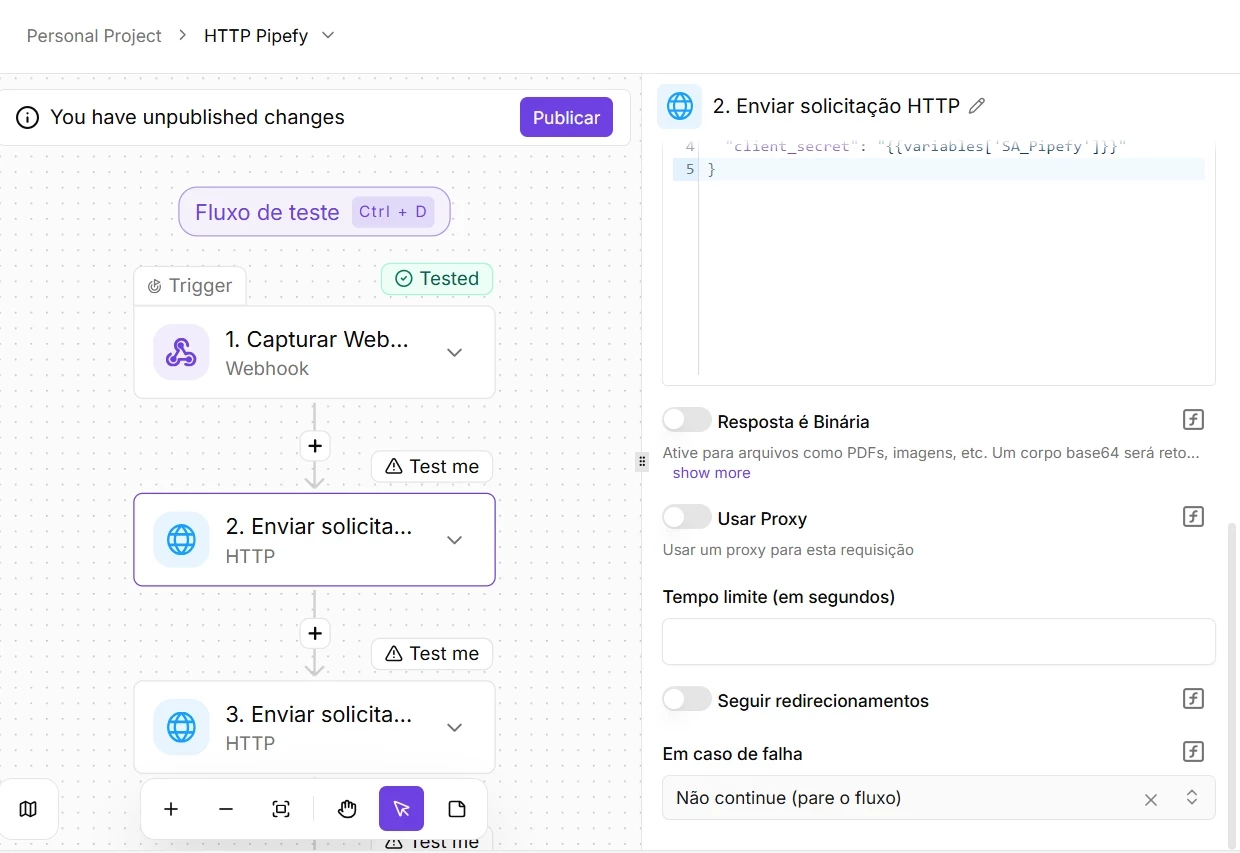
In Pipefy Integrations, the way triggers are implemented inside connectors determines how that event capture actually works. There are three distinct scenarios:
- Scheduled Polling Triggers: Under the hood, the dedicated connector performs automated periodic sweeps. The flow "knocks on the door" of the external API at regular intervals, such as every hour or every 15 minutes, to check whether new data has appeared.
- Native Real-Time Triggers (Webhooks): These are dedicated connectors with active listening intelligence built in transparently. They automatically subscribe to the external system and fire the event in real time the moment the action happens on the partner side.
- Capture Webhook (Generic Trigger): The platform's wildcard real-time option. Use it in two specific situations: when the system you want to integrate supports instant data delivery but no dedicated connector exists in Pipefy Integrations; or when the dedicated connector for that system was implemented in polling mode but your operation requires an immediate reaction. When you use it, Pipefy Integrations generates a unique URL for you to paste into the external system and force instant triggering.
📖 What you will understand here:
Asynchronous or synchronous: the webhook that responds back
Most webhooks work asynchronously: the external system fires the event, Pipefy Integrations immediately confirms receipt with an HTTP 200 status code, and the flow processes in the background without the caller needing to wait for the outcome. The partner system moves on regardless of how the process ends.
The synchronous webhook changes that communication contract. When the URL generated by the trigger is configured with the `/sync` suffix on its endpoint, the flow processes all sequential actions and returns a structured response to the originating system before closing the connection. The caller actively waits on the line. This enables a different architectural pattern: Pipefy Integrations stops being a passive event receiver and starts acting as a custom API, returning processed data in real time to the external system.
When the synchronous webhook makes sense
Real-time validation and data enrichment flows are the primary use cases for this approach:
- Onboarding Validation: An external onboarding form that needs to query the Pipefy database and know, before advancing to the next screen, whether an ID number is already registered.
- Inventory Check: An e-commerce platform that sends a synchronous request to confirm item availability before authorizing a customer's order completion.
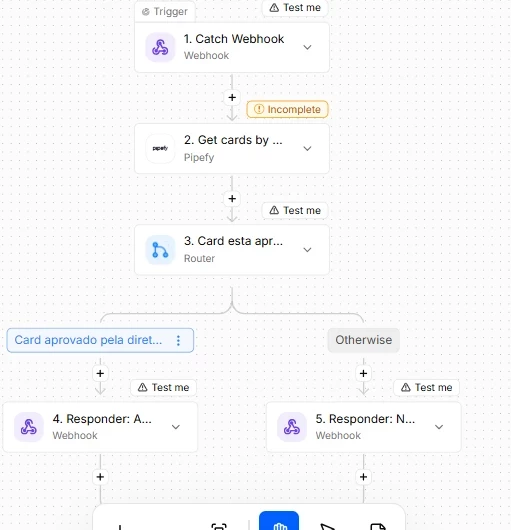
In these scenarios, the immediate return of data is mandatory. For the structured response to be sent back to the originating system, you must include a Webhook connector step at the end of your flow using the Return Response action.
⚠ Critical considerations, timeouts, and testing
The 30-second limit (HTTP 408): Synchronous webhooks demand ultra-fast processing. If your flow contains many chained actions, complex loops, or slow third-party API calls that cause execution to take more than 30 seconds, Pipefy will interrupt the wait and automatically return an HTTP 408 Request Timeout to the calling system. Keep synchronous processing strictly lean.
- Using Error Handling as a safety net: If any step breaks mid-execution, the flow will halt. Use the native Error Handling feature on critical nodes to catch failures via the failure path and ensure a clean response, via the Return Response action, is delivered to the caller instead of letting the request die silently.
- Live URL vs. Test URL: The Live environment URL triggers the actual production flow and processes real data. For the Test environment, add the `/test` suffix to the end of your webhook URL during construction. This lets you send requests to generate sample data in the panel and safely map the Data Selector without activating the published flow's actions.
Use case: real-time process approval query (ERP and Pipefy)
A buyer is about to close a high-value contract with a vendor inside the company's ERP, such as SAP or Totvs. For compliance governance, the ERP needs to confirm that the purchase request and budget have already been formally reviewed and approved by leadership inside the Pipefy Purchasing Pipe before releasing the contract for signature.
How the integration works in practice:
- The synchronous trigger: The moment the buyer clicks "Generate Contract" in the ERP, the system sends a synchronous webhook to Pipefy Integrations carrying the process ID or project code.
- Pipefy at the center of the decision: The flow uses the native Pipefy connector to instantly locate the corresponding card inside the Purchasing Pipe.
- Live phase check: The flow analyzes which phase the card is currently in, for example whether it has already moved to the "Approved by Leadership" phase, and extracts data from the history, such as the approver's name and digital signature date.
- The structured response: Using the Webhook connector's Return Response action, the integration returns the data in JSON format to the ERP within 30 seconds.
- End of flow in the ERP: If the response indicates the Pipefy card is approved, the ERP immediately releases the contract for generation. If the card is still in triage, audit, or has been rejected, the ERP blocks the buyer's screen and displays the actual reason from the Pipefy process.
Why this model represents the state of the art
Without the synchronous webhook, the IT team would have to build a complex proprietary API, or the ERP would need to run exhaustive polling queries at regular intervals just to know whether the team has completed the process in Pipefy.
With Pipefy Integrations, the human workflow, governance, and daily decision-making that happen in Pipefy become, natively and without code, a live and queryable API for any software in the organization.
Authentication: the requirement that is not optional
A Webhook trigger generates a public URL. Any system that knows that URL can fire the flow. Without an active protection layer, a malicious payload or an accidental trigger from an unauthorized system will execute the flow with the same privileges as a legitimate call.
To mitigate this risk, Pipefy Integrations offers four authentication options on the Webhook trigger, allowing you to match security to the technical capabilities of the partner system:
- None: The endpoint is fully exposed. This option is only acceptable during controlled tests or approved development windows.
- Basic Auth: Requires a traditional username and password combination. The ideal model for integrating with legacy systems or commercial ERPs that do not support custom headers or advanced tokens.Header Auth: The most common and practical approach for production environments. The originating system includes a specific header with a pre-agreed secret value, such as a Bearer Token, and the flow only begins processing if the received value matches the expected one.
- HMAC Signature: The strictest security level for corporate webhook traffic, the standard used by platforms like Stripe, Shopify, and GitHub. The external system generates a cryptographic signature based on the exact payload content using a shared secret key. Upon receiving the call, Pipefy Integrations recalculates that cryptographic code to verify the sender's authenticity and certify that the message was not altered or intercepted in transit.
Treating webhook authentication as a configuration detail is the most common mistake. In production, an endpoint without authentication is an open attack surface. Define your authentication strategy before sharing the URL with the originating system.
Before going to production
Use the URL with the `/test` suffix to validate the received payload without executing the flow's actions. Confirm the format and fields before activating the real logic.
Document the webhook contract: which fields the originating system sends, what format, which authentication method. That contract is the most common failure point when the originating system changes.
For synchronous webhooks, measure the flow's processing time in the test environment before going to production. Identify the calling system's timeout and ensure the flow completes within that limit.
Consider the flow's behavior when it receives an unexpected or malformed payload. A Router that verifies the data structure before processing protects the flow against invalid inputs.
Before moving on, confirm that you understand:
☐ The difference between asynchronous and synchronous webhooks, and when each applies
☐ Why authentication is not optional for production webhooks
☐ How to use the /test URL to validate the payload before executing the flow
