




👤 For pipe admins and people who monitor processes
🔐 Map and Flow are available on all plans, subject to pipe permissions
🎯 To choose a process improvement using dependencies and evidence of waiting
A purchase request is waiting, the requester wants an update, and each team knows only its own part of the work. Before asking people to work faster, find out where the request depends on information, a decision, or work handled in another process.
By the end of this article, you will be able to combine Map, Flow, and card evidence to choose an area to review. We will use a purchasing example in which analysis depends on supplier validation, even though the request itself appears complete.
What you will learn:
Choose the question before studying the diagram
Start with a specific case: which request is waiting, at what stage, and what outcome should allow it to move on? “Purchasing is slow” leaves too much open. “Requests involving a new supplier wait for validation before quotation” gives the investigation a useful boundary.
Decide how far the question reaches. If another team or pipe is involved, examine the relationship between processes. If the wait happens between phases of one pipe, look at that transition. If just one request took an unusual path, inspect its history before proposing a change for everyone.
A useful scope: requests involving a new supplier, from the start of analysis to confirmation that they can proceed to quotation. This boundary tells you which relationships matter now and which can wait for a separate review.
Use Map to recognize dependencies
Map shows how a pipe relates to other pipes and databases. It helps you identify where information comes from and which processes depend on it. Connection types distinguish relationships created by an automation from those created through a connection field, for example. Also see the Map update on connection visibility.
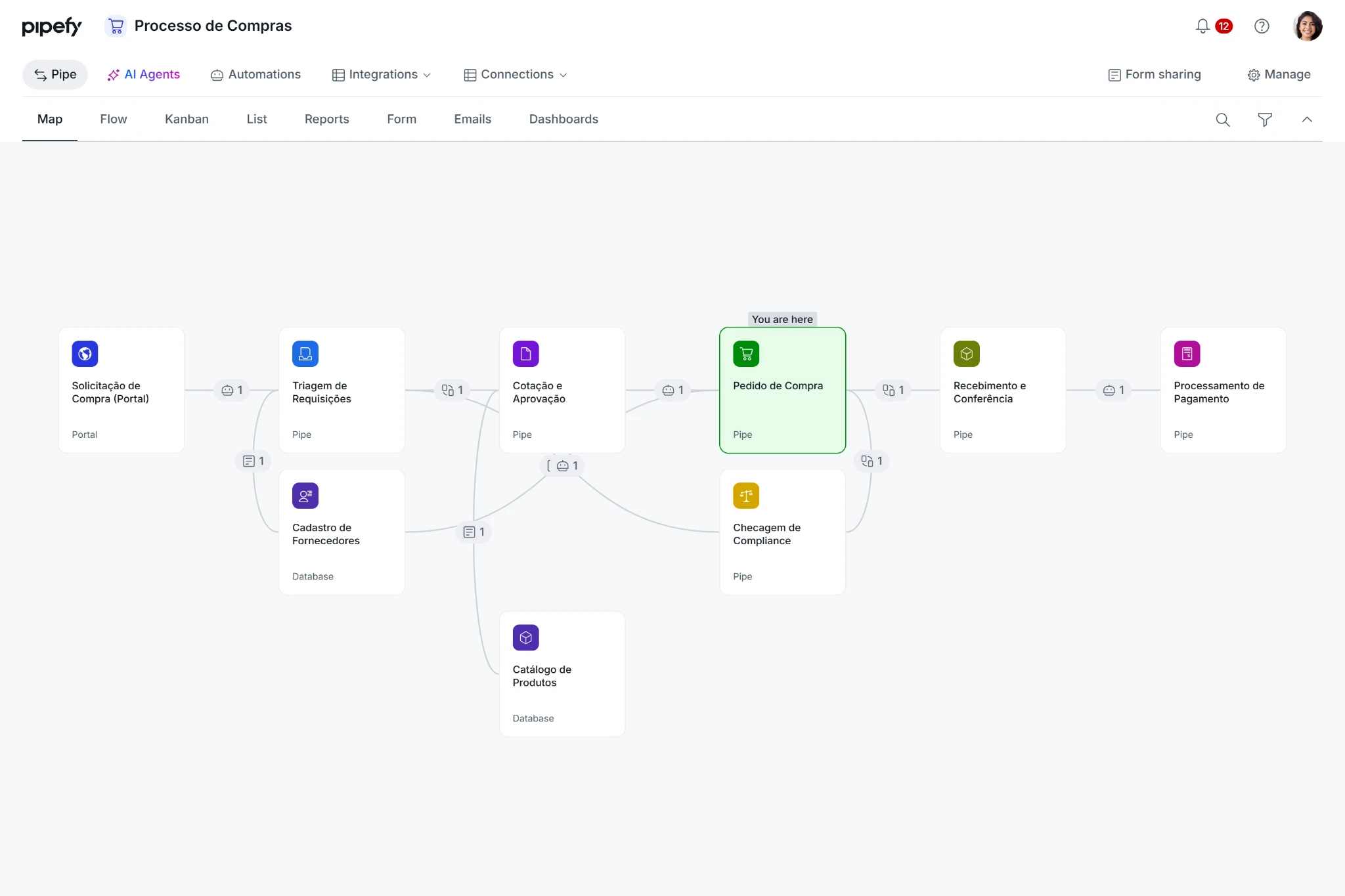
Illustrative purchasing process connected to other pipes and databases. Identify where the information needed to continue comes from before reviewing a stage. Example contains Portuguese labels.
Imagine the purchase request is connected to supplier registration. That relationship points to the next question: what information must come back before purchasing can continue? Answer it using the process rule and actual cases. A connection alone does not establish that work is waiting.
When sharing your analysis, identify the source pipe, the destination, and the information exchanged. The official guide to reading Map explains connection types and available filters.
Read Flow to understand possible paths
Flow brings together the pipe's internal structure, including phases, fields, and automations. Use it to identify rules associated with the stage you are investigating and the destinations available in the configured process. The diagram helps you form a hypothesis about what should happen.
For the purchasing example, establish what completes analysis: incoming information, a person's assessment, or an action in the orchestration. If there is more than one exit, record the criterion that selects each path. A connection in the diagram is a configured possibility. Compare it with what happened in the request you are studying.
The Help Center explains how to interpret the pipe structure in Flow, in Portuguese. For the connection between the ecosystem, pipe structure, and card history, see the Orchestration journey.
Check the waiting time against actual cases
Compare a few requests of the same type, including one that followed the expected path. Examine what information was available before the transition and what arrived later. Look for a difference that explains the wait, rather than judging the process by its number of connections or a single slow case.
In this hypothetical example, three requests waited for registration confirmation, while a fourth already had a validated supplier. This suggests investigating that dependency. You still need to inspect the history and speak with the person handling validation to distinguish a queue from missing information or an expected processing period.
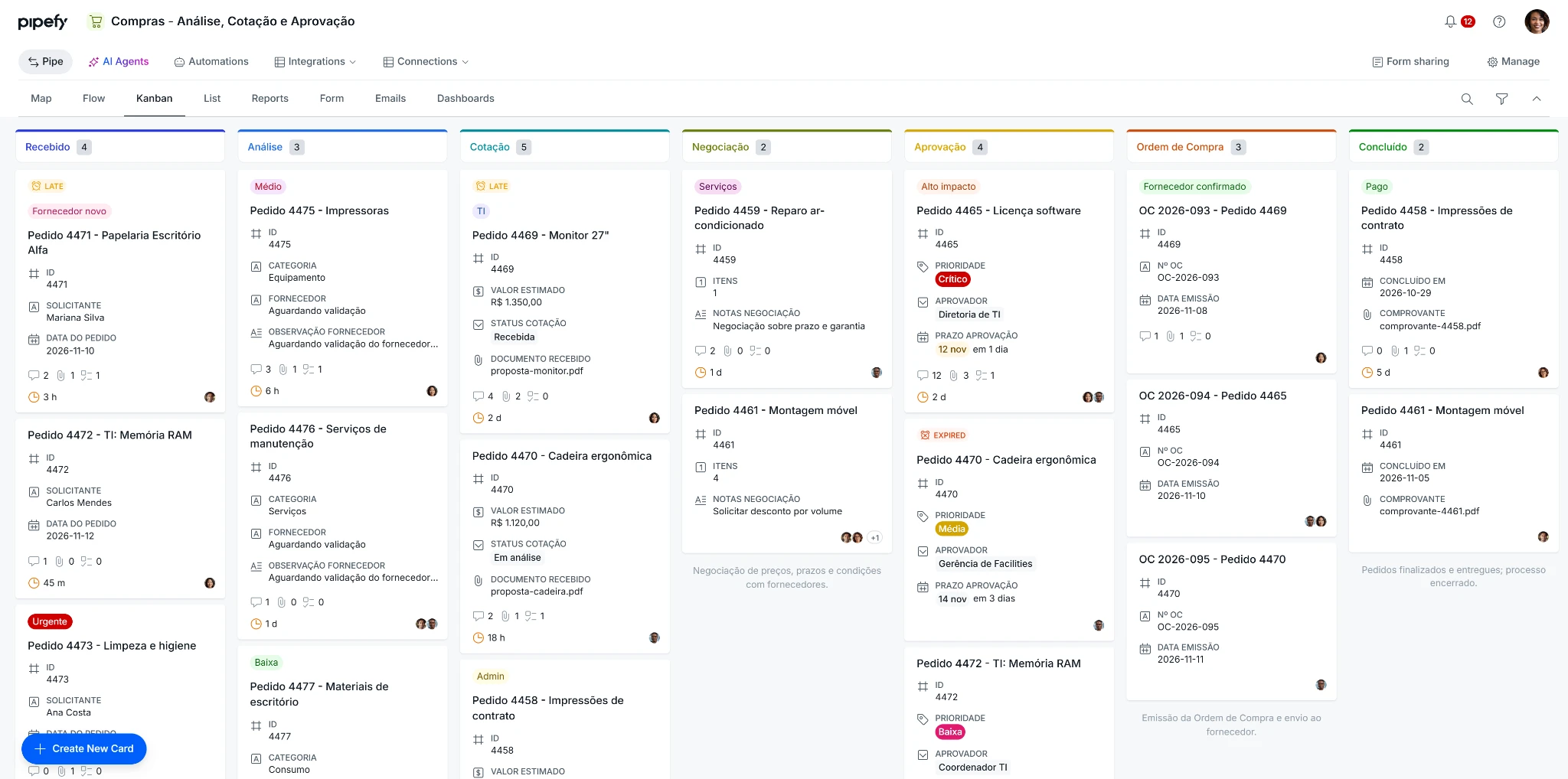
Illustrative requests across process phases. Similar pending items help form a hypothesis about the wait to investigate. Example contains Portuguese labels.
Timeline helps reconstruct events for an individual card. Its bottleneck indicator is a starting point for investigation rather than an SLA measurement. To explore whether the wait affects a broader set of requests, read the Community article on time per phase and bottlenecks, in Portuguese. For an individual case, continue with Why a card did not move as expected.
Compare equivalent situations. An urgent purchase from an approved supplier and a request requiring extra validation can have different lead times for legitimate business reasons. Record those conditions before comparing durations.
Turn your hypothesis into a process review
Connect evidence to a next action. For example: “Requests involving new suppliers wait for confirmation that arrives after analysis begins. We will review with the registration owner when that confirmation needs to be available.” This gives people a decision to make and a way to assess the outcome later.
Review one change at a time, identify who needs to participate, and observe comparable cases again. The improvement may concern information, ownership, or a transition criterion. Let the diagnosis guide that choice, and clarify a stage's purpose with its owner before removing it.
To develop your approach to process design, objectives, and monitoring, continue with the Process Implementation Certification at Pipefy Academy, taught in Portuguese. You need to sign in or create an account to access the lessons.
Before moving on, confirm that you understand:
☐ Map reveals relationships between processes, while Flow explains the pipe's structure.
☐ You need to compare configured paths with the history of actual requests.
☐ You can record a hypothesis, its supporting evidence, and the person responsible for reviewing it.
Ready to investigate the stage you selected? Continue with Why a card did not move as expected.
