




👤 For teams with active flows looking to scale without sacrificing stability, and for anyone processing large volumes of data or heavy files
🔐 Available for customers with the Custom Integrations add-on
🎯 Level: intermediate
When a flow grows, a quiet problem starts to emerge: it tries to do everything in a single execution. It reads a large file, generates a PDF, calls three APIs, and updates multiple cards, all within the same process, competing for the same time and memory budget. The more a flow takes on, the closer it gets to hitting a timeout or a memory limit, and the higher the chance it fails partway through, after part of the work is already done.
Sub-flows solve this through modularization. Instead of piling everything into a single monolithic flow, you extract the heavier or more complex parts into dedicated flows and call them from the main one. Each sub-flow runs in its own execution context, with a fresh set of time and memory limits. The result is a more stable process, easier to debug, and, as a welcome side effect, reusable across different integrations.
📖 What you will understand here
What a sub-flow is
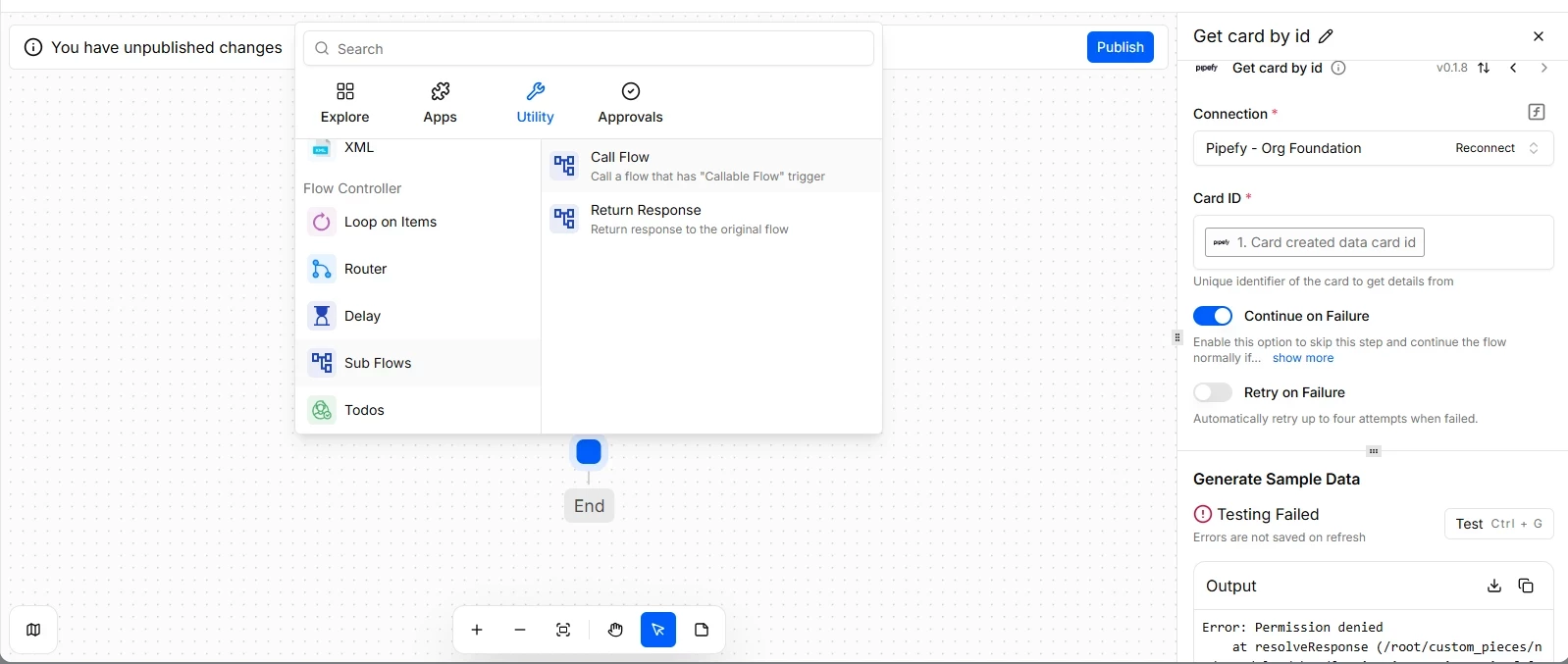
A sub-flow is a flow configured specifically to be called by other flows, not to run independently. It uses a Callable Flow trigger, which signals to Pipefy Integrations Hub that this flow is a reusable component, not a standalone entry point.
From the main flow's perspective, the Sub-flow action works like any other action: you insert it into the flow, select which callable flow you want to run, and define how you want the execution to happen. The important difference happens behind the scenes. When the sub-flow is triggered, it executes in a separate context, with its own timeout and memory limits starting from zero. That is precisely what makes it possible to offload a heavy operation from the main flow: it stops consuming the budget of whoever called it and gets its own.
A sub-flow must be published and active to appear as a selection option. Flows in draft or inactive states are not available. This is a safeguard: it ensures only validated logic gets reused.
Synchronous or asynchronous: the decision that changes everything
When you call a sub-flow, you need to decide whether the main flow will wait for it to finish or continue in parallel. That choice defines the behavior of the entire process and should not be made by default.
- Synchronous execution The main flow pauses and waits for the sub-flow to complete before moving forward. Use this when the sub-flow result is needed for subsequent steps: a validation that returns approved or rejected, an external query that feeds a decision, a record creation whose ID will be used later. One stability point worth noting: in synchronous execution, the sub-flow's time counts toward the overall perceived duration of the process. If you only need to isolate the memory footprint of a heavy task, and you do not depend on its return value, prefer asynchronous mode.
- Asynchronous execution The main flow triggers the sub-flow and immediately continues without waiting. Use this when the sub-flow handles a parallel task that does not block the main path: sending a notification, writing a log, processing a heavy file in the background, or generating a document that will be consumed later. Here the modularization benefit is at its maximum. You remove the heavy load from the main flow and also prevent it from stalling while waiting for a long operation.
Choosing asynchronous when the main flow depends on the sub-flow's result is the most common mistake. The flow advances before the data is available, and the process breaks silently. If there is a data dependency, the execution must be synchronous.
Use case: isolating heavy processing
A common scenario in operations that deal with volume: a flow receives a large spreadsheet, needs to process the data, generate a PDF, and only then create records in Pipefy. If all of that runs in a single flow, the process tends to break. Sometimes it hits the timeout, sometimes it runs out of memory while handling the file, and when it fails it has already consumed the work done up to that point.
With sub-flows, the heavy part, the file processing and PDF generation, becomes a dedicated flow with a Callable Flow trigger. The main flow validates the input data, calls that sub-flow, and lets the costly part run with its own time and memory budget. If that same step is also needed in other flows that handle files, it is already ready to be reused. One place to maintain and update.
The practical result: lower risk of timeout and out-of-memory errors in the main flow, failures contained within a smaller and easier-to-debug scope, and centralized execution traceability for that step.
How to identify logic that belongs in a sub-flow
Not every piece of logic deserves its own sub-flow. Turning everything into components creates unnecessary complexity when there is no real gain in isolation or reuse. The criteria are straightforward:
The flow is likely to run for more than 5 minutes. Isolating the long step into a sub-flow gives it its own limits.
There is heavy file manipulation or document generation involved. These operations are the primary cause of memory errors and deserve to run in a separate context.
The same sequence of actions appears in two or more flows, and you do not want to maintain it in multiple places.
A complex section of a long flow makes reading and maintenance harder, and isolating it makes the whole easier to debug.
If the logic is short, lightweight, used by a single flow, and has no reuse potential, keeping it in the main flow is simpler and equally valid.
Sub-flows also work as a governance tool: by centralizing critical logic or a heavy step in a sub-flow controlled by a specific owner, you prevent each team from reimplementing the same behavior with unintentional variations, and you ensure that resource handling follows a validated standard.
Before moving on, confirm that you understand:
☐ What distinguishes a sub-flow from a regular flow, and why it isolates time and memory
☐ When to use synchronous execution and when to use asynchronous
☐ How to identify heavy or long-running steps in your operation that should become sub-flows
☐ Why a sub-flow must be published and active to be called
