



Overview
AI Agents can now send emails directly from automated workflows using pre-configured templates. The action includes an intelligent content adjustment toggle, allowing the agent to adapt the email body based on card fields and execution context, without compromising brand consistency or template structure.
What's new?
AI Agents now support six actions:
- Update card fields
- Create a card
- Create a connected card
- Create a record
- Send an email template (new)
- Move card
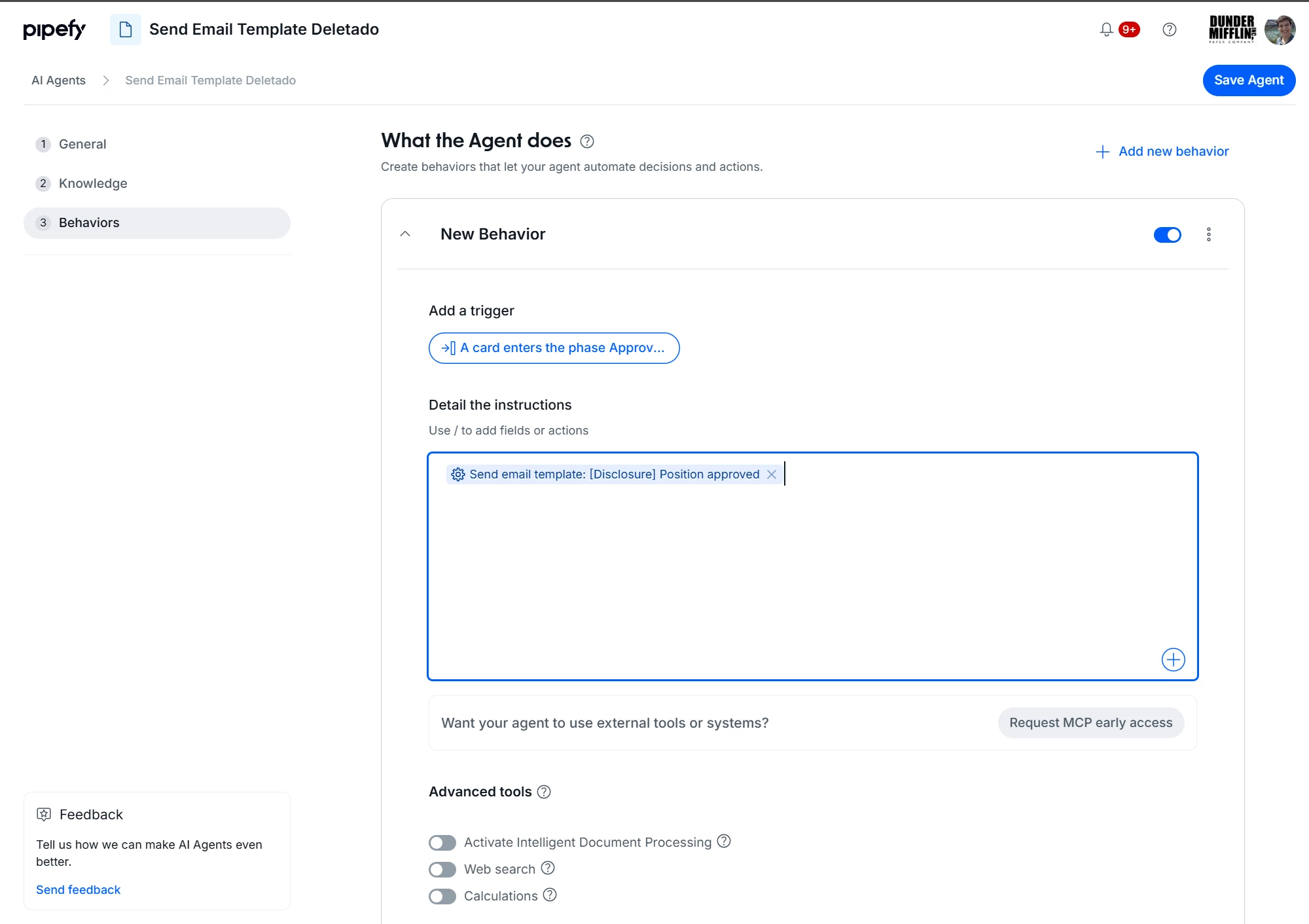
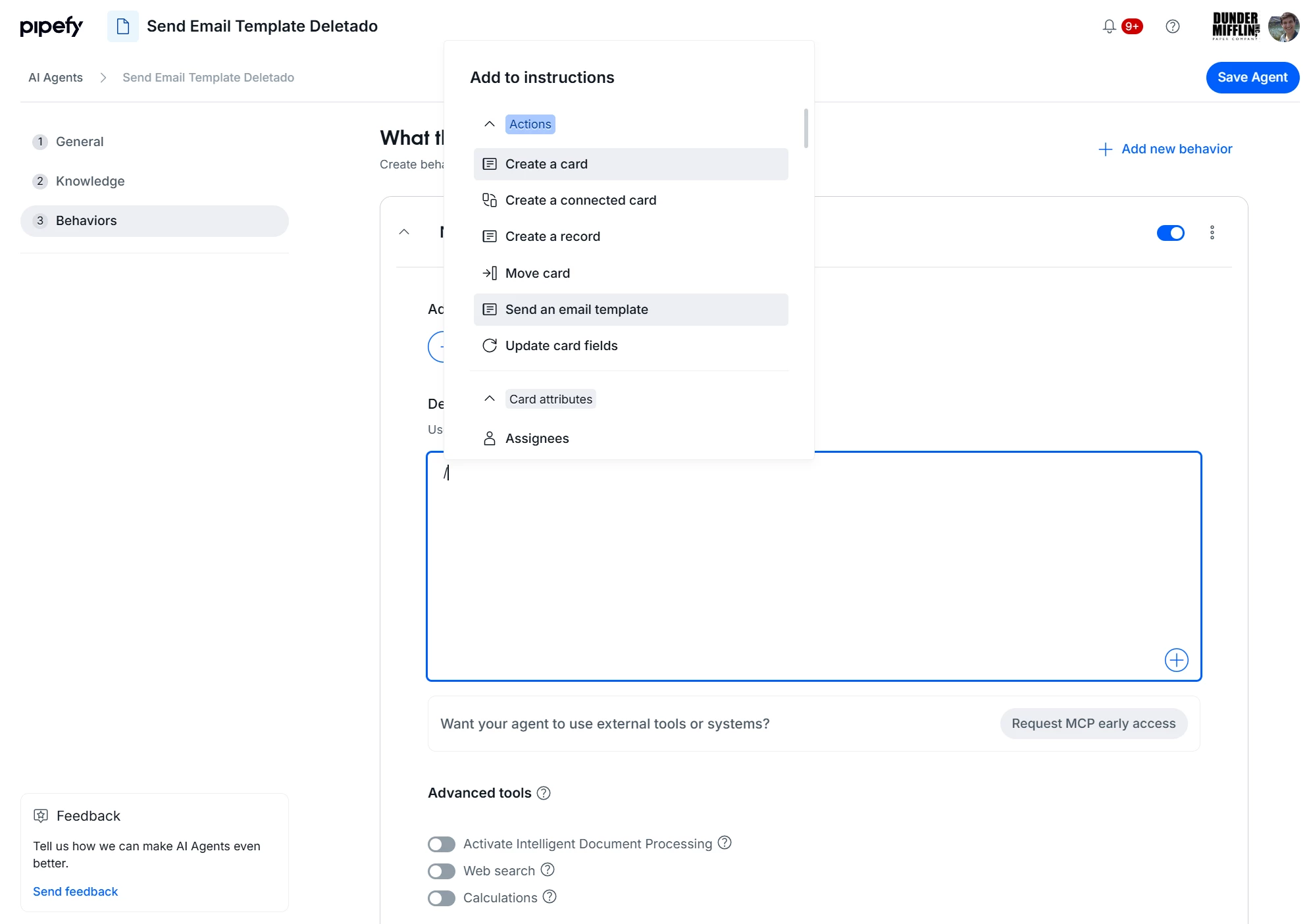
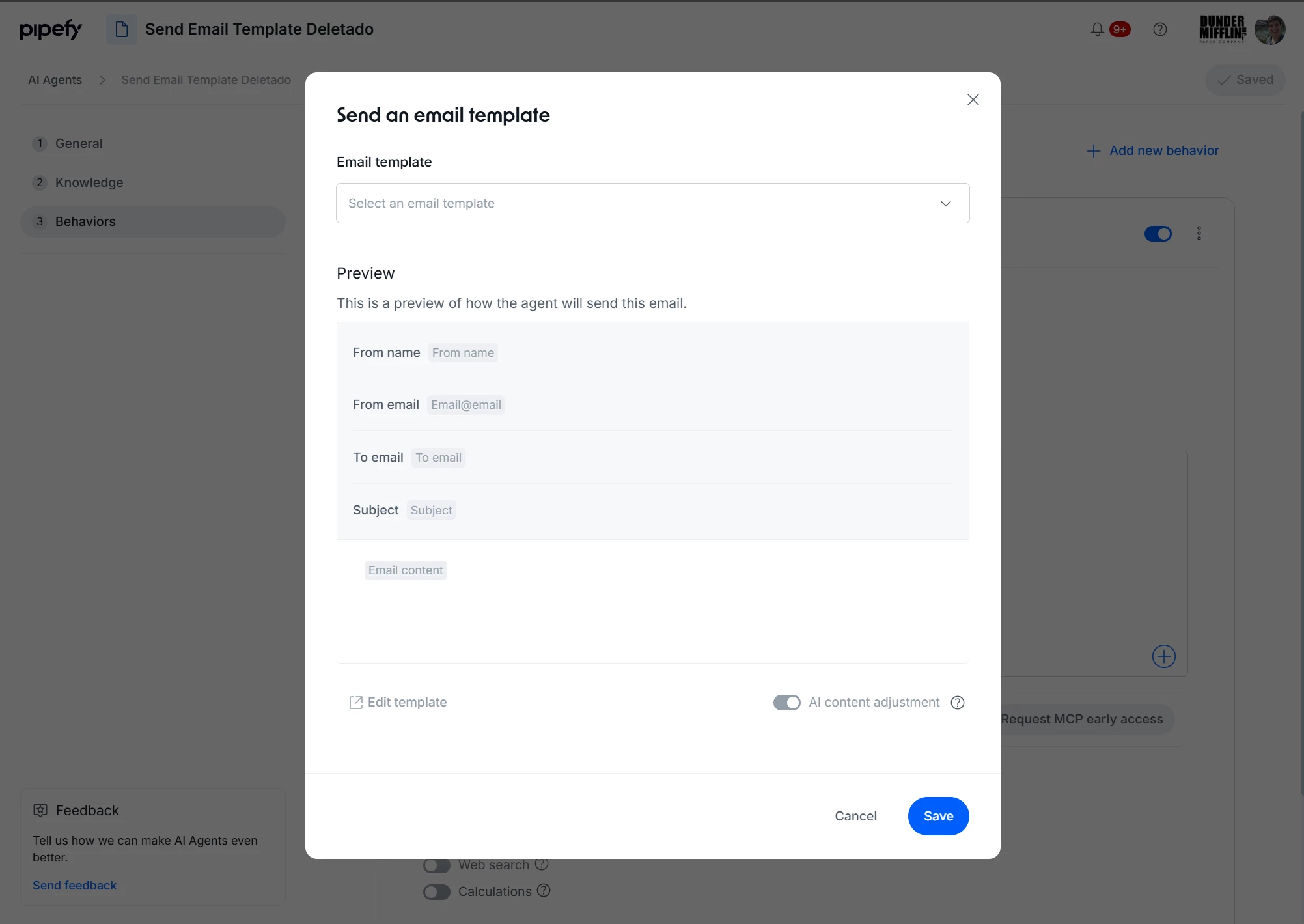
The new action includes the "AI content adjustment" toggle: when enabled, the agent automatically adapts the template content based on the card fields and execution context.
How does this help?
- Closes the loop between automation and human communication: the agent triggers standardized emails at the right process moment, without relying on manual input
- Preserves brand identity: emails are sent using pre-approved templates, eliminating off-brand or inconsistent messaging
- Enables human-in-the-loop approval and decision flows: AI-driven actions can be combined with steps that require human response or review
- Reduces operational overhead: communications that currently depend on manual intervention are automatically triggered by the agent in the right context
Use cases
- Purchase approval with automatic notification: an AI Agent analyzes a purchase request, updates card fields with extracted data, and sends an approval email to the responsible manager using the pre-configured template, all in a single execution, no manual action required.
- Vendor onboarding with staged communication: when a new vendor card is created, the agent automatically sends a welcome and registration instructions email using the Procurement team's template, with vendor-specific content adjusted via AI content adjustment.
- IT ticket triage with requester notification: after categorizing and routing a ticket to the correct queue, the agent sends the user a confirmation email with an estimated resolution time pulled from the card fields.
- HR vacation request workflow: the agent processes the request, validates eligibility conditions in the card fields, and automatically sends either a confirmation or a pending-action email to the employee using the HR team's template.
- SLA breach escalation with structured communication: when a card exceeds the configured SLA, the agent moves the card, updates the priority field, and sends the escalation email to the owner, with no separate automation needed for the trigger.
Most relevant for
- Operations analysts and managers building processes with recurring approval or communication steps
- Procurement, HR, and IT teams that rely on standardized email templates in departmental workflows
- Platform administrators responsible for configuring AI Agents in multi-step flows
Documentation
For the full step-by-step, check the Help Center article.
