






















Pipefy, recognized as one of the Market Shapers by Gartner®
The latest from Pipefy, from company updates to team news and everything in between.
Recently active
Hi Community! Long time no see!We want to interview some users who use Pipefy daily to learn about their pain points, what their day-to-day is like, how their processes fit into the platform, and how the design and product teams can help you with improvements and/or new features!Did you find it interesting?If so, feel free to schedule a time that works best for you by clicking here. The 10 first people how applied, will get a gift card from Community. Just send a message to @Juliana Spinardi and let her know that you booked an interview with us! See you soon!
Hello everyone! 👋 I am here to invite you to our beta/testing program for a two new features we are developing in Pipefy: Guest Permission and Request Area. If you need to invite external guests to your company and want them to have a proper and safe way to sign in on Pipefy - this is for you! We now have a new user permission, called "External guest". Invite as many people as you want with this new role level. Guests will access your company's Pipefy account and create requests only on select forms that will appear in the Portals tab.In other words, as an Admin, you can decide which forms your guests will have access to! Amazing, right? 🤩Additionally, they will be able to follow their requests in a new Request Area - all of this within your company's account, guaranteeing privacy and security. Currently, we are opening up a few slots for early adopters who want to test this and provide us with feedback. If you are interested in that, please fill out THIS FORM! 🚀 Learn more.
Hello, everyone!Thinking about simplifying Pipefy and making it easier each day, we have just released updates in texts and help components inside “pipe settings”.We know a product this robust can be quite complex, so here’s a before and after image with changes we’ve made inside the pipe settings modal. Are there other changes you think we could work on to make the platform more intuitive and easier? Let us know!
Hello, community! Hope you are all doing well and safe.Have you ever gotten annoyed while creating new automations and having to select the pipe every time? I know I have. In order to keep improving the experience and make it o make the experience easier and smoother, we have just now released the behavior to pre-fill the pipe in automations events so you’ll just have to worry about filling in the specifics and the conditions to your automation. Feedback and suggestions are highly appreciated. Thank you!
Pipefy will no longer support Internet Explorer (IE11 and previous versions) starting on 02/10 due to security and stability reasons. But don't worry, you will continue to access Pipefy normally through more other and modern browsers, such as Google Chrome, Mozilla Firefox, Safari and Microsoft Edge. Internet Explorer (IE11) is a browser that has become obsolete over the years, with few updates to run more complex websites quickly and safely, such as Pipefy. Because it does not offer the same compatibility features as other browsers, it is more complicated to support the platform. As Pipefy has become more powerful with each update, Internet Explorer (IE11) is no longer an option to access it, since you cannot take advantage of the platform's full potential and features. 🔔 Keep in mind: whichever browser you choose (Google Chrome, Firefox, Safari or Microsoft Edge), always update it to the latest version or at least the lastest two. If you continue to access Pipefy with Internet Explo
Hello, community Members!I'm Priscila, a PM here at Pipefy! Hope you are all doing fine. The year is almost over, but we are not yet done with our product releases. So, I’m here to announce that we have released the Default Email Template per Pipe.How does it work?You can now create and set up a Default Email Template per pipe. By doing this, any emails you start to write in the Shared Inbox and Card Emai Inbox will be populated with all fields from the default email template, making it easier to use the Pipefy's email features with more efficiency, as you don't have to copy and paste the same content over and over again.You can learn everything about the Default Email Template clicking here.I hope you like it! If you have any questions or feedbacks, please send us!
Hello, dear Community members Now you have the possibility to enable or disable the little timers that appear at the bottom of each card, just by checking “Enable timers on cards” checkbox on Company Settings (don’t forget to save your changes by clicking on the “save” button). When this option is enabled, you will see 3 different timers in each card of a pipe, the first timer tells how much time the card has been in the current pipe, the second tells how much time the card has been in the current phase, and the third one tells the last time when the card was updated, so you can have a better control over your processes time. Hope it’s helpful for you, and don’t forget to share any feedback or question!
Hi community members, howdy?We've launched our new Databases 2.0 and you can now explore and start taking advantage. With a redesigned look, the new Databases ensures a faster and more intuitive experience with the new features. Create new columns with the add (+) button, just like you do to add new phases in a pipe, and use the drag and drop feature to create and manage your databases. In addition, you can create connected databases and easily identify the reference database through the new visual feature with icons and specific colors, so you don't have to leave your screen and access the settings to find this information. Also, if you are a Database Administrator, you will be able to choose the members of each Database who will be able to access the data visualization. Click here and find out all about the new Databases 2.0.
The Pipefy Summit 2021 is coming! Stay tuned!
Hi, members of our community I’d like to share the new improvements we’ve made for you to have an even better email experience. 1. Header with Icons only Now in shared inbox the selected email threads have less visual pollution in its upper tools bar, since we are displaying icons only. 2. Read / Unread emails filter on KanBan and List views Now in the Pipes' Kanban and List views filters there is a new filter available to allow doers to filter cards with read or unread messages on those views, and thus optimize their use flows. 3. Manual Refresh of Shared Email Inbox Now doers can manually refresh the shared email inbox and force the update of email threads and emails. 4. Threads Pagination Now doers don’t need to rely on infinite scrolling anymore to find past email threads. We implemented a simple email threads pagination component that allows users to navigate to older emails threads pages and look upon older emails. 5. Alert when replacing fields with email templates Now wh
Hello, everyone. You have asked and we heard you! We have received many feedback regarding being unlogged from the platform and having to log in every day. So, from now on, our session length will be 72 hours. This means that once you log in you'll only need to log in again after 3 days. We really do hope this will help your day to day work. Thank you!
Did you know we host demo days to showcase areas of our product in a non-intrusive environment. If you know someone that could benefit from our process automation software and might be interested in taking a look under the hood, demo day is perfect.Just have them tell us you sent them here and you'll get a $20 gift card in return.It's that easy! Register Now!
Hi, members of our community I’d like to share the new improvements we’ve made for you to have an even better email experience. 1. Mark thread as read/unreadNow in the open card email inbox, you mark the threads as read or unread, flagging it and letting other team members know when you saw an email thread or not, thus improving the collaborative work related to emails. 2. Removed email wrapperNow all the emails sent manually have their default content wrappers removed to ensure users get the final expected result of the emails they send using Pipefy. Now the wrapper does not change the content width anymore and also the wrapper styling settings won't affect the content anymore. 3. Attachments upload progress barNow when you are uploading attachments to an email, there’s an attachment upload progress bar that indicates to users that the upload is happening and gives an idea about how long it will take. 4. Default email field values (v1)Now in the Shared Email Inbox, when you are co
Hello Community! This past August, we have deployed several improvements to enhance your email experience! 1. Unread email iconsNow email users can see two new icons on closed cards in the Kanban view to help them track which cards need their attention. We intend to improve this user experience even more with the soon-to-be-launched unread email filter also in the Kanban view.no icon: card has no email closed envelope with red dot: card has unread email opened envelope: all emails are readEasily find cards with unread emails that require your attention 2. Print emailNow you can not only print your emails (both individual messages and whole threads in a card), but also save them as a PDF. This is a small but important step towards better compliance and sharing of the information exchanged via emails in our platform.Print your emails or save them as PDF 3. Delete emailFor those users who need to clean up their inboxes (e.g. spams, emails sent by mistake, repeated messages…), now they ca
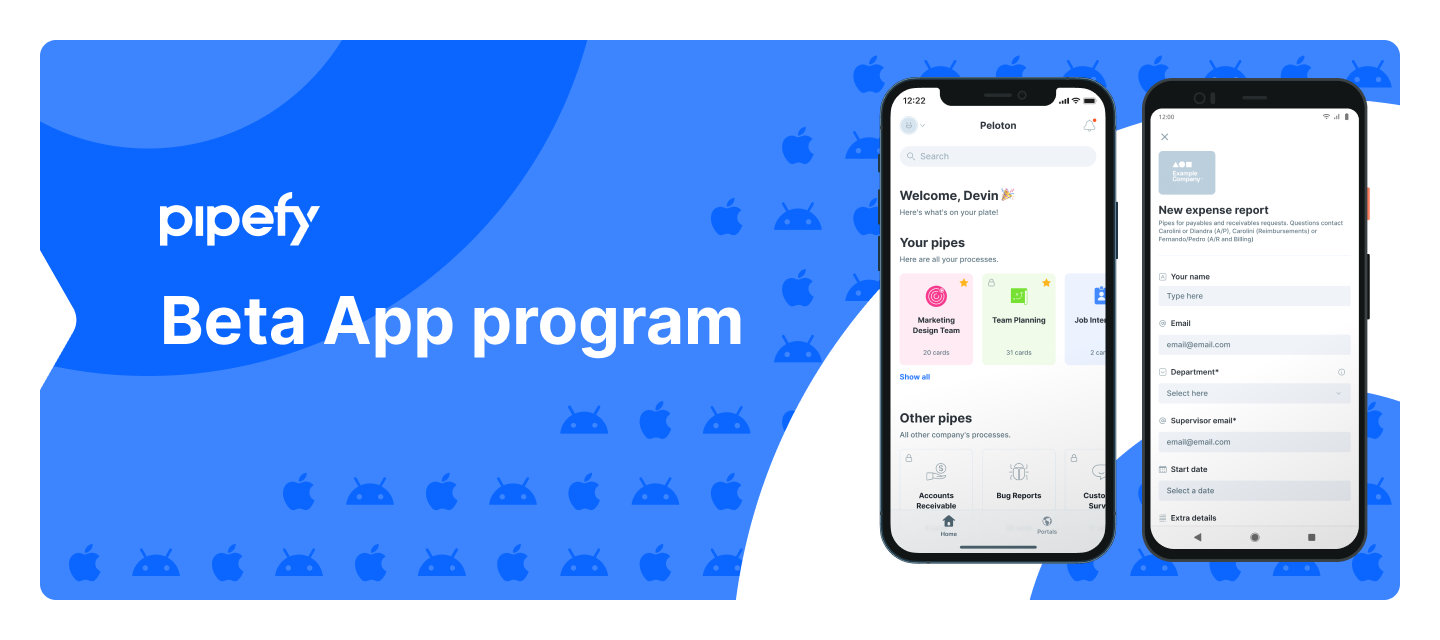
Hello everyone!I am here to talk to you about our beta program for our mobile apps. Did you know we have beta programs for both Android and iOS Platforms?You can join our beta program, receive the releases and updates first and help us improve our mobile apps.For Android check this link and for iOS check this one.Help us improve Pipefy even more. Thanks once again!
Hello, dearest community, A month ago, we have released the Flow and, now, I come with some news! We have made a few improvements in our newest feature to facilitate everything even more for you. Since we have released the Flow we have worked on improvements such as:The ability to move phases around and delete them: To do that, you only need to click on the three dots that appear in the desired phase, and you'll have a dropdown menu allowing you to do so. The ability to see, create and edit phase movements: the blue arrows on top of the Flow represent where your cards are enabled to move from one phase to another. By selecting the phase you can create new movements and delete them as well. ;)We are still studying and working on more improvements for you. In case of questions, feedback, or improvement suggestions, please let me know. Your feedback is super important for us. 🚀
Hello! Hope I find everyone safe and healthy.I am here to tell you about another improvement we did on our mobile apps. We granted our users the ability of editing the history phases fields values.Until today the doers could only edit fields of the current phase on mobile apps and we knew this was a great gap for the process agents doers, so we received lots of feedbacks and improved our mobile apps, both Android and iOS.We are starting rolling this improvement for our customer base and soon enough it will be available for you. Hope you like it!If you don't want to wait you don't have to. Just join our beta programs and have access to the new improvements first. For Android check this link and for iOS check this one.Help us improve Pipefy even more. Thanks in advance!
Hello, dear community I am an Associate Product Manager here at Pipefy and I am here to announce that we have released the beta version of the Flow. ✨ The Flow is a new and improved way for users to see the processes holistically, from beginning to end, and facilitate users' understanding of Pipefy. To access it you need to have admin permission on the pipe and open your pipe settings. Initially, the Flow shows you the start form/public form, the phases, and their fields showing the pipe in a more uniform and connected way. The feature also allows you to go to the edition and it shows the movements within phases. Although for now, the Flow is more visual, we are still working on improvements for it. 🚀 Please send us your feedback and improvement suggestions, it helps us a lot to improve the product every day. Thank you! 🌹
Hi, everyone!I would like to share with you the new partnership model that we launched: Pipefy´s Referral ProgramFor whom is Pipefy’s Affiliate Program suitable?Consulting firms, independent consultants, small and medium-sized companies, agencies, customers, influencers, integrators, and associations.Companies that know Pipefy’s platform and want to recommend it, but don't have a dedicated sales team. And also to people who produce qualified content for different channels, about: process management platforms, process modeling and optimization; technology and management, low code/no code.The Referral Partner will only indicate the lead and our sales team will be responsible for the complete sales process. Just it! For those interested in becoming a referral partner simply régister on our website. Or if you know someone interested and who has this profile, please advise them to go to our page: ENG: https://www.pipefy.com/partners/referral/ PT: https://www.pipefy.com/pt-br/parceiros/afili
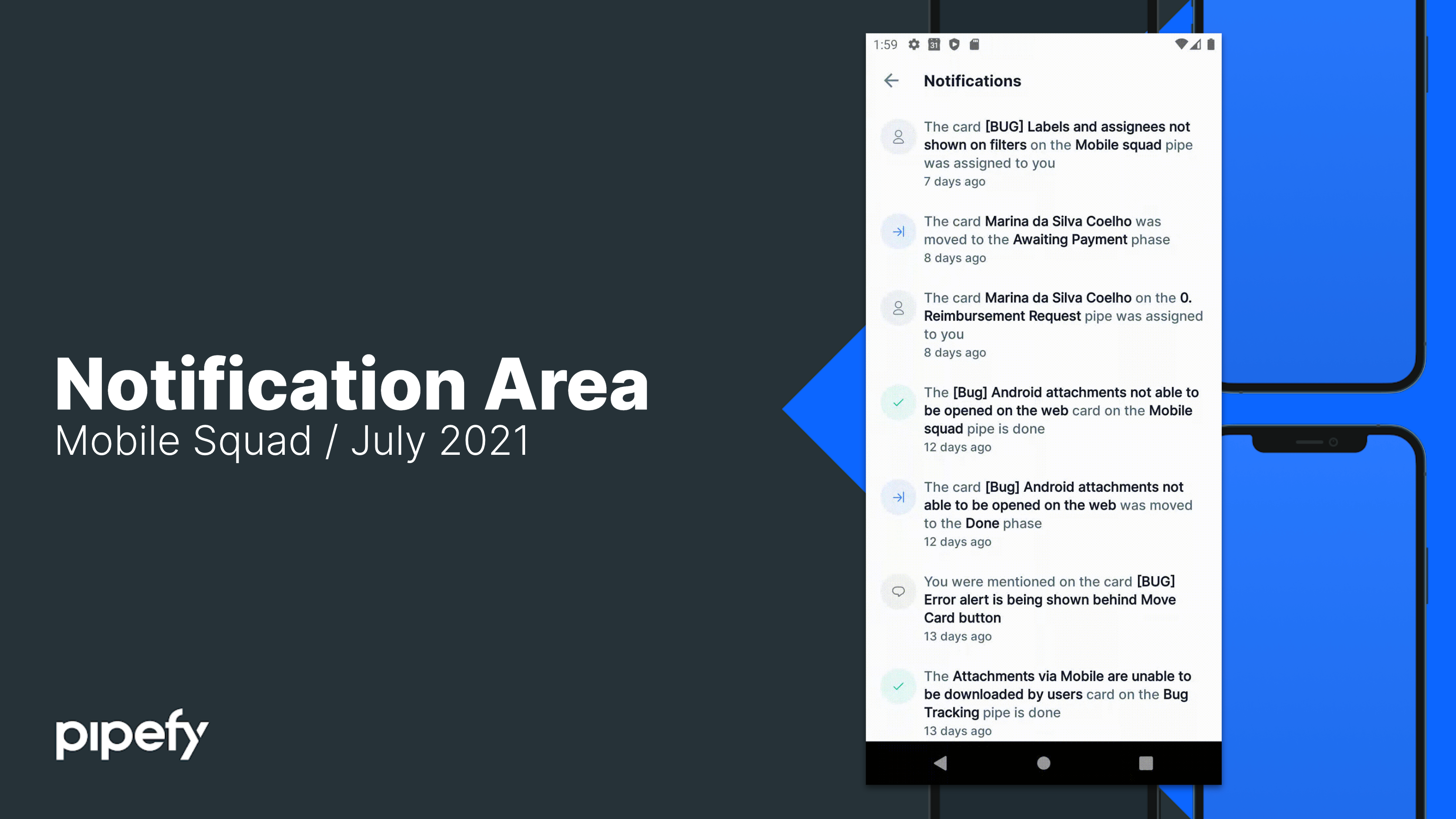
Hello! I am here to tell you we are releasing the notifications area on our mobile apps, both Android and iOS. Now, you will be able to visualize and interact with the notifications and keep up with the most recent changes of the cards and other pipe actions. We know this was a very important feature gap for many mobile users and now we have this properly working also on mobile. We will keep improving our mobile apps so they support all of Pipefy’s capabilities and empower you. Please reach us in case you have doubts, questions, suggestions or if you just want to talk. And keep using our mobile apps to do your thing. You can see more about it on this article.
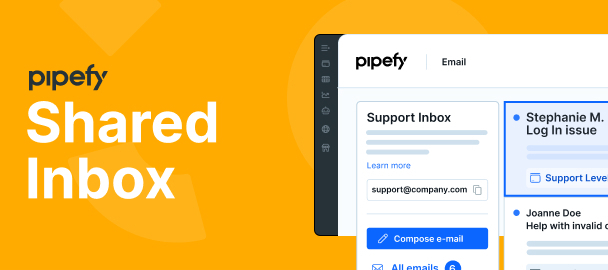
We're proud to announce Pipefy has improved how to work and collaborate through email. We know many processes start with an email, making inboxes central to teams’ information and interactions. Now, when logging into Pipefy, you will see a new tab on the navigation bar called “Emails.” There, you will be able to set up shared inboxes like contact@company.com, sales@company.com, billing@company.com, and centralize all communication shared between team members, suppliers, and anyone you need to interact with. This new view ensures: More productivity through automation and integration capabilities Better collaboration with team members, customers and vendors Less context switching by centralizing information in a single place More visibility so no emails fall through the cracks Send and read emails within Pipefy, see which cards emails are connected to, assign team members to take care of them, and more. Set up your team's inbox on Pipefy by clicking on “Emails” on the pipe header.
Hello everyone! My name is Nicole and I’m an Associate Product Manager here at Pipefy. We would like to invite you to test a prototype of a feature that is currently being developed by us. 🚀 It is very quick and it would be super helpful if you could provide us your honest feedback on it. You can check it here.Thank you so much. 😄
Business Process Management Platform Globally Compliant in Information Security Today we achieved the International Organization for Standardization (ISO) 27001:2013 certification for its Information Security Management System (ISMS) to support global customers using its Business Process Management Platform. “Knowledge workers are at the forefront of deploying no-code tools, like Pipefy, that enable teams to automate and optimize business processes. Now, more than ever, information security is critical to maintaining continuity between IT and Business departments. By achieving our ISO 27001 certification, Pipefy extends our commitment to our customers, for whom security is a top priority. By investing in ISMS, Pipefy not only meets the needs and expectations of our customers, but we’re also empowering Citizen Developers to take on more complex projects with confidence, while remaining a dependable and compliant IT business partner,” said Alessio Alionço, Founder and CEO at Pipefy. Pip
We are happy to announce that the Pipefy mobile app has a new update available. See what changes: New features Colored Pipes and PhasesPipes and phases are now dynamically colored. When a user sets a color for a pipe or a phase in the Kanban at the web application, the mobile app automatically updates to the same color. Conditionals for the current phaseThe users can now visualize conditionals in the current phase using the mobile app. Search bar for table and pipe connectionsSearch for information from a connection between the table and the pipe is no longer an issue; with the new search bar, the user can find the information by writing what they are looking for. The newest versions of the app are v2.0.2701 (iOS) and v2.3.5 (Android). Update your Pipefy mobile App and access all of these new features by clicking on the links below: iOSAndroid
Hi Community! We need your help and engagement Pipefy is participating in the Workato Automate Challenge. Workato is challenging all Automate 2021 Conference attendees to build and submit their own value-adding automation using the Workato platform.Pipefy was shortlisted as one of the best 10 integrations. Let's help us win the competition by voting for Pipefy until May 19th VOTE HERE Thank you!! Watch our entry video
Already have an account? Login
No account yet? Create an account
Enter your E-mail address. We'll send you an e-mail with instructions to reset your password.