














Pipefy, recognized as one of the Market Shapers by Gartner®
Share experiences, ask questions, and learn from experts to get the most out of the Pipefy.
Recently active
Devon Meerholz is the Chief Creative and Operation Officer of IMImobile South Africa. That’s what is on Devon’s LikedIn. But for us Devon is a doer. And, as you know, Pipefy’s mission is to empower doers. Devon was struggling with obsolete management tools: emails, spreadsheets and task management apps. That’s usual. Devon and his Marketing team were spending 25 minutes every morning updating manually spreadsheets about each Marketing Campaign status. After trying a couple of task management tools, Devon discovered Pipefy. With our Customer Success team support, quickly, Devon found out a mix between flexibility and advanced features to create the perfect flow for his team. Nowadays, IMImobile South Africa spends 80% less time managing Marketing Requests. Want to know how? Take a look at the full story and see how Pipefy empowered Devon and his team: https://www.pipefy.com/customer-case-studies/imimobile/
Hi, I would love to know in your opinion what are the main differences between Trello and Pipefy. Which one would you recommend for a mid-market company looking for improving control, SLA management and visibility?
Hi, I own a construction company and we have been increasing our head count lately. Since we don't have a structured process in place I would love to learn how other customers have been using Pipefy for hiring processes. Looking forward to hearing from the community experts!
Hi, I would love to create email templates that are sent automatically whenever cards are moved to different phases. Is is possible to configure something like that?
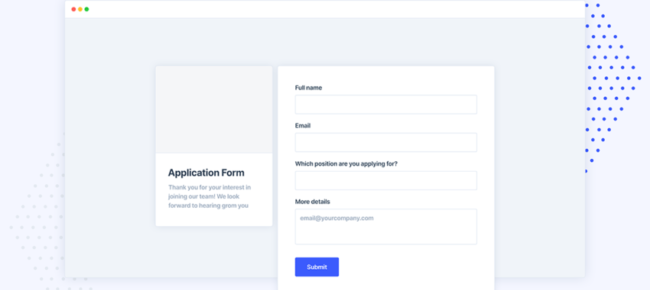
Public Forms is Pipefy's key feature to improve your business' processes and help your team to increase its productivity daily. In this video, you will understand what is a Public Form, how it works and how you can start to manage your own forms right now.
Expected results: Save time by automatically creating recurring activities and making sure your team follows their routine. What is this useful for? Automatically creating cards for recurring daily/weekly or monthly activities (such as accounts payable, extracting reports, team meetings, etc.) . Before you get started you'll need to: Specify which task you wish to automatically create in your team's task management pipe. In our case we want a card to be created every Monday 9 a.m. to remind the team to extract all necessary reports before the team meeting on Wednesday. How to: Access the automation menu by clicking on the automation option in the sidebar (in the left side of the screen); Click on 'Add new automation'; Our event will be 'Recurring activity'. Frequency is every week, select Monday and the time you want the card to be created. It's important to notice that the timezone is UTC so if you wish a card to be created every Monday 9 a.m. in
Hi, I would love to build a table on my email template with specific content from my vendor to be displayed on the body of the email. Is it possible?
Hi, is it possible for users to be Pipe admins but not company admins? I want to set different permissions to different users based on their responsibilities and processes.
Use automation to eliminate the need to manually fill in fields Expected results: Save time by automatically updating information in your pipe's fields What is this useful for? Use automation to update fields in your pipe with data from database records. Save time by not having to manually fill in all your employee data every time they open a new request while ensuring you're always using the most updated information from your customer database. Before you get started you'll need to: Create a database with the records where you'll add all your employee data (such as name, email, phone, address, etc.) Create a connection field in your pipe's start form where you'll select the employee record; Create the fields you'll wish to update with your record's data (ex. Employee name, email, phone). Make sure the fields are the same type of fields in the database. If they're in the start form, make sure you can edit them in other phases. How to: Access the automation menu by clicking
Use automation to speed up your automation flows Expected results: Save time with efficient and automated approval flows. What is this useful for? Based on your business rules, demand approval from other teams or managers so that requests can flow smoothly and warrant better alignment and quality. Example: the value of purchase that demands approval from the manager. Before you get started you'll need to: Make sure the first phase of your pipe doesn't have any mandatory fields and Create an 'approval' phase. How to: Access the automation menu by clicking on the automation option in the sidebar (in the left side of the screen). Click on 'create new automation'; Our event will be when a card is created in the pipe purchase process. We'll add the condition that the purchase value is more than U$D500; Our action is to move the card to the Approval phase so that the manager in charge of the process knows that that request demands his/her attention. Let's name and save the
Use automation rules to automatically assign overdue demands to the team manager Expected results: Avoid delays in deliveries by notifying the manager when a task becomes overdue. What is this useful for? You can use automations to create an automated escalation process. Whenever a task/card becomes overdue (goes past its due date), you can automatically bring it to the attention of the manager or another team to ensure it'll be taken care of. Before you get started you'll need to: Create an assignee select field in the first phase of your pipe (you can add it to the start form if you wish, just make sure it's able to be edited in other phases); Make sure all your tasks have a due date - you can establish that by adding a mandatory due date field. How to: Access the automation menu by clicking on the automation option in the sidebar (in the left side of the screen). Click on 'create automation'. Our event will be 'when an alert is triggered' - in pipe 'team ta
Is it possible to build and save Reports so I don't need to create new ones every time?
I just realized that after inviting a couple new team members to Pipefy I was charged in my credit card for adding. Do you know what happened?
Hi, I would like to update my credit card and billing information. Where can I do that?
Already have an account? Login
No account yet? Create an account
Enter your E-mail address. We'll send you an e-mail with instructions to reset your password.