



Hello, Pipefy community 👋
You have asked, and we did it! 🚀
Now the card's subtitles display in the kanban view will follow the order you set in the pipe's configuration.
If you already have a pipe with some subtitles defined, you can reorder the fields in the order you want them displayed on the card.
Simply go to Pipe > Settings > Pipe configuration > Card subtitle > Chose the subtitles and put them in the order you want to see them on the card.
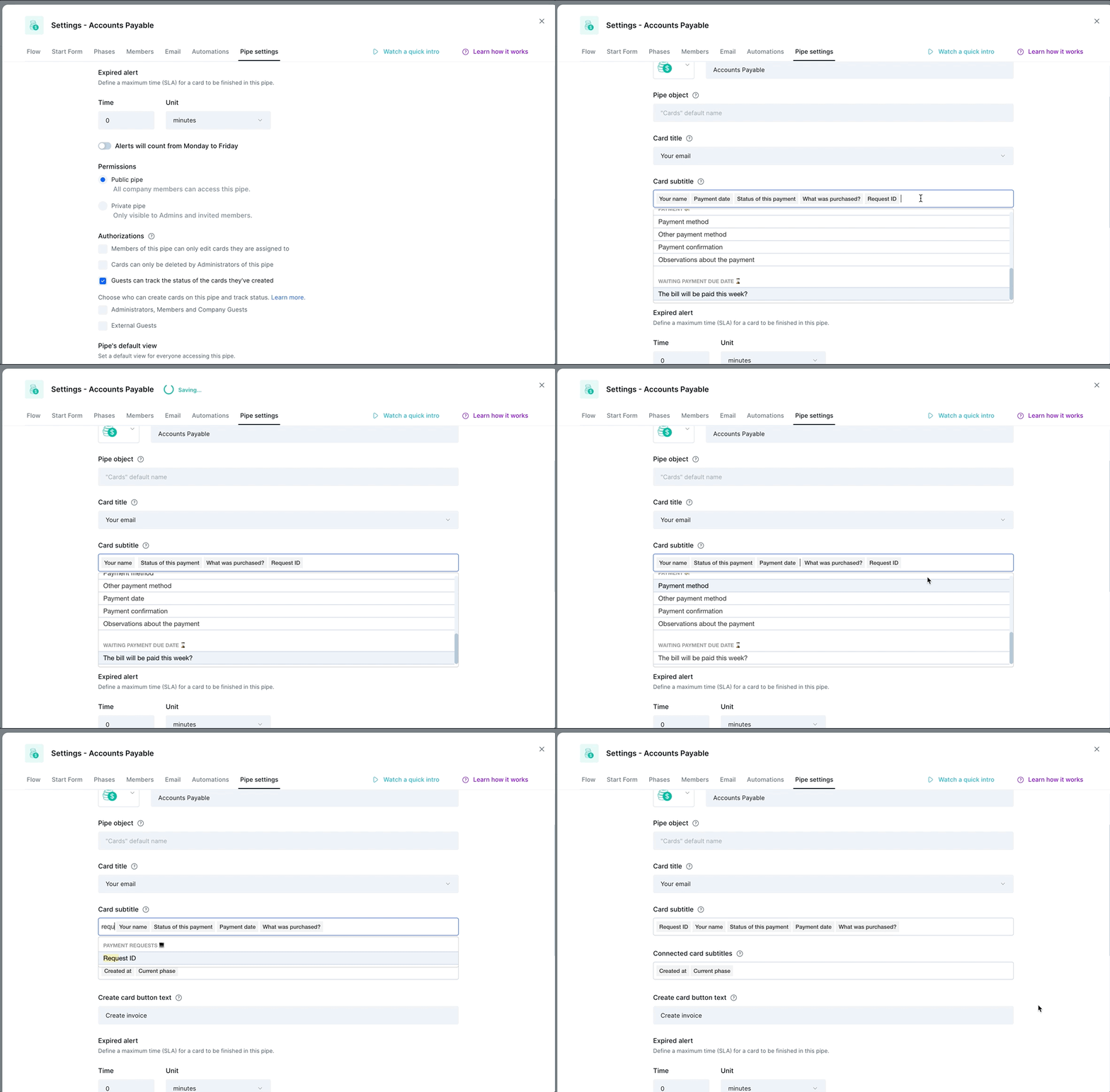
💡 TIP: If you want to edit the order, remove or add another field in the middle, you can do that by using the arrow keys on the keyboard. Or you can erase all and add again in the chosen order.
🗓 This feature will be gradually released for every user throughout this week, until July 15th. Let us know if you want to use it right away!