



More actionable dashboards, AI that acts across processes, and full visibility into API consumption. April's updates consolidate two movements at the core of intelligent orchestration: more power for agents and more control for operators.
Check out all the releases:
Duplicate Charts on the Dashboard
You can now duplicate any chart directly from the dashboard surface in a single action. The duplicated item retains all original configurations — filters, metrics, layout — and is ready for immediate adjustments. No rebuilding required.
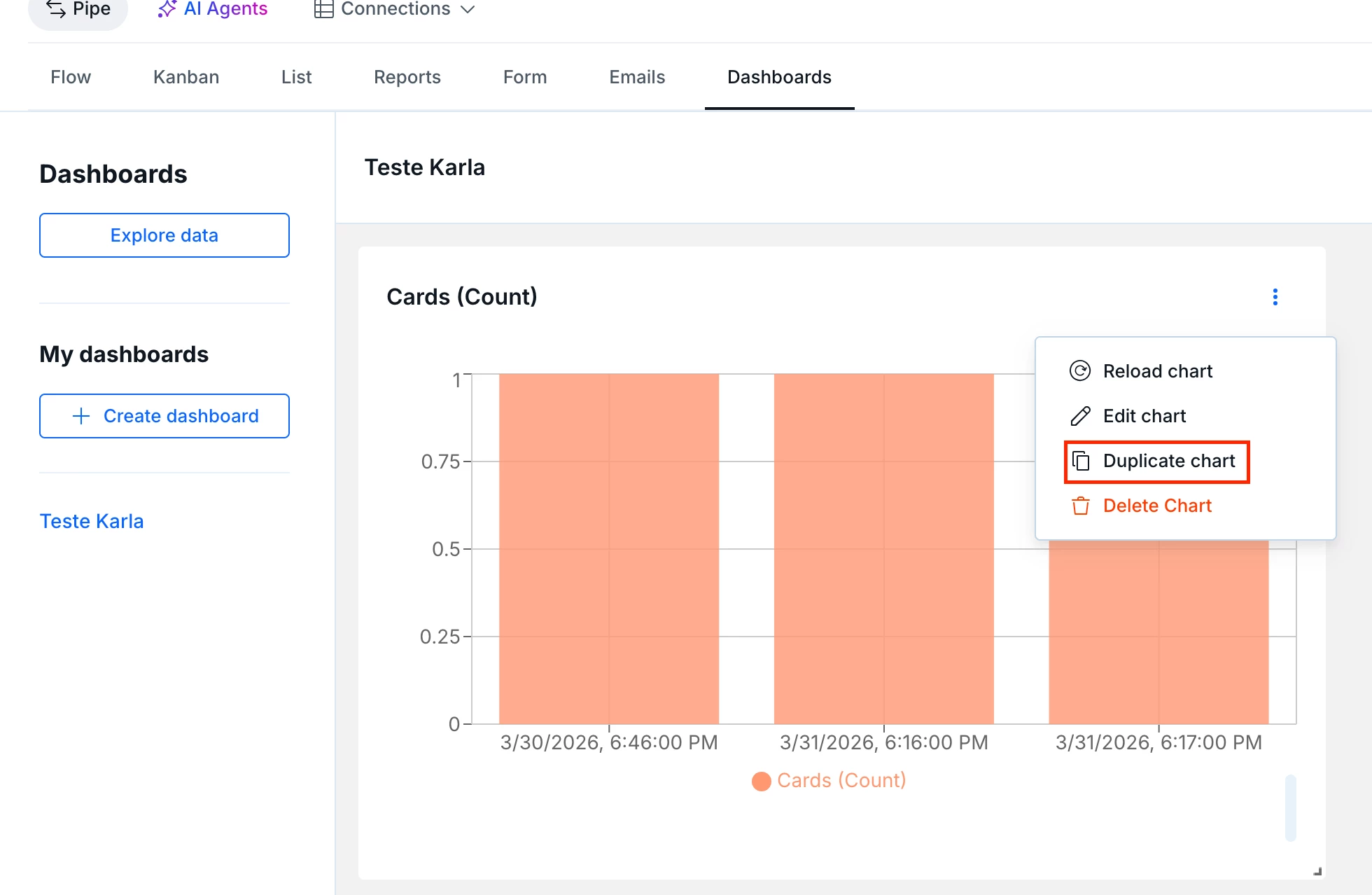
- Duplicate option available directly from the chart menu on the dashboard
- Duplicated item inherits all original settings (filters, metrics, groupings)
Organization Attribution for API Metering
All Personal Access Tokens (PATs) must have a billing organization assigned. This ensures every API call is correctly attributed to the account responsible for the costs with full visibility in the admin dashboard.
- New tokens: selecting a billing organization is now a required step at creation
- Existing tokens: 45-day window for manual configuration; after the deadline, the system assigns an organization automatically
AI-Suggested Agent Templates 2.0
Agent Template suggestions in the AI Agents area are now generated by the Agents 2.0 engine. The result: templates more closely aligned with each pipe's context, higher execution capability, and less manual configuration to get a working agent up and running.
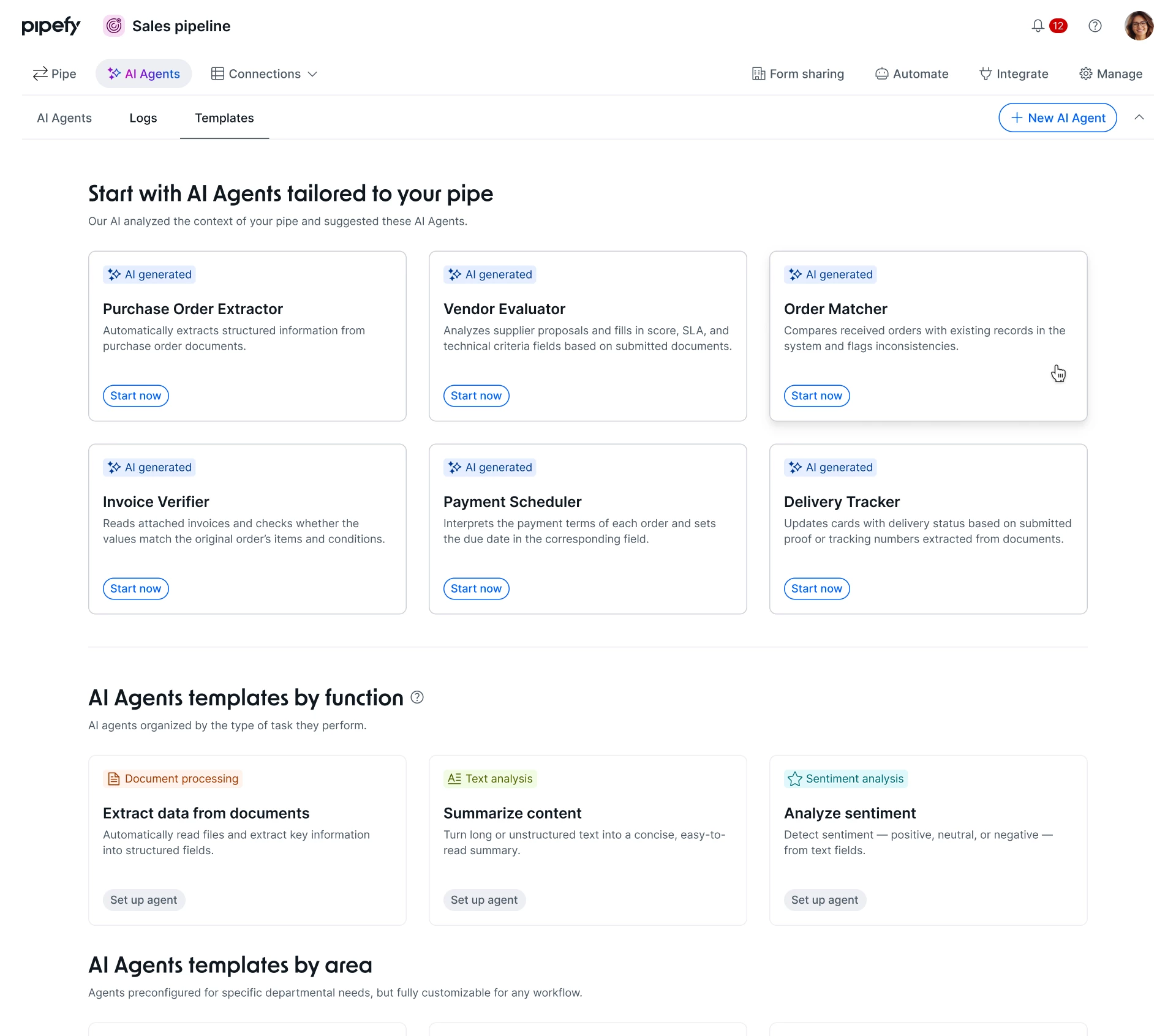
- Agent Template suggestions are now powered by the Agents 2.0 engine
- Each template comes pre-configured as an Agent 2.0 — users only need to map specific fields and set triggers to activate
API Consumption view
The API Usage Stats dashboard has been updated to deliver granular visibility into API call consumption. You can now view daily usage through a chart, identify spikes by operation or access token, and project costs before the billing cycle closes — without relying on support tickets or manual log analysis.
- Daily column chart displaying consumption for the current month
- Daily usage averages for cost projection and anomaly detection
- Filter and group by Operation Name or Access Token — identifying exactly which system, script, or integration is generating each call
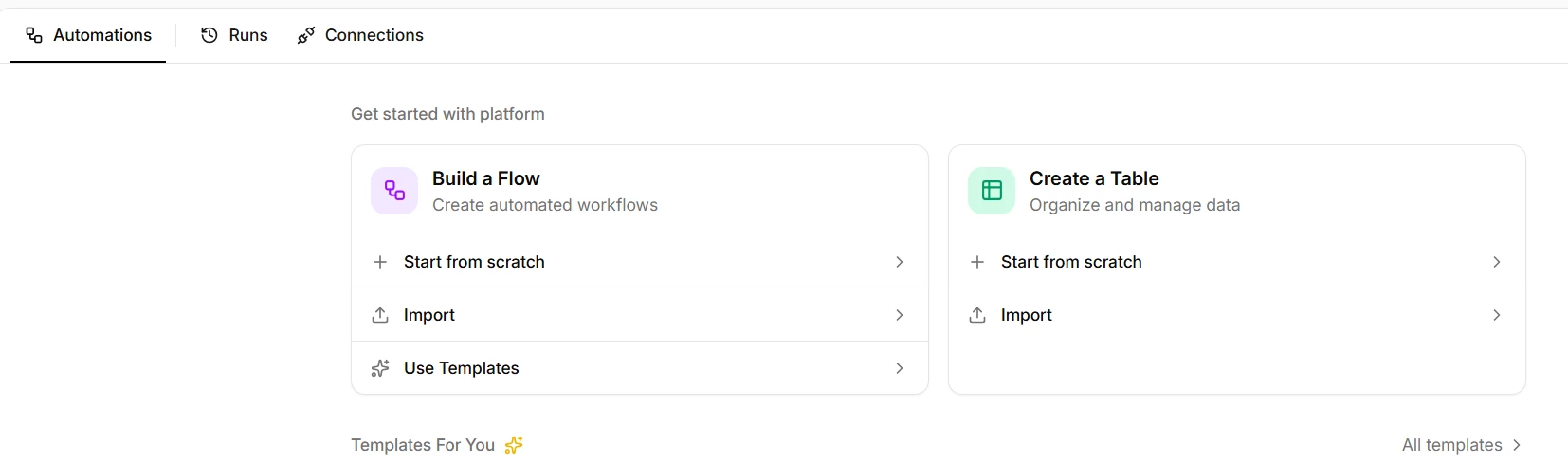
Integrations Hub: Flow Templates are back
As part of our ongoing improvements to the Integrations Hub, we're bringing back the Templates feature — now with more visible entry points integrated into the platform's navigation.
The feature is available in two places in the interface, whether you're just getting started or already have flows set up.

Integrations Hub: AI Agents, new integrations, and editor updates
Three areas updated in this release: a cleaner, more navigable flow editor, new native integrations, and — the most significant addition — you can now create AI flows and run AI Agents directly inside the Integrations Hub.
Editor and navigation
- The action bar (Retry, Move flow) now appears as a floating toolbar when an item is selected
- More screen space, unified scroll, and sticky headers on the canvas
- Renaming a connection no longer breaks dependent flows — references now use a stable internal identifier
AI Agents in flows
- You can now create AI flows and run AI Agents inside the integrations editor
- Automation flows can trigger and orchestrate agents directly within the pipeline
We're working to connect AI Pieces directly to Pipefy AI Credits, bringing everything into one unified experience. This is expected to be available in the coming weeks.
New integrations
- Jira Data Center — on-premise support with PAT tokens
- Gitea — self-hosted Git integration
- SavvyCal — scheduling automation
- Workday — HR and workforce management
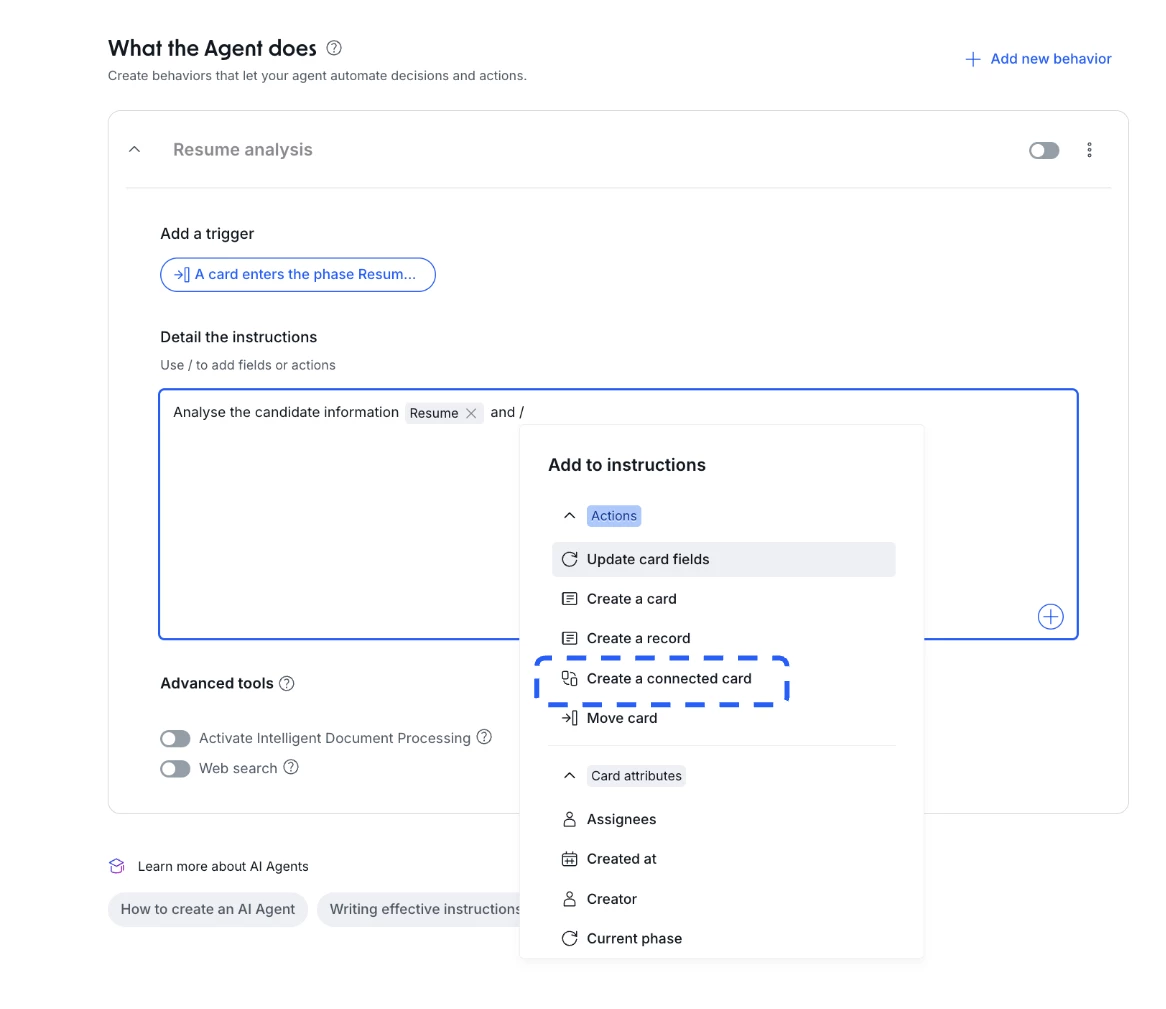
AI Agents — New action: create connected card
Continuing the series of updates for AI Agents, we are introducing a new native action: Create connected card.
This functionality significantly expands the orchestration capabilities of AI within Pipefy, enabling agents to not only manage an isolated workflow but also connect multiple processes end-to-end while maintaining full traceability.
AI Agents can now execute five core actions within the platform:
- Update card fields
- Create a card
- Move card
- Create a record
- Create a connected card (New)
Subscribe to Pipefy Updates and stay up-to-date on all the latest Pipefy updates, improvements, and new features
